

描述
Muki Series TOC is a powerful WordPress plugin that helps you organize and display related posts in a series. It automatically generates a table of contents for your series posts, making it easier for your readers to navigate through your content.
Main features:
- Create and manage multiple post series
- Automatically generate a table of contents for each series
- Customize the display position (above or below content)
- Customize the series title
- Quick edit support for assigning posts to series
This plugin is perfect for bloggers, tutorial writers, and anyone who creates content in a series format.
屏幕截图

The series management interface 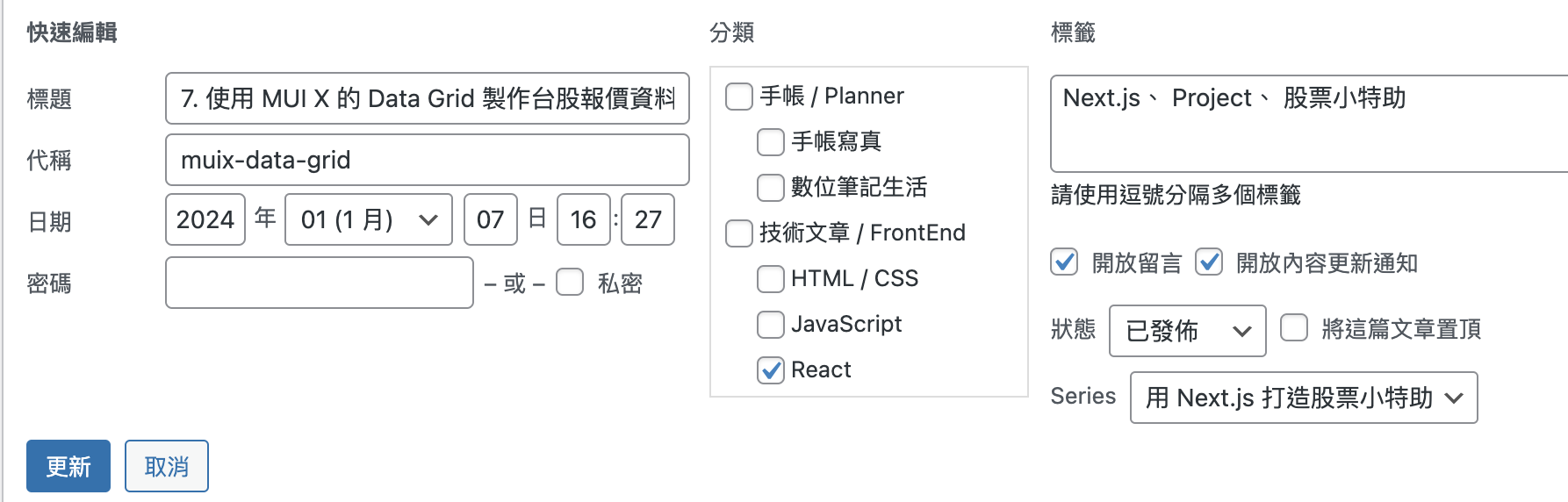
Series selection in quick post editor 
Series selection in post editor 
Example of a series table of contents on a post
安装
- Upload the plugin files to the
/wp-content/plugins/muki-series-tocdirectory, or install the plugin through the WordPress plugins screen directly. - Activate the plugin through the ‘Plugins’ screen in WordPress
- Use the Settings -> Muki Series TOC screen to configure the plugin and create your series
常见问题
-
Can I manually place the table of contents anywhere in my post?
-
Yes, you can use the
muki_series_toc_display()function in your theme files to manually place the table of contents.
评价
此插件暂无评价。
贡献者及开发者

更新日志
1.0.1
- Added Traditional Chinese localization
1.0.0
- Initial release