

描述
Why use “Kaya Login Captcha”?
This plugin Adds a simple captcha on login form, register form and lost-password form.
Easy install and use, captcha settings are fully customizable and you can choose the forms on which to display it. The blocked request HTTP status can be customized and the XML-RPC feature can be disabled.
Captcha statistics are also available on the settings page, with the count of passed and blocked requests sorted by year and month.
Features
- Captcha available on the login form (Dashboard and WooCommerce).
- Captcha available on the lost-password form (Dashboard and WooCommerce).
- Captcha available on the register form (Dashboard and WooCommerce).
- Editable Captcha code length.
- Editable Captcha code format: numeric, alphabetic or alphanumeric.
- Random lines available in the background of the Captcha.
- Editable blocked request HTTP status.
- XML-RPC WordPress API deactivatable.
- Captcha statistics of passed and blocked requests sorted by year and month.
- Compatible with WordPress MultiSite and WooCommerce.
“Kaya Login Captcha” is a professional login captcha system with fully customizable settings.
Privacy
This plugin does not collect or store any user data. It does not set any cookies and does not connect to any third-party applications. This plugin only generate a captcha code to verify human action for selected forms on your settings.
Available Languages
- English.
- French.
Feedback
Any suggestions or feedback is welcome, thank you for using or trying one of my plugins. Please take the time to let me know about your experiences and rate this plugin.
屏幕截图

Kaya Login Captcha settings page. 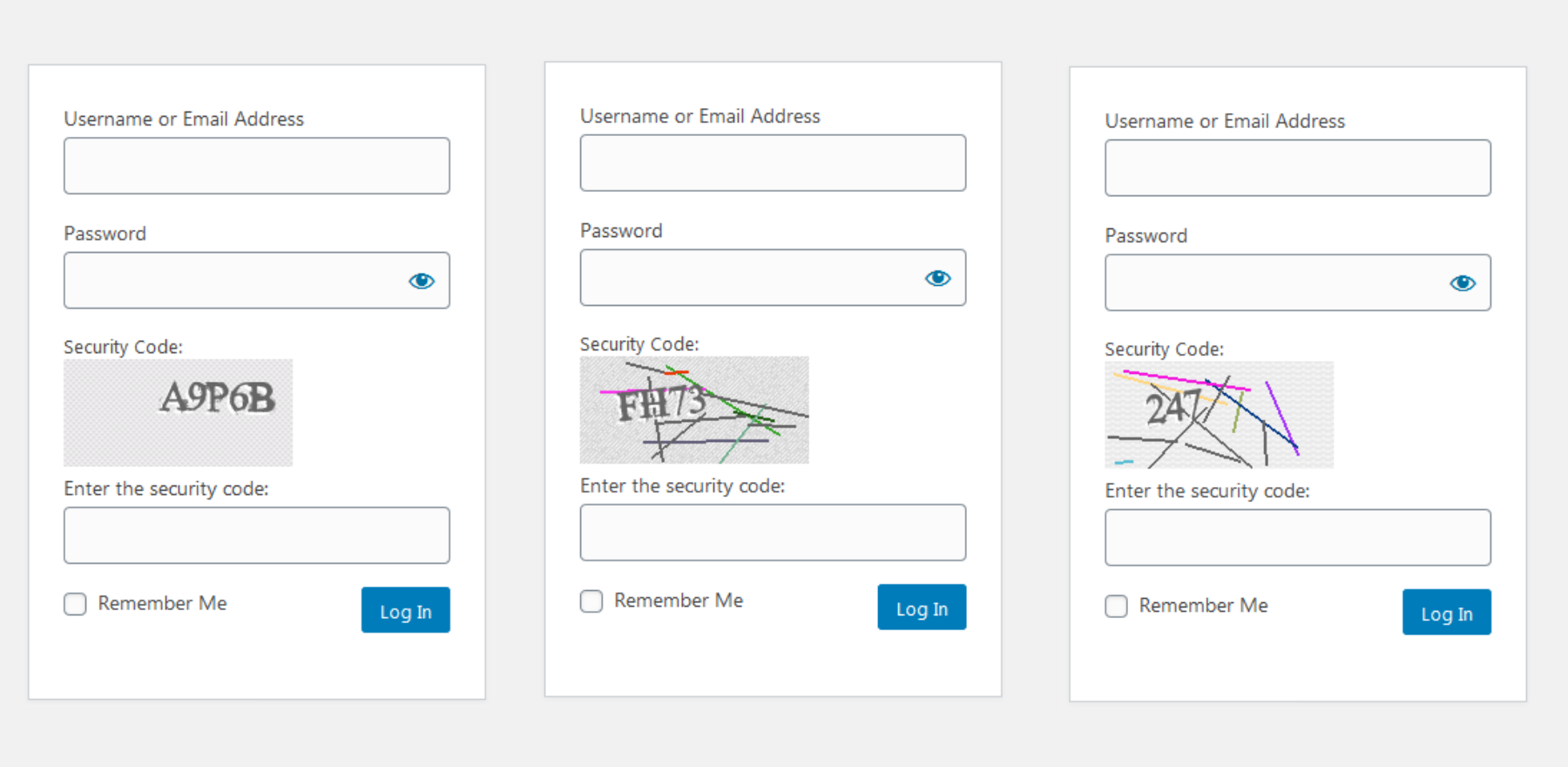
Kaya Login Captcha: Custom Captcha display examples.
安装
The quickest way:
- Go to the Plugins Menu in WordPress and select Plugins > Add new
- Search for “Kaya Login Captcha”
- Click “Install” and “activate”.
The other way:
- Upload the “kaya-login-captcha” folder to the “/wp-content/plugins/” directory
- Activate the plugin through the “Plugins” menu in WordPress.
常见问题
-
What if I wish to change the captcha display?
-
No problem, Kaya Login Captcha is fully customizable.
Change the settings in “Kaya Studio > Login Captcha”.You can enable or disable the forms on which to display it (the login form, the register form and the lost-password form).
You can custom the Captcha code length, code format (numeric, alphabetic or alphanumeric) and enable random lines in the background of the Captcha.
-
What if I wish to edit the captcha error HTTP status?
-
No problem, Kaya Login Captcha is fully customizable.
Change the settings in “Kaya Studio > Login Captcha”.You can modify the blocked request HTTP status by error code as Unauthorized (code: 401), Forbidden (code: 403) or let it without change (code: 200).
-
What if I wish to deactivate the XML-RPC WordPress API?
-
No problem, Kaya Login Captcha is fully customizable.
Change the settings in “Kaya Studio > Login Captcha”.You can deactivate the XML-RPC WordPress API. Warning: Some plugins need this, like the Jetpack plugin.
-
How to support the advancement of this plugin?
-
Any suggestions or feedback is welcome, please take the time to let me know about your experiences and rate this plugin.
You can help to support the advancement by donate to this plugin, see more details on http://dotkaya.org/a-propos/

贡献者及开发者

更新日志
1.0.2
- Fix: Error message when saving settings without modification.
1.0.1
- Fix: Dashboard plugin icon break.
- Adding: Provides the captcha for environments without the GD library and the FreeType library.
1.0.0
- KLC is ready for wordpress.org.
0.1.0
- “Kaya Login Captcha” is created.