
Descripción
Enhance your Gravity Forms with powerful advanced addons, custom fields, and seamless integrations. Unlock greater flexibility, improved user experience, and smarter form functionality with ease.
🌟 Key Fields & Features
- Star Rating Field
- Notification Attachment
- Tooltips
- Limit Checkbox
- Disable Entry Creation
- Custom CSS & JS
- Preview Submission
- Klaviyo (CRM)
- Google Calendar
- Google Sheet
- Cloudflare Turnstile
- hCaptcha
- Math Captcha
- Read Only
-
Star Rating Field
Add the ability to add multiple Star Rating fields to Gravity Forms easily with various design settings/options. -
Notification Attachment
Easily attach any file type to your notifications. Once activated, you’ll see an attachment button at the bottom of the notification settings. Click to attach your files. -
Tooltips
When the Tooltips addon is activated, a tooltip text box will appear in each Gravity Forms field. Just enter your text, save the form, and it will display on the frontend. -
Limit Checkbox
When the Limit Checkbox addon is active, a new option will appear in the checkbox field to set a selection limit. Simply set the number, and users will only be able to select up to that limit. -
Disable Entry Creation
Disable entry creation for specific forms. This is useful when you want to use Gravity Forms for other purposes, such as email notifications or custom processing. -
Custom CSS & JS
Custom CSS & JS allows you to store and apply custom styles and scripts for specific Gravity Forms. It helps tailor form behavior and design without affecting other forms or your theme. -
Preview Submission
Preview Submission lets users review all entered form data before final submission, reducing errors and improving accuracy. -
Klaviyo (CRM)
Integrate with Klaviyo to send form submissions to your Klaviyo account. This is useful when you want to use Klaviyo to send marketing emails to your subscribers. -
Google Calendar
With Gravity Forms submissions, the submitted data is sent to Google Calendar, helping you organize events, meetings, and reminders all in one place. -
Google Sheet
All Gravity Forms field data will be sent to Google Sheets according to the user’s configuration upon form submission. -
Cloudflare Turnstile
Turnstile helps protect websites from bots and automated abuse (like spam form submissions or automated sign‑ups) while keeping the experience smooth for real users. -
hCaptcha
hCaptcha is a privacy‑aware CAPTCHA solution that helps block bots and abuse while keeping user experience smoother and data protection stronger compared to some traditional CAPTCHA systems. -
Math Captcha
Math CAPTCHA is a type of CAPTCHA that asks users to solve a simple mathematical problem (like addition, subtraction, or multiplication) to verify that they are human. -
Read Only
Read Only allows you to make fields read-only, which means users cannot modify them. This is useful when you want to use Gravity Forms for other purposes, such as email notifications or custom processing.
Requirements
- PHP 7.4+
- Gravity Forms
Capturas de pantalla
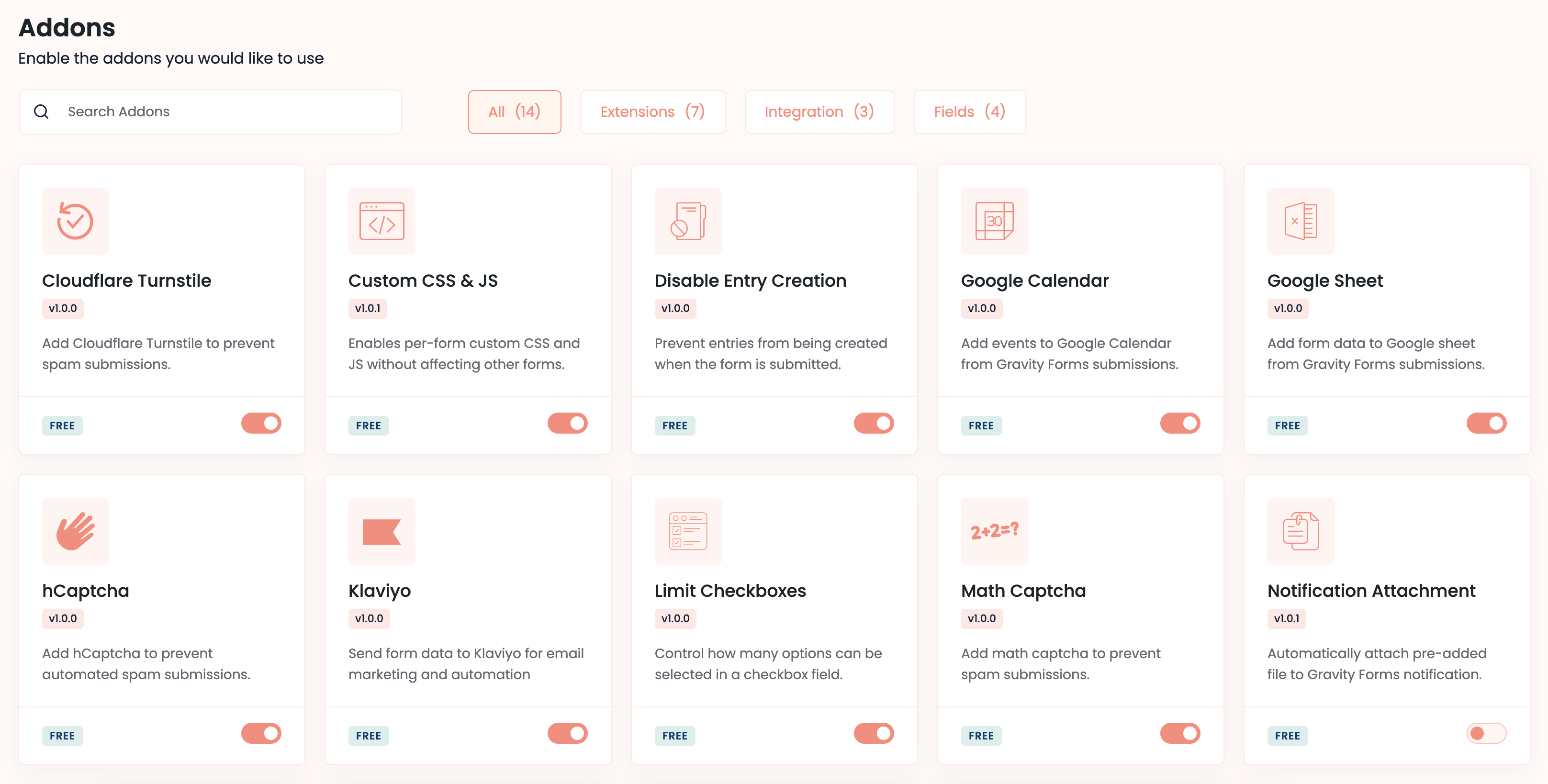
Active addons 
Custom Css & Js 
Google Sheet Feeds
Instalación
- Install Alpha Addons for Gravity Forms plugin.
- Make sure you also have Gravity Forms activated.
Reseñas

Colaboradores & Desarrolladores
“Alpha Addons for Gravity Forms” es software de código abierto. Las siguientes personas han contribuido a este plugin.
Colaboradores

Traduce “Alpha Addons for Gravity Forms” a tu idioma.
¿Interesado en el desarrollo?
Revisa el código, echa un vistazo al repositorio SVN, o suscríbete al registro de desarrollo por RSS .
Historial de cambios
1.0.2
- Math Captcha
- Read Only
- Turnstile
- hCaptcha
- Google Sheet
- Google Calendar
- Bug fix
1.0.1
- Add few more addons.
- New admin layouts.
- Bug fix.
1.0.0
- Initial Release