
Descripció
Improve your SEO with real-time feedback, schema, and clear guidance. Upgrade for AI tools, Google Docs integration, and 24/7 support, no hidden fees.
Yoast SEO: The #1 WordPress SEO Plugin
Since 2008, Yoast SEO has helped millions of websites worldwide improve their visibility and SEO performance.
Our mission is SEO for Everyone — from small local businesses to some of the most visited sites on the web.
Yoast SEO gives you everything you need to manage your on-site SEO effectively.
The Yoast SEO Premium plugin and its extensions unlock even more advanced and AI-powered tools.
Handing you the competitive edge
SEO is the most consistent and cost-effective source of website traffic — but it can be complex. Whether you’re just starting out or an advanced user, Yoast SEO helps you handle SEO confidently and efficiently.
Don’t have time to stay on top of AI search and best practices? Keeping Yoast SEO updated means you automatically benefit from ongoing technical improvements, schema updates, and AI advancements — all guided by our signature traffic light approach.
Empower search engines to better understand your website using Schema.org structured data integration, and access in-depth content and readability analysis tools that help you create content designed to perform well in search.
Quick and easy setup
Setting up Yoast SEO is quick and straightforward — no technical background required.
Our step-by-step configuration wizard walks you through essential setup details so Yoast SEO can generate accurate structured data that helps search engines understand your site.
Switching from another SEO plugin like Rank Math or AIOSEO? Migration is seamless.
Import your existing SEO data and settings safely with our built-in import/export tools.
Content and AI features
Unlock your content’s full potential with Yoast SEO’s advanced content analysis and AI-powered tools.
Content optimization features:
– Detailed SEO analysis to guide keyword targeting and site performance.
– Readability analysis for clear, engaging, and user-friendly writing.
– SERP previews for both desktop and mobile results.
– HowTo and FAQ blocks with built-in schema support.
– Breadcrumbs block for improved navigation.
– Inclusive Language Analysis to make your content more considerate and accessible.
– Semrush integration for keyword research directly in Yoast SEO.
– Wincher integration to track keyword performance inside your dashboard.
– Elementor integration for seamless optimization within your favorite builder.
AI features (included in Premium):
– Yoast AI Generate – Instantly create five SEO-friendly titles and meta descriptions, with one-click regeneration for more options.
– Yoast AI Optimize – Improve keyphrase placement (introduction, distribution, density) automatically.
– Yoast AI Summarize (New 2025) – Generate quick content summaries for briefs or social posts.
– All AI tools included – No extra accounts, limits, or hidden costs.
These tools help you craft optimized, helpful content that resonates with readers and performs strongly across search platforms.
Taking care of your technical SEO
Yoast SEO automatically handles much of your site’s technical SEO, freeing you to focus on your content.
Key technical SEO features:
– Automated meta tag optimization right out of the box.
– Canonical URLs to prevent duplicate content issues.
– Advanced XML sitemaps for clear site indexing.
– Best-in-class Schema.org integration to improve search understanding and appearance.
– Complete breadcrumb control for visitors and crawlers.
– Performance improvements that help reduce load times.
– Crawl settings to manage how bots access your site and reduce environmental impact.
– LLMs.txt management to guide how large language models interact with your content.
Every update delivers ongoing technical SEO enhancements automatically.
Keep your website in perfect shape
Whether you’re a creator, business owner, or developer, Yoast SEO helps maintain your website’s SEO health:
- Cornerstone content tools to organize and prioritize key pages.
- Front-end SEO inspector to view and edit titles, descriptions, and schema live.
- SEO roles to delegate plugin access securely across teams.
- Regular 2-week update cycle to ensure compatibility with the latest SEO standards and search engine changes.
Powerful integrations
Yoast SEO works seamlessly with popular WordPress tools to enhance your workflow and results:
- Google Site Kit: Access insights from Search Console, Analytics, and PageSpeed directly inside WordPress.
- Advanced Custom Fields (ACF): Combine with ACF Content Analysis for Yoast SEO for advanced field optimization.
- Elementor: Use full Yoast SEO functionality inside Elementor’s editor.
- Algolia: Enhance internal search accuracy and performance.
- Semrush: Discover and optimize for high-value keywords.
- Wincher: Track keyword positions and trends in Google Search.
- Jetpack: Manage SEO and social previews all in one place.
- Easy Digital Downloads (EDD): Improve digital product visibility with integrated schema.
- Mastodon: Verify your website on Mastodon with Yoast SEO Premium.
- WooCommerce: Optimize ecommerce SEO with the dedicated WooCommerce extension.
Yoast SEO Premium – AI-powered SEO for WordPress
Yoast SEO Premium enhances everything in Yoast SEO with advanced automation, AI tools, and professional support.
Trusted by millions, it helps you optimize efficiently for both traditional and AI-driven search.
Tackle your SEO challenges:
– Keep pace with algorithm and AI search updates.
– Target the right audience effectively.
– Automate redirects, crawl controls, and internal linking.
– Identify orphaned content and improve site structure.
– Get support when you need it.
Premium highlights:
– AI-generated titles and meta descriptions.
– Smart internal linking suggestions.
– Social previews for Facebook and X.
– Redirect Manager with bulk tools and automatic prompts.
– Bot Blocker for AI crawlers (GPTBot, CCBot, Google-Extended).
– IndexNow integration for fast content updates.
– Front-end SEO Inspector for real-time editing.
– SEO Workouts to improve orphaned and cornerstone content.
– Google Docs add-on for seamless SEO writing in Docs.
– 24/7 premium support from SEO specialists.
Includes at no extra cost:
– Yoast Local SEO: Optimize for local audiences and Google Maps.
– Yoast Video SEO: Ensure Google understands your videos with video sitemaps and schema.
– Yoast News SEO: Increase visibility in Google News and Top Stories.
Yoast WooCommerce SEO – Advanced SEO for Online Stores
Yoast WooCommerce SEO builds on Yoast SEO Premium with ecommerce-specific tools to improve your store’s visibility and conversion potential.
Key ecommerce SEO features:
– WooCommerce-specific XML sitemap excluding non-shopping content.
– Product structured data for enhanced rich results (price, reviews, availability).
– Canonical URL management to prevent duplicates.
– Ecommerce-focused content analysis for GTINs, SKUs, and short descriptions.
– AI Generate for ecommerce – Instantly create optimized titles and meta descriptions for product and category pages.
Benefits:
– Improve product visibility with automated structured data.
– Enhance crawl efficiency for large catalogs.
– Save time through metadata templates and automation.
– Increase engagement with AI-optimized ecommerce metadata.
Built for WooCommerce, trusted by thousands of online stores worldwide.
For Developers
Yoast SEO is built with developers in mind. With modern APIs, hooks, and a unified indexables system, you can extend or integrate SEO functionality across custom themes, plugins, or headless setups.
REST API
Retrieve SEO metadata for any post or URL, including meta tags, Open Graph, Twitter Cards, and Schema.org data.
Learn more about the REST API.
Surfaces API
Access SEO data directly in code via YoastSEO()->meta->for_current_page().
Supports titles, descriptions, canonicals, and schema.
Read the Surfaces API documentation.
Metadata API
Use the Metadata API to filter, override, or extend meta tags with WordPress hooks such as wpseo_title, wpseo_metadesc, and wpseo_canonical.
Schema API
The Schema API lets you modify or extend Schema.org graph pieces, including Article, Organization, Person, Breadcrumb, and WebPage entities.
Block Editor compatibility
Yoast SEO integrates directly with the WordPress Block Editor (Gutenberg).
It outputs schema for HowTo and FAQ blocks by default, and developers can extend schema for custom blocks.
Indexables
At the core of Yoast SEO lies the indexables system, unifying all SEO data for faster queries and consistent metadata across outputs.
Ongoing support and education
Yoast is powered by expert developers, testers, and SEO specialists who keep improving the plugin.
We’re committed to helping users grow their SEO skills with resources such as:
- Yoast SEO Academy: Free and premium SEO courses (included in all paid plans).
- Yoast SEO blog, newsletter, and webinars.
- Yoast SEO Update podcast for the latest SEO insights.
- Bug reports on GitHub (for issue tracking, not support).
Yoast SEO — built to make search optimization accessible, reliable, and ready for the future of AI search.
Captures
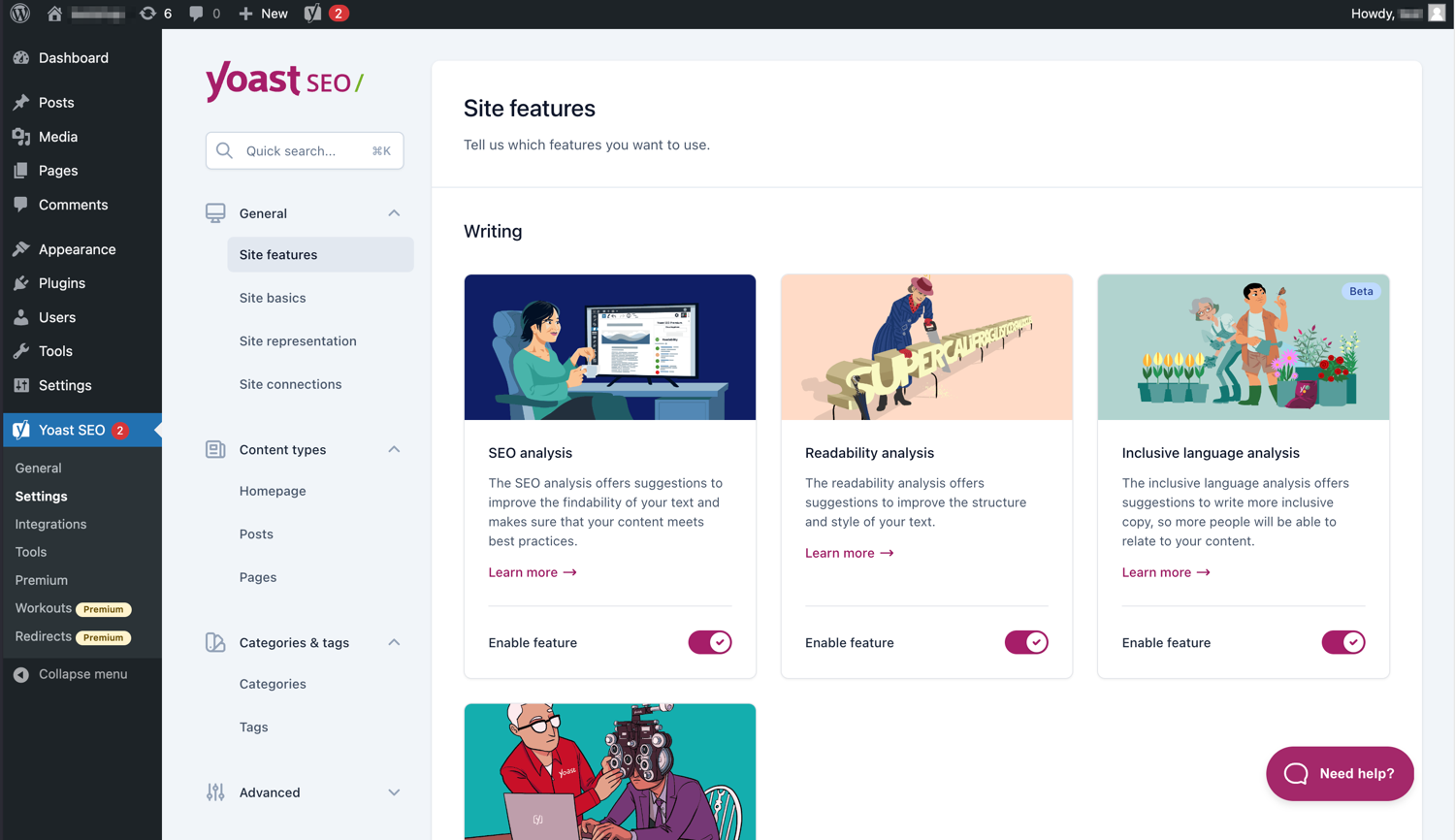
La interfície moderna fa que sigui fàcil treballar amb el Yoast SEO. 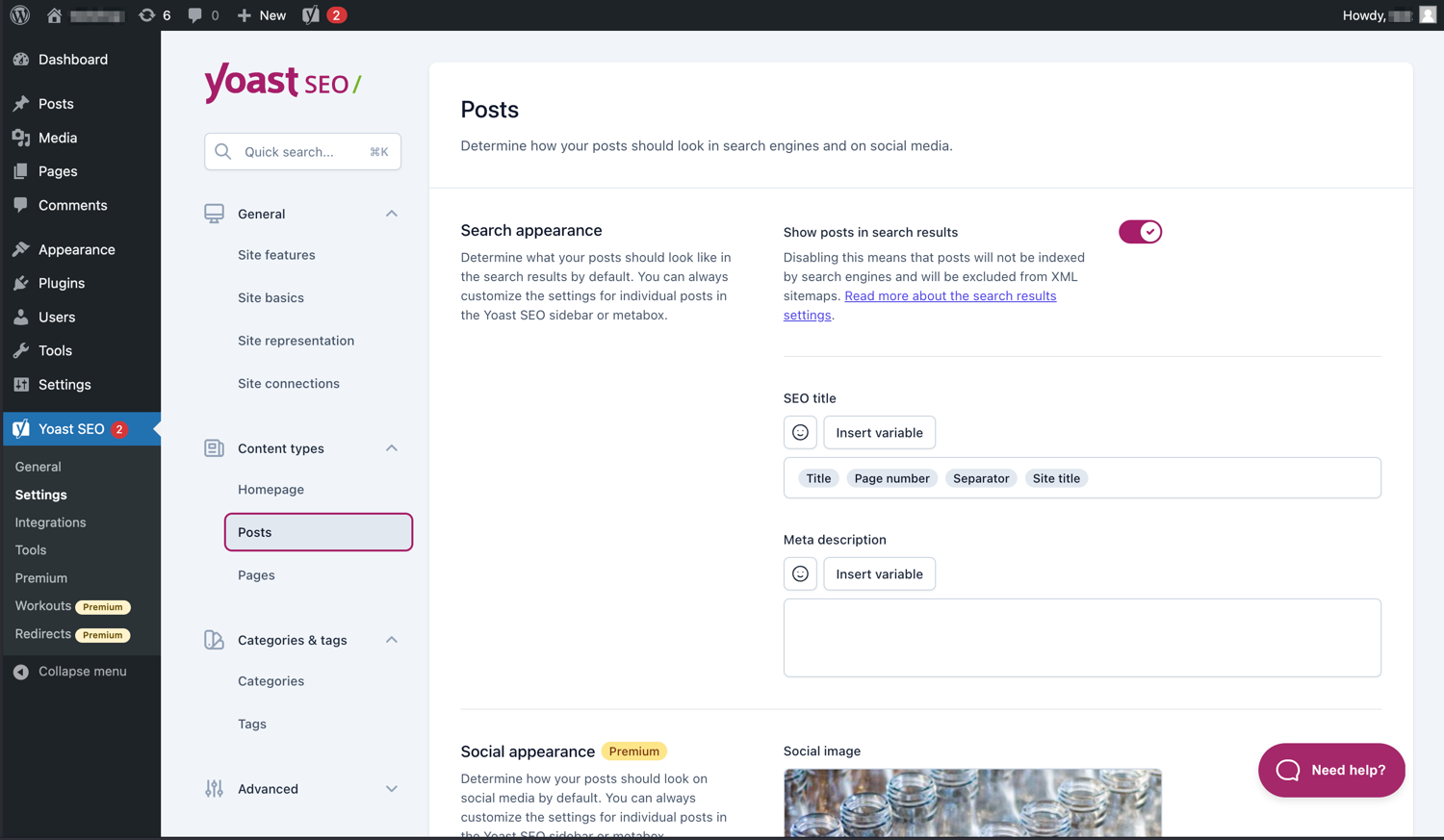
Gestioneu fàcilment com apareixen les vostres entrades i pàgines als SERP. 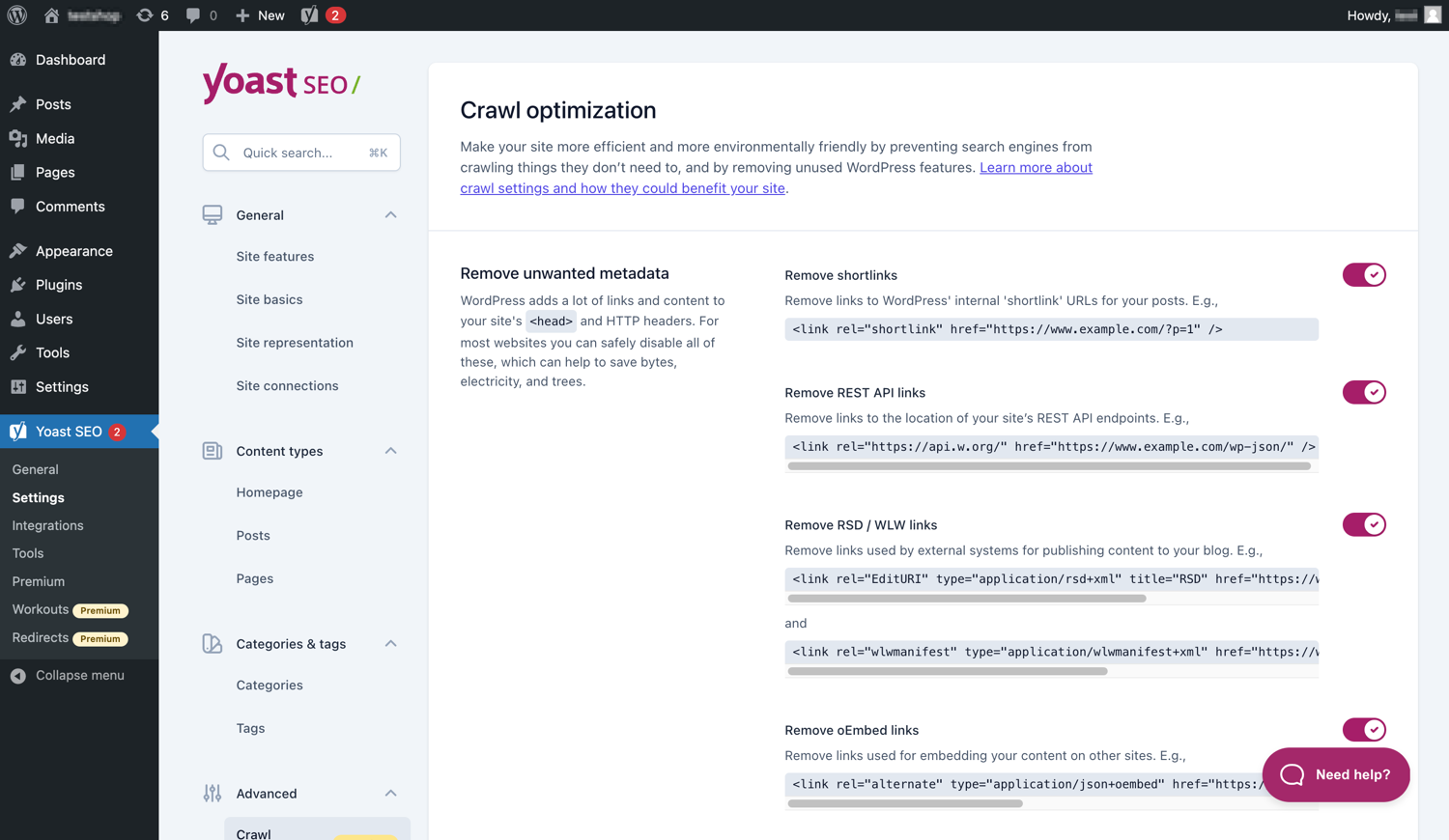
El Yoast SEO Premium té opcions addicionals d’optimització de rastreig. 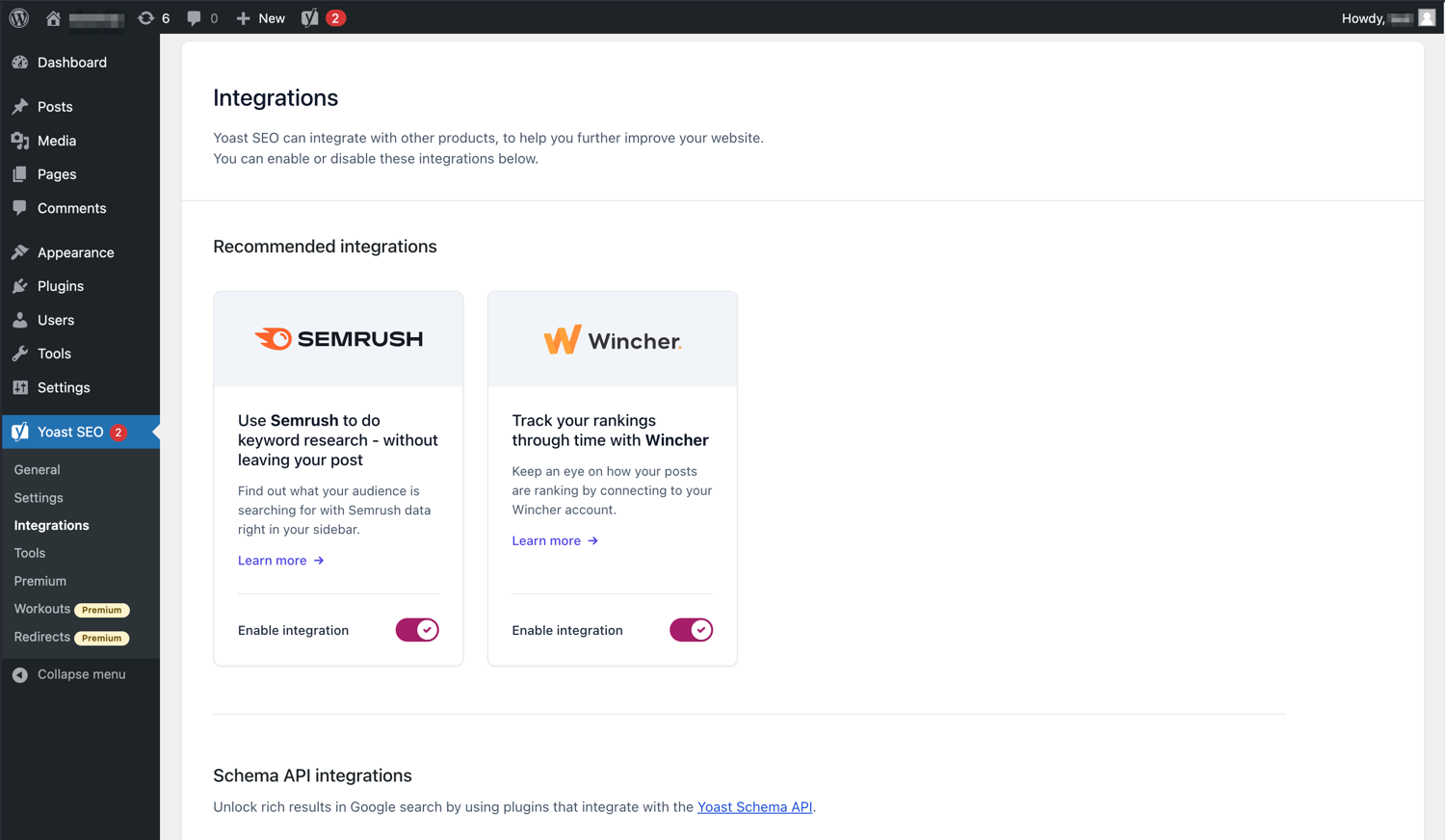
Yoast SEO s’integra amb eines com Semrush i Wincher. 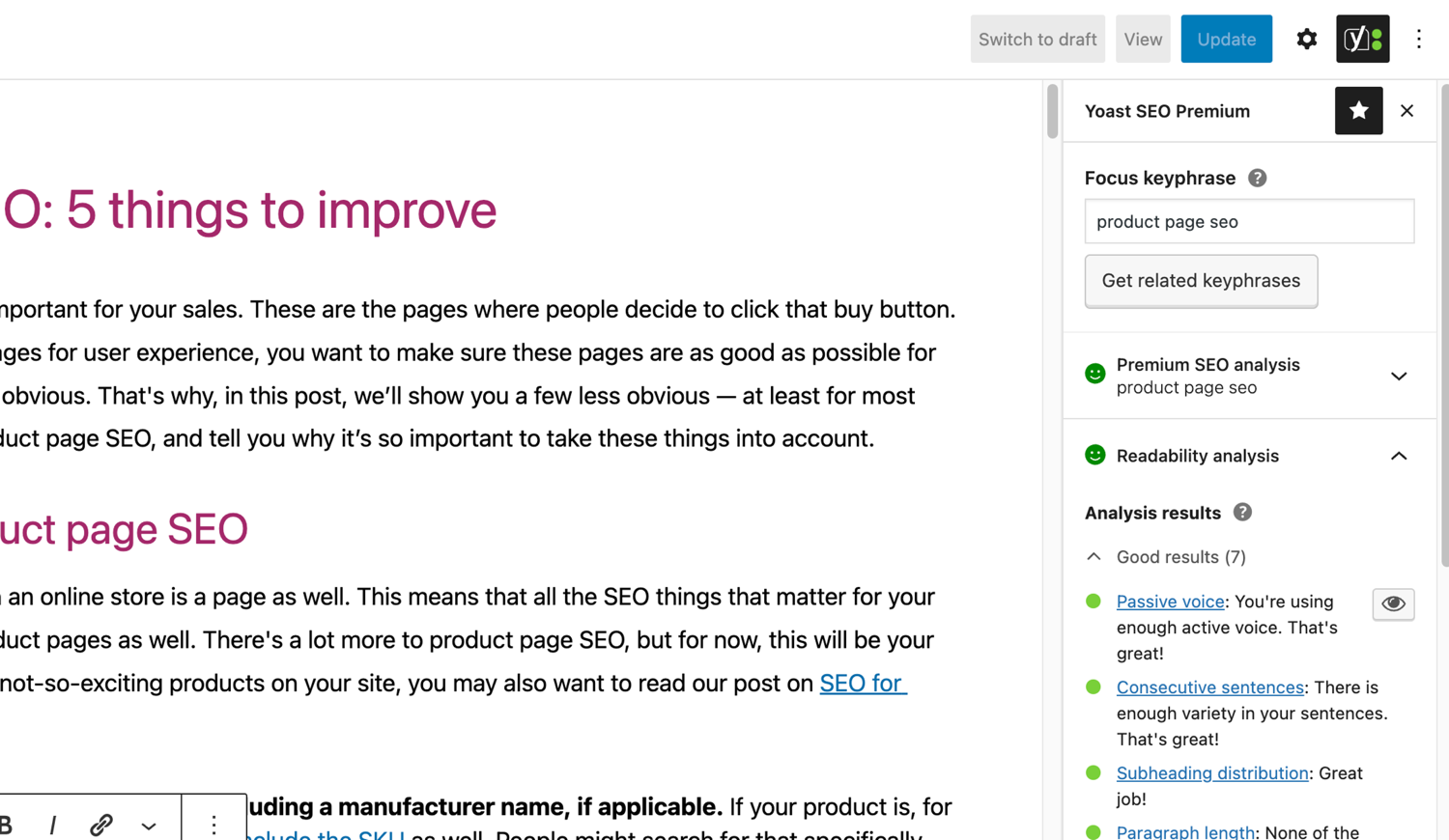
Les famoses anàlisis de SEO i llegibilitat del Yoast SEO. 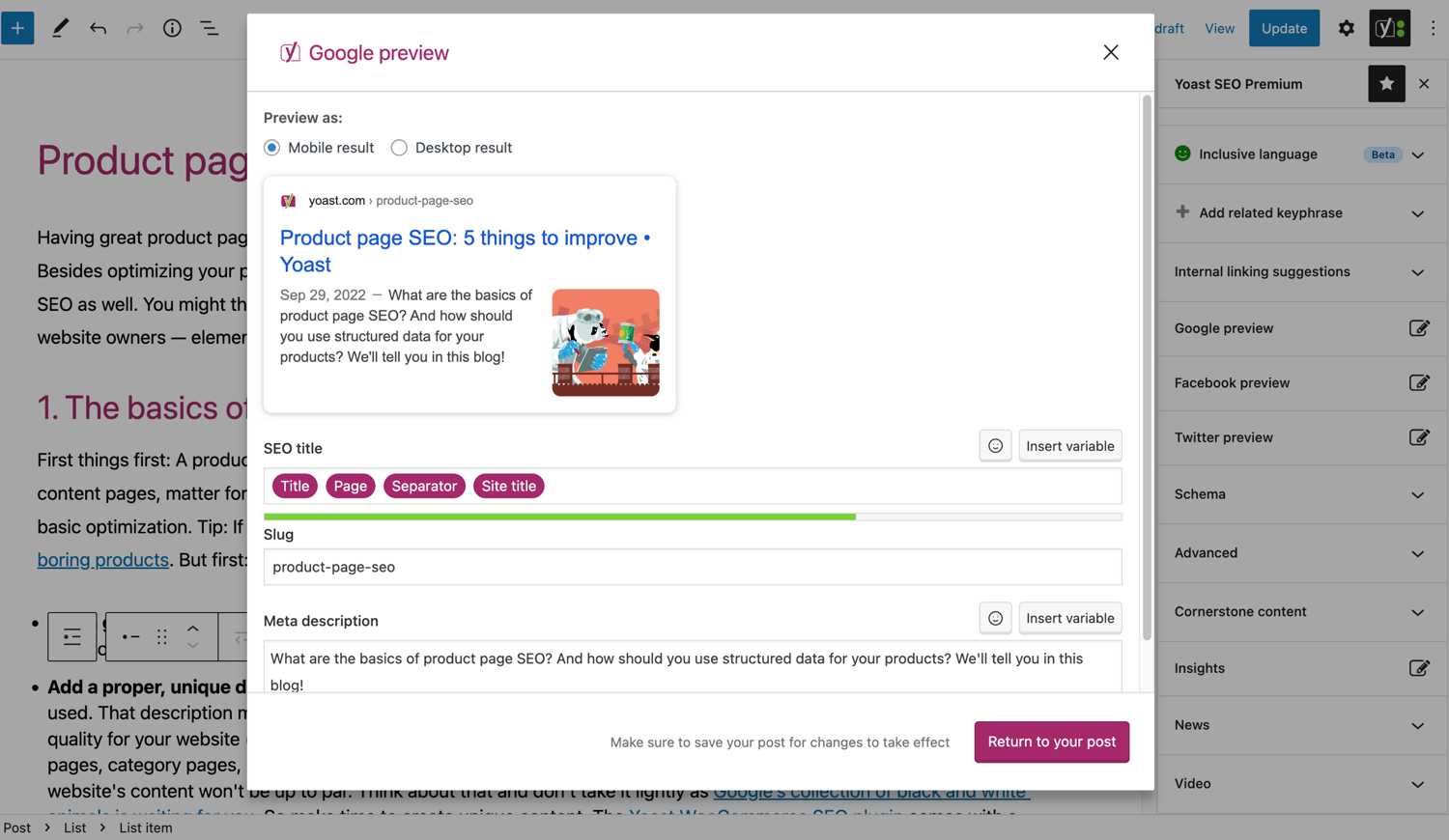
Vegeu com apareixerà l’entrada a Google. 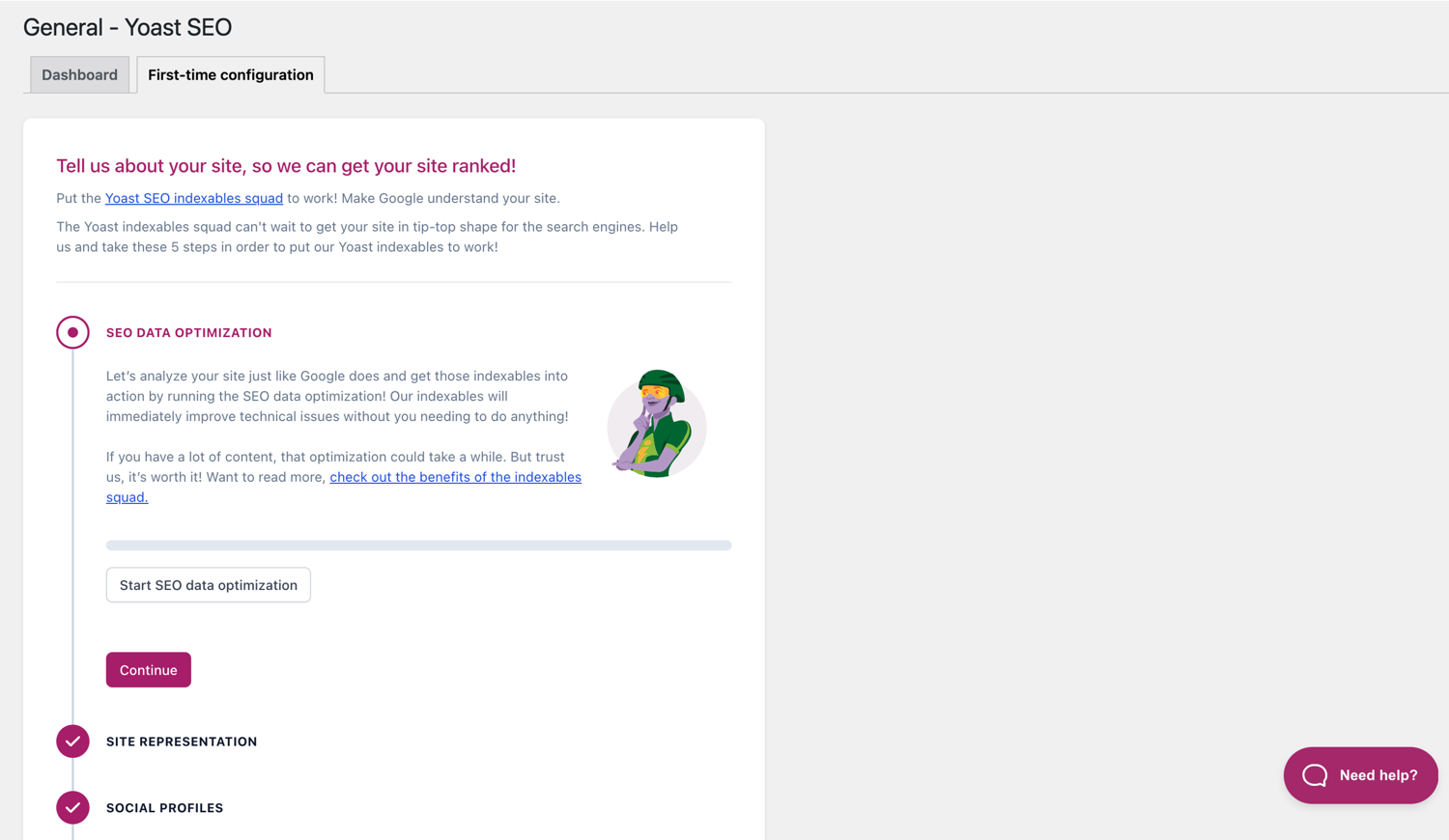
La configuració per a la primera vegada us ajuda a començar ràpidament. 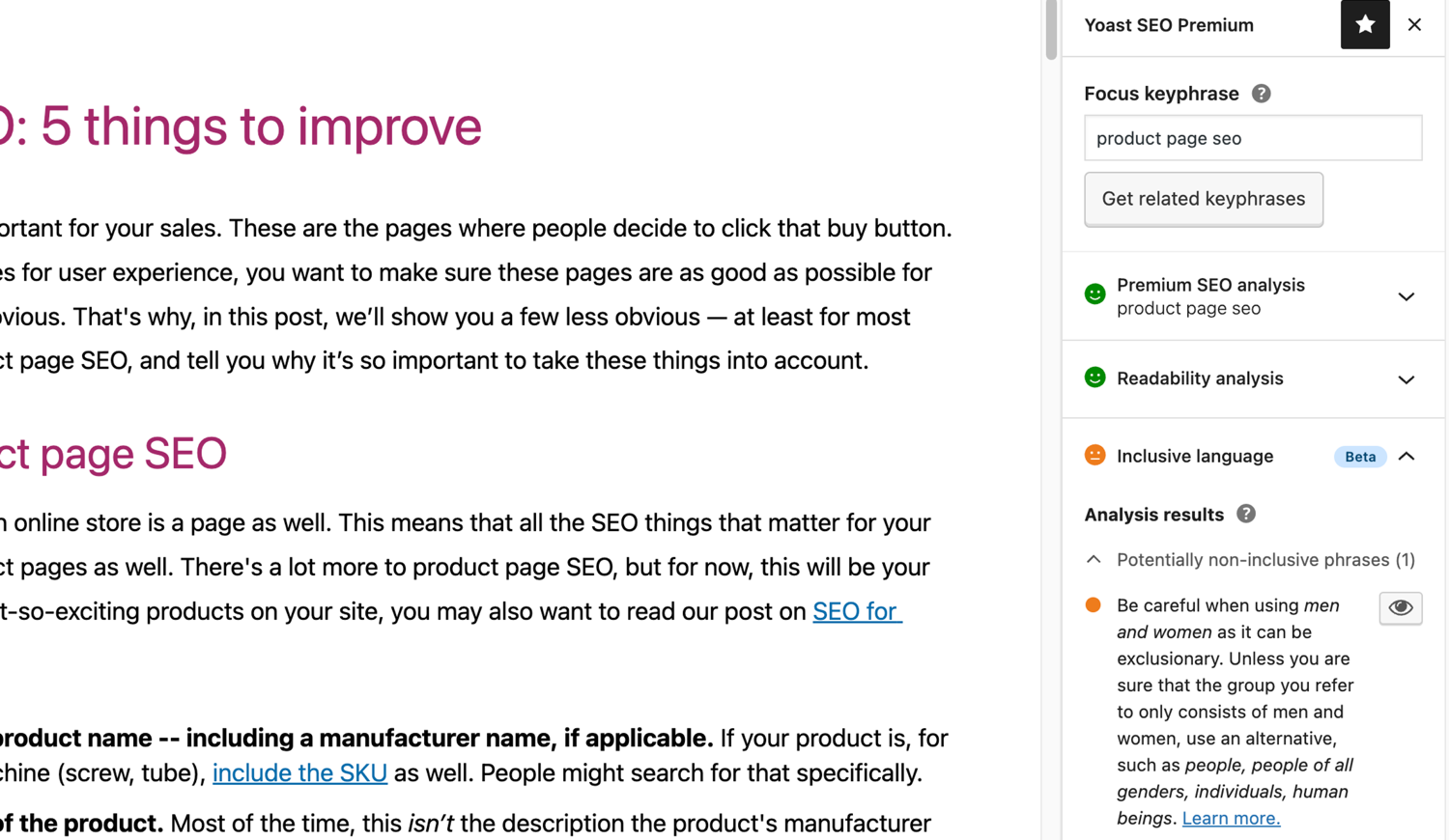
L’anàlisi de llenguatge inclusiu a Yoast SEO. 
Blocs
Aquesta extensió proporciona 2 blocs.
- Yoast How-to Create a How-to guide in an SEO-friendly way. You can only use one How-to block per post.
- Yoast FAQ List your Frequently Asked Questions in an SEO-friendly way.
Instal·lació
Començar amb Yoast SEO consisteix en només dos passos: instal·lar i configurar l’extensió. Yoast SEO està dissenyat per treballar amb les necessitats específiques del vostre lloc, així que no oblideu passar per la configuració Yoast SEO per primera vegada com s’explica al pas «després de l’activació»! Per a obtenir l’orientació més actualitzada sobre com instal·lar productes Yoast SEO, , visiteu el nostre centre d’ajuda.
PMF
-
Com funcionen els mapes XML a l’extensió Yoast SEO?
-
Tenir un mapa de lloc XML pot ser beneficiós per al SEO, ja que Google pot recuperar pàgines essencials d’un lloc web molt ràpid, fins i tot si l’enllaç intern d’un lloc web no és impecable.
L’índex del mapa del lloc i els mapes individuals s’actualitzen automàticament a mesura que afegiu o elimineu contingut i inclourà els tipus d’entrades que voleu que indexin els motors de cerca. Els tipus d’entrada marcats com a noindex no apareixeran al mapa del lloc. Més informació sobre els mapes de lloc XML. -
Com puc afegir el meu lloc web a Google Search Console?
-
És senzill afegir el vostre lloc web a Google Search Console.
1. Creeu un compte de Google Search Console i inicieu la sessió al vostre compte.
2. Feu clic a «Afegeix una propietat» al menú desplegable de cerca.
3. Introduïu l’URL del lloc web al quadre i feu clic a «Continua».
4. Feu clic a la fletxa que hi ha al costat de «Etiqueta HTML» per ampliar l’opció.
5. Copieu la metaetiqueta.
6. Inicieu sessió al vostre lloc web de WordPress.
7. Feu clic a «SEO» al tauler.
8. Feu clic a «General».
9. Feu clic a la pestanya «Eines per a administradors web».
10. Enganxeu el codi al camp de Google i feu clic a «Desa els canvis».
11. Torneu a Google Search Console i feu clic a «Verifica».Si voleu més detalls sobre els passos, visiteu l’article del nostre centre d’ajuda.
-
Els passos següents són una solució temporal, ja que les edicions manuals fetes als fitxers del tema es poden sobreescriure amb futures actualitzacions del tema. Poseu-vos en contacte amb el desenvolupador de temes per a una solució permanent. Hem escrit un article sobre la importància de les rutes de navegació per al SEO.
Per implementar la funció breadcrumbs al Yoast SEO, haureu d’editar el tema. Recomanem que abans de qualsevol edició dels fitxers del tema es faci una còpia de seguretat. El vostre proveïdor d’amfitrió us pot ajudar a fer una còpia de seguretat.
Copieu el codi següent al tema on voleu que siguin les molles de pa. Si no n’esteu segur, haureu d’experimentar amb les pràctiques:<?php if ( function_exists( 'yoast_breadcrumb' ) ) { yoast_breadcrumb( '<p id="breadcrumbs">','</p>' ); } ?>Els llocs comuns on podeu col·locar les vostres molles de pa estan dins del fitxer
single.phpi/opage.phpjust a sobre del títol de la pàgina. Una altra opció que fa que sigui realment fàcil en alguns temes és simplement enganxant el codi aheader.phpal final.En la majoria de temes que no són de WooTheme, aquest fragment de codi no s’ha d’afegir al vostre fitxer
functions.php.
Alternativament, podeu afegir manualment el codi curt de la ruta de navegació a entrades o pàgines individuals:[wpseobreadcrumb]Si necessiteu més detalls o una guia pas a pas, llegiu la nostra guia d’implementació per a la ruta de navegació Yoast SEO.
-
Com aplicar «noindex» als URL?
-
El Yoast SEO proporciona múltiples opcions per establir un URL o grup d’URL a noindex. Llegiu més sobre com fer-ho en aquesta guia.
-
Google mostra la descripció malament, com ho puc solucionar?
-
Si heu creat bones metadescripcions per a les vostres entrades del blog, res és més molest que Google mostri una altra descripció del vostre lloc web completament en el fragment del resultat de la cerca.
Les possibles causes podrien ser:
1. descripció incorrecta al codi
2. la memòria cau de Google està desactualitzada
3. manipulació del terme de cerca
4. Google ha ignorat la meta descripcióPodeu llegir més sobre com resoldre el problema amb la descripció incorrecta.
-
Amb quina frequència s’actualitza Yoast SEO?
-
Yoast SEO s’actualitza cada dues setmanes. Si voleu saber per què, llegiu aquesta entrada que explica per què ho publiquem cada dues setmanes!
-
Com aconsegueixo ajuda?
-
Atès que el nostre plugin gratuït és utilitzat per milions de persones a tot el món, no podem oferir-te tot un suport d’un sol ús. Si teniu problemes amb el connector Yoast SEO per a WordPress, podeu obtenir ajuda en els fòrums de suport aquí a wordpress.org o consultant el nostre centre d’ajuda a yoast.com/help/.
Els plugins que compreu a Yoast s’anomenen ‘plugins Premium’ (fins i tot si Premium no està en el seu nom) i inclouen un any complet d’actualitzacions gratuïtes i suport premium. Això vol dir que podeu contactar amb el nostre equip de suport si teniu qualsevol dubte sobre aquest connector.
-
Què passa amb les dades quan s’habilita el seguiment d’ús?
-
Aquesta pàgina a yoast.com explica quines dades recopilem per millorar el Yoast SEO. Només recopilem dades quan opteu explícitament per això. Llegiu més sobre com gestionem les vostres dades a la nostra Política de privacitat.
-
Tinc una altra pregunta que no figura aquí
-
Probablement la vostra pregunta s’ha respost al nostre centre d’ajuda: yoast.com/help/.
Ressenyes


Col·laboradors i desenvolupadors
«Yoast SEO – Advanced SEO with real-time guidance and built-in AI» és programari de codi obert. La següent gent ha col·laborat en aquesta extensió.
Col·laboradors


“Yoast SEO – Advanced SEO with real-time guidance and built-in AI” s’ha traduït a 58 configuracions regionals. Gràcies als traductors per les seves aportacions.
Traduïu «Yoast SEO – Advanced SEO with real-time guidance and built-in AI» a la vostra llengua.
Interessats en el desenvolupament?
Navegueu pel codi, baixeu-vos el repositori SVN, o subscriviu-vos al registre de desenvolupament per fisl de subscripció RSS.
Registre de canvis
27.7
Release date: 2026-05-27
Yoast SEO 27.7 brings more enhancements and bugfixes. Find more information about our software releases and updates here.
Bugfixes
- Fixes a bug in Schema aggregator where products Schema pieces had incorrect
@idvalues formainEntityOfPageandimageproperties. - Fixes a bug where a
FocusTrapwarning was thrown and the X button did not receive focus when the replace content confirmation modal from the AI Content Planner was opened. - Fixes a bug where a warning was triggered in the console when editing a post with the Content Planner feature enabled.
- Fixes a bug where only the first piece was returned when indexables were not available.
- Fixes a bug where the AI features section was rendered twice on the user profile page.
- Fixes a bug where the block editor was crashing when some AI features were triggering errors.
- Fixes a bug where the Content Planner inline banner was displayed when editing a template or template part.
Other
- Makes the Academy, Upgrade and Brand insights links visible to more user roles.
27.6
Release date: 2026-05-12
Introduces Yoast AI Content Planner to Yoast SEO Premium, giving five site-specific post ideas and a structured starter draft the moment you open a new post. Haven’t used your free AI sparks yet? Give it a try on us. Read the full release post here.
Enhancements
- Adds the Content Planner feature, which allows users to get AI-powered content suggestions and structured outlines for new posts directly from the block editor. This is available as part of the free sparks allowance in Yoast SEO Free.
Other
- Improves documentation in a docblock. Props to @MukundaKatta.
- Introduces a shared contributor guide for humans and AI coding tools.
Earlier versions
Per al registre de canvis de versions anteriors, consulteu el registre de canvis a yoast.com.