
Descripció
QuachCMO Video Study Notes transforms passive video watching into an active learning experience.
📺 Watch the Demo
Whether you are an educator, a student, or a content creator, this plugin allows you and your users to take notes directly on embedded videos.
Each note is automatically timestamped, creating an interactive index. Clicking a note jumps the video player to that exact moment, making review sessions incredibly efficient.
🚀 Experience it live
Key Features
- Timestamped Note-Taking — Notes are linked directly to the video timeline.
- Click-to-Seek — Navigate the video instantly by clicking your notes.
- Focus Mode — Distraction-free learning with a full-screen theater view.
- Video Gallery — Showcase multiple learning modules in a beautiful video library.
- AJAX Auth — Seamless login/registration popup without leaving the video.
- Flexible Layouts — Choose between Stacked (above-below) or Side-by-Side views.
- Export Options — Save notes as Markdown, TXT, or copy directly to clipboard.
- Guest Notes — Option to allow or restrict note-taking to logged-in users.
- Gutenberg Block — Native block editor support with live preview.
Usage
Use the shortcode [quacvist_player video="VIDEO_ID"] in any post or page.
Display a gallery of all your lessons with [quacvist_gallery].
External services
This plugin utilizes the Vimeo API (OEmbed) to enhance your experience.
- Vimeo OEmbed API — We send video URLs to Vimeo’s OEmbed endpoint to automatically retrieve video metadata (such as titles and thumbnails) when you add or display videos. This ensures your learning library looks professional without manual data entry.
- Vimeo Terms of Service: https://vimeo.com/terms
- Vimeo Privacy Policy: https://vimeo.com/privacy
Support & Contact
For support, feedback, or inquiries, please contact the author at [email protected]. We are committed to maintaining this plugin and ensuring a great user experience.
Captures

The interactive video player with timestamped notes panel. 
The Video Gallery layout for multiple lessons. 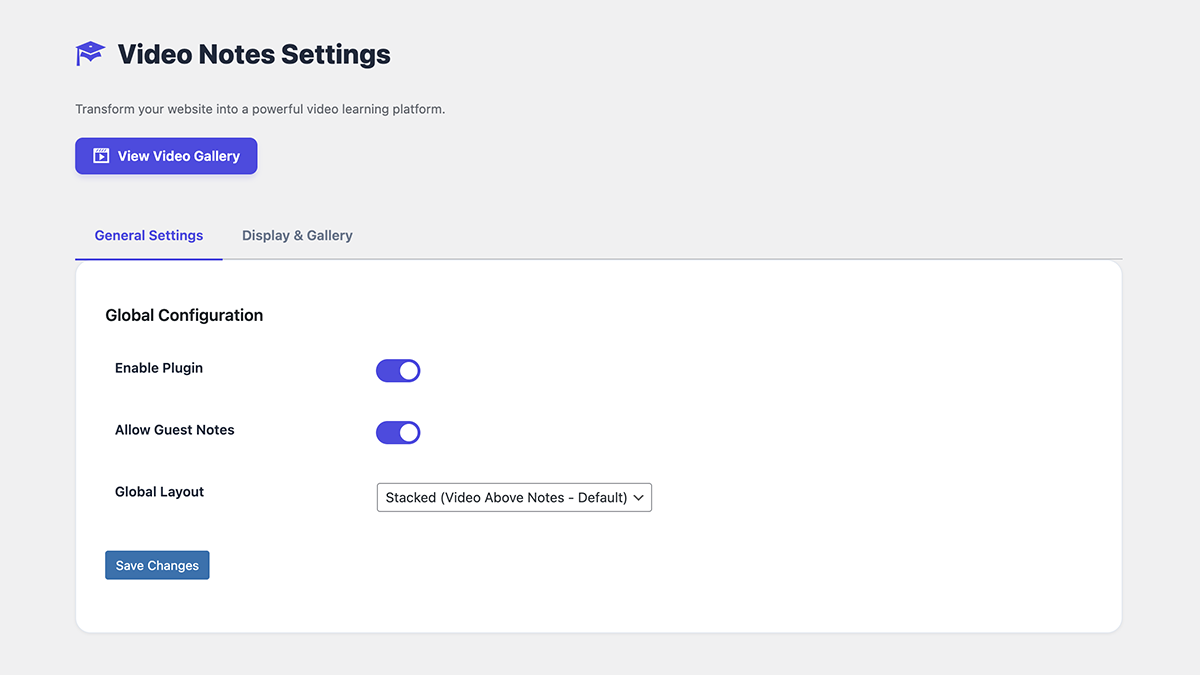
Admin Settings page for global configuration. 
Quick Add Video modal in the admin area.
Blocs
Aquesta extensió proporciona 1 bloc.
- QuachCMO Video Study Notes
Instal·lació
- Upload the
quachcmo-video-study-notesfolder to the/wp-content/plugins/directory. - Activate the plugin through the Plugins menu in WordPress.
- A Video Lessons menu will appear in your admin sidebar.
- Go to Video Lessons > Notes Settings to configure options.
- Add videos via the Quick Add button, then embed them using the shortcode or Gutenberg block.
PMF
-
How do I find the YouTube Video ID?
-
The ID is the 11-character code in a YouTube URL. For example, in
https://www.youtube.com/watch?v=arj7oStGLkU, the ID isarj7oStGLkU. -
Can I customize the width of the player?
-
Yes! Use the
max_widthattribute:[quacvist_player video="ID" max_width="800px"]. -
Are notes saved?
-
Notes are stored in the browser’s localStorage for guests, and synced server-side for logged-in users.
-
How do I display only videos from a specific category?
-
Use:
[quacvist_gallery category="TERM_ID"] -
Can I use this in the block editor?
-
Yes! Search for “QuachCMO Video Study Notes” in the block inserter to add the native Gutenberg block.
Ressenyes
No hi ha ressenyes per a aquesta extensió.
Col·laboradors i desenvolupadors
«QuachCMO Video Study Notes» és programari de codi obert. La següent gent ha col·laborat en aquesta extensió.
Col·laboradors
Traduïu «QuachCMO Video Study Notes» a la vostra llengua.
Interessats en el desenvolupament?
Navegueu pel codi, baixeu-vos el repositori SVN, o subscriviu-vos al registre de desenvolupament per fisl de subscripció RSS.
Registre de canvis
1.5.1
New: Added Inline Edit Popup — edit video lessons directly from the post list without page reloads.
New: Integrated Video Preview within the Edit popup to verify content (YouTube/Vimeo) instantly.
New: Auto-populate video metadata (Link, Title, Description, Category) inside the Edit modal.
Improved: Redesigned Admin Modal UI with modern CSS, vertical form layouts, gradient headers, and smooth animations.
Improved: Standardized styling for both “Add” and “Edit” modals for a consistent professional experience.
Improved: Migrated legacy video lesson content to native Gutenberg paragraph blocks.
Fixed: Resolved a critical error caused by a missing closing parenthesis in block registration.
Fixed: Removed the broken quacvist-video-sidebar plugin that caused Block Editor crashes.
Fixed: Optimized performance by removing redundant flush_rewrite_rules() on every page load.
Fixed: Registered _quacvist_video_id and _quacvist_video_provider meta via REST API for full Gutenberg compatibility.
Dev: Implemented quacvist_load_video and quacvist_update_video AJAX handlers for seamless inline editing.
Dev: Added enqueue_block_editor_assets hook for explicit and reliable block script loading.
1.5.0
Major Refactor: Full codebase overhaul for WordPress.org repository compliance.
Namespace Update: Globally prefixed all identifiers with quacvist_ to prevent naming conflicts.
Security: Conducted a comprehensive late-escaping audit and secured includes/auth.php.
Optimization: Replaced all inline styles/scripts with proper asset enqueueing.
Breaking Change: Updated shortcodes to [quacvist_player] and [quacvist_gallery].
1.2.0
Standardization: Prepared codebase for official WordPress.org submission.
Security: Applied wp_unslash to $_POST data and added esc_html_e, esc_attr, and wp_kses_post to all outputs.
Internationalization: Added languages/ directory, .pot template, and load_plugin_textdomain support.
UX/Accessibility: Added ARIA roles/labels to modals and removed debug console.log statements.
Cleanup: Added register_deactivation_hook for clean plugin removal.
1.1.0
New: Added “Copy to Clipboard” export functionality for notes.
New: Implemented AJAX-powered Login/Registration popup.
Feature: Added “Allow Guest Notes” privacy toggle in settings.
UI: Enhanced auto-scroll and highlight logic within Focus Mode.
Shortcode: Added max_width attribute for better layout control.
1.0.0
Initial stable release.
Core functionality: Timestamp-based note taking.
Interactive Focus Mode implementation.
Video Gallery shortcode and Custom Post Type (CPT) integration.