

Descripció
Oderland SMTP & Postal Mailer is a plugin that allows you to send transactional emails using SMTP or Postal API. Easy-to-use for e-mail logging and making sure your e-mails make it all the way to your intended target.
The plugin works with any SMTP mailer you’re using, including but not limited to Oderland Postal.
What is SMTP and why do you need it?
SMTP (Simple Mail Transfer Protocol) is the standard that ensures that emails actually arrive at their destination. It’s a protocol that delivers your email between servers when you click “send” in your email client.
You could say that with an SMTP plugin or service, you want to confirm to the email servers that what you’re sending isn’t spam, which lends authenticity to your mailings.
Features:
- Send transactional emails via SMTP, Postal API or PHP mail()
- Multiple mail account support with priority-based failover
- Automatic retry on temporary failures with exponential backoff
- Comprehensive email logging with configurable retention
- Statistics dashboard — email volume over time, delivery success rates, per-account breakdown, failure analysis, recipient domain insights, and send time patterns
- CSV export of all dashboard statistics
- WordPress admin dashboard widget with 7-day email summary
- Engagement tracking (opens, clicks) for Postal accounts
- Postal webhook integration for delivery status tracking
- Per-account webhook debug logging for Postal accounts
- Secure credential storage with AES-256 encryption
- Protocol-level SMTP debugging
Services Supported:
- SMTP – Connect to any SMTP server
- Postal – Integration with Postal mail delivery platform
- Local – Fallback to PHP mail() function
Captures

Accounts management – Configure multiple mail accounts with priority 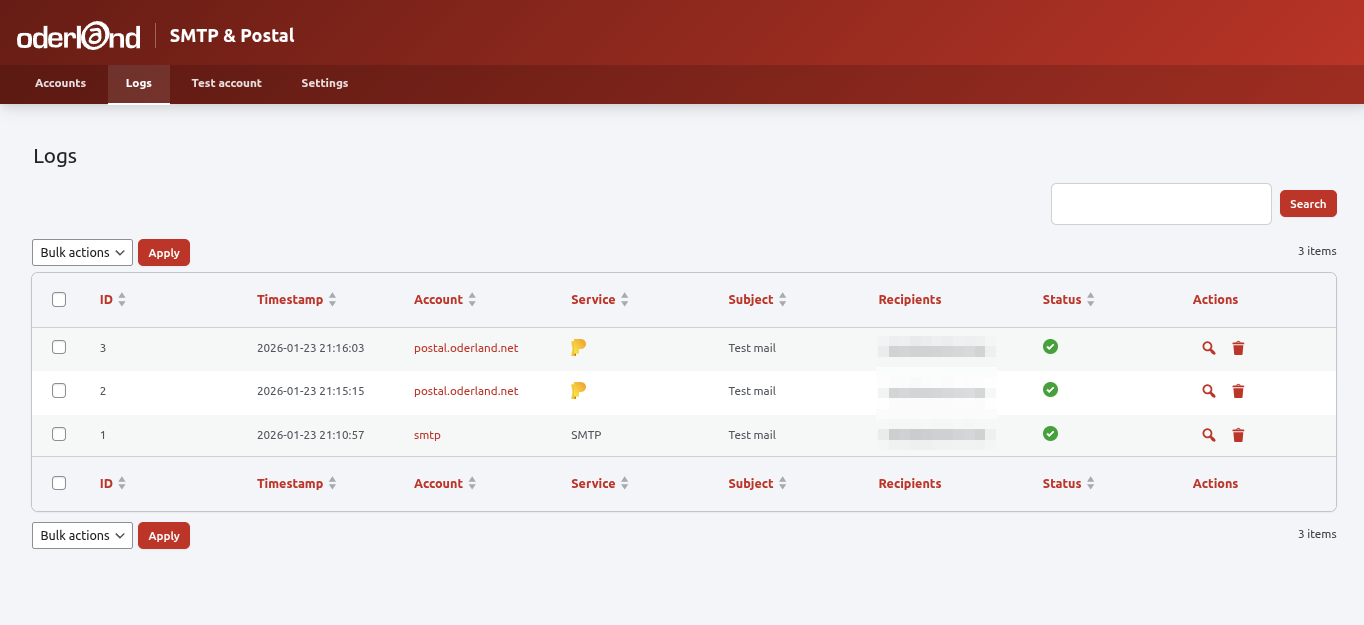
Email logs – View sent emails with delivery status 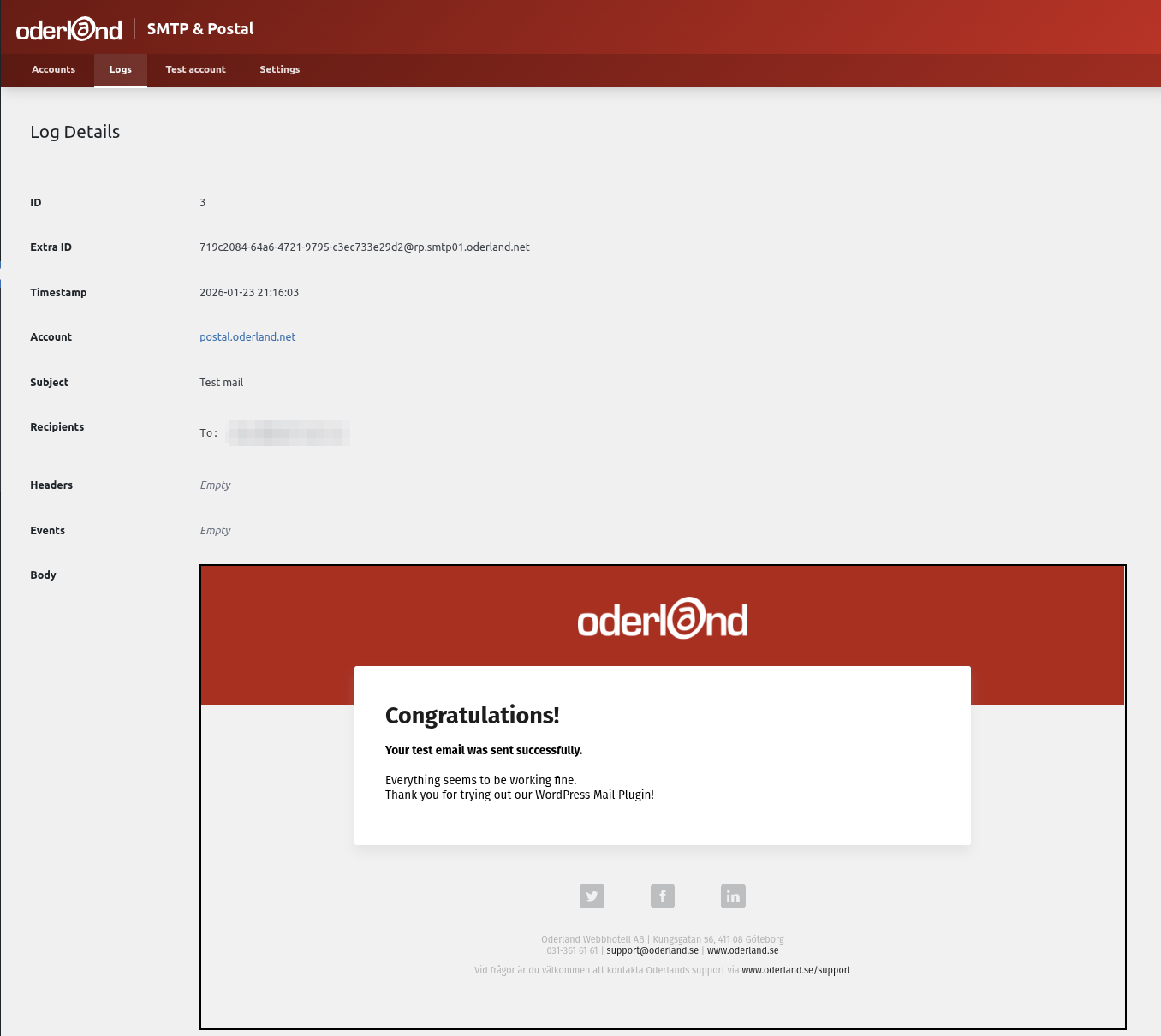
Log details – Inspect individual email details and events 
Settings – Configure logging and failover behavior 
Test email – Send test emails to verify configuration 
Postal settings – Setting up a Postal account 
Dashboard – Email statistics with volume chart, account breakdown, and failure analysis
Instal·lació
- Upload the
oderland-smtp-postal-mailerfolder to the/wp-content/plugins/directory - Activate the plugin through the ‘Plugins’ menu in WordPress
- Go to Settings > Oderland SMTP & Postal Mailer to configure your mail accounts
- Add at least one mail account (SMTP or Postal)
- Send a test email to verify your configuration
PMF
-
How do I configure SMTP?
-
Go to Settings > Oderland SMTP & Postal Mailer > Accounts and click “Add Account”. Select SMTP as the service type and enter your SMTP server details including host, port, username, and password.
-
How does the failover work?
-
Accounts are tried in priority order (lower number = higher priority). If sending fails with a temporary error, the plugin retries with exponential backoff. If all retries fail, it moves to the next account.
-
What gets logged?
-
By default, the plugin logs email headers, recipients, and subjects. You can optionally enable body logging. Logs are automatically removed after 30 days (configurable).
-
How do I set up Postal webhooks?
-
When you create a Postal account, the plugin generates a webhook URL. Add this URL in your Postal server’s webhook settings to receive delivery status updates.
-
Is my SMTP password secure?
-
Yes. All sensitive credentials (SMTP passwords, API keys) are encrypted using AES-256-CBC before storage.
Ressenyes
No hi ha ressenyes per a este complement.
Col·laboradors i desenvolupadors
«Oderland SMTP & Postal Mailer» és programari de codi obert. La següent gent ha col·laborat en este complement.
Col·laboradors
“Oderland SMTP & Postal Mailer” s’ha traduït a 1 configuració regional. Gràcies als traductors per les seues aportacions.
Traduïx «Oderland SMTP & Postal Mailer» a la teua llengua.
T’interessa el desenvolupament?
Revisa el codi , dona una ullada al repositori SVN o subscriu-te al registre de desenvolupament per RSS.
Registre de canvis
1.3.0
- Added DNS warning system for Postal accounts — automatically displays warnings when Postal detects DNS issues (SPF, DKIM, MX, Return Path) for your sending domain
- Added DNS warnings to the edit-account page, accounts list, and WordPress dashboard widget with dismiss buttons
- Added “DNS warnings” setting under Settings > Postal Webhooks (enabled by default)
- Added per-account webhook debug logging for Postal accounts — toggle on the edit-account page to log the last 10 incoming webhooks (successful, failed auth, errors, and filtered DNS events)
- Added “Clear debug log” button to reset entries per account
- Added cleanup of webhook debug log and DNS error data on plugin uninstall
- Fixed “From address” required indicator missing on initial page load
- Fixed accordion payload row spacing in log details and webhook debug
- Fixed settings page “Log timing metrics” description alignment
- Removed deprecated load_plugin_textdomain() call
1.2.0
- Added statistics dashboard with summary cards, time-series chart, and account breakdown
- Added delivery insights with failure analysis, failover monitoring, and service comparison
- Added recipient domain insights and top recipients table
- Added engagement tracking (open rate, click rate) for Postal accounts
- Added send time pattern charts (hour of day, day of week)
- Added CSV export for all dashboard statistics
- Added WordPress admin dashboard widget with 7-day email summary
- Added REST API endpoint for aggregated statistics with transient caching
- Fixed test email template not showing red header background in Outlook
- Improved Swedish translations throughout dashboard
- Security: Improved input validation for database queries
- Security: Added output escaping throughout admin tables
- Security: Hardened email header processing
- Security: Added authentication to REST endpoints
- Security: Upgraded encryption to AES-256-GCM with backward compatibility
- Security: Moved sensitive storage to wp_options
1.1.2
- Updated brand colors to match Oderland guidelines
- Made Oderland logo in header clickable, linking to oderland.se/postal
- Fixed SQL injection vulnerability and wpdb::prepare errors in account search
- Implemented log search functionality (search by subject, account, service, recipient)
- Fixed plugin action links (Settings, Accounts, Logs) not showing on plugins page
- Made account and log table rows clickable to navigate to edit/details page
- Styled input placeholders to be visibly greyed out
- Fixed Swedish translations and made Save Settings translatable
- Changed enable/disable icons to play/pause in account table
- Fixed Postal account form: mark webhook key as required and hide non-selected service form
- Fixed JavaScript text domain mismatch preventing datetime translations
- Regenerated .pot file to include JavaScript translatable strings
1.1.1
- Fixed missing vendor directory in distribution causing plugin activation failure
1.1.0
- Renamed plugin to “Oderland SMTP & Postal Mailer” for WordPress.org submission
- Added migration for existing users from old plugin name
- Fixed input sanitization issues
- Moved inline scripts to external JavaScript file
- Moved inline styles to CSS file
1.0.0
- First stable release
- Added direct file access protection to all PHP files
- Added settings sanitization for improved security
- Removed deprecated load_plugin_textdomain call
- Updated WordPress compatibility to 6.9
0.1.4
- Consolidated from address fields – removed duplicate address field from Postal service form
- From address now required and validated for SMTP and Postal services
- Added client-side and server-side validation for from address
0.1.3
- Added protocol-level SMTP logging with timing metrics
- Implemented improved failover logic with retry support
- Lowered WordPress requirement from 6.3 to 5.7
0.1.2
- Major overhaul of the plugin
0.1.0
- Initial release