

Opis
Srizon AI Image brings the power of multiple AI image generation providers directly into your WordPress workflow. Generate stunning images from text prompts and remove backgrounds from existing images without leaving your editor, with support for FLUX, Google Gemini (Nano Banana), OpenAI GPT Image, and Midjourney models.
Key Features:
- AI Image Generation – Create images from text prompts using multiple AI providers
- Background Removal – Remove backgrounds from images with one click (~$0.0006/image)
- Multiple AI Providers – Choose from FLUX, Google Imagen (Nano Banana), OpenAI GPT Image, and Midjourney
- Block Editor Integration – “Generate with AI” button in the Image block toolbar
- Media Library Integration – Generate images from Featured Image and Gallery modals via dedicated tab
- Media Library Page – “Generate with AI” and “Remove Background” buttons on the Media Library page
- Bulk Background Removal – Select multiple images and remove backgrounds in batch
- Model-Specific Dimensions – Each AI model offers optimized resolution presets (Square, Landscape, Portrait, Wide, Cinematic, and more)
- Advanced Parameters – Model-specific controls for Steps, CFG Scale, and Quality settings
- Smart Model Memory – Your last selected model is remembered for convenience
- Seamless Workflow – Generated images are automatically saved to your Media Library
Supported AI Models for Image Generation:
- FLUX.2 Dev – Fast and affordable image generation
- Nano Banana (Google Gemini) – Google's image generation model (~$0.04/image)
- GPT Image 1.5 (OpenAI) – OpenAI's image generation with quality options (~$0.04/image for Medium)
- Midjourney V7 – High-quality artistic images (~$0.10 for 4 images)
- Nano Banana 2 Pro (Google Gemini 3) – Premium Google model (~$0.138/image)
Background Removal:
Remove backgrounds from any JPEG, PNG, or WebP image in your Media Library:
* Single image removal from attachment details
* Bulk removal from Media Library grid view
* Bulk action in Media Library list view
* Original images are preserved – new images created with “-nobg” suffix
* Cost: ~$0.0006 per image
How It Works:
- Configure your Runware API key in Settings Srizon AI Image
- To generate images: In the block editor, add an Image block and click “Generate with AI” in the toolbar
- Enter your prompt, select model and dimensions
- Adjust advanced parameters if desired (Steps, CFG Scale, Quality)
- Click Generate and your AI image is created and inserted
- To remove backgrounds: Go to Media Library, select images, and click “Remove Background”
Supported Locations:
- Image block toolbar in Gutenberg editor
- Featured Image modal (“Generate with AI” tab)
- Media Library modal for galleries (“Generate with AI” tab)
- Media Library page (wp-admin/upload.php) – “Generate with AI” and “Remove Background” buttons
- Attachment details – “Remove Background” button
Model-Specific Features:
- FLUX models – Adjustable Steps (1-50) and CFG Scale (1-20) for fine-tuning
- OpenAI/GPT Image – Quality selector (High, Medium, Low, Auto)
- Midjourney – Generates 4 images per request, all saved to Media Library
External services
This plugin connects to the Runware API (https://runware.ai) to generate AI images and remove backgrounds from images.
What data is sent and when:
- Image Generation: When you click the “Generate” button, your text prompt, selected dimensions, model choice, and generation parameters (steps, CFG scale, quality settings) are sent to Runware's servers. The generated image is returned and saved to your Media Library.
- Background Removal: When you click the “Remove Background” button, the URL of your image is sent to Runware's servers for processing. The processed image (with background removed) is returned and saved as a new file in your Media Library.
No data is sent automatically. The API is only called when you explicitly click a Generate or Remove Background button.
Service provider: Runware Ltd
Disclaimer: This plugin is not affiliated with, endorsed by, or sponsored by Runware. It simply integrates with the Runware API as a third-party service. You will need your own Runware account and API key to use this plugin.
Slike ekrana
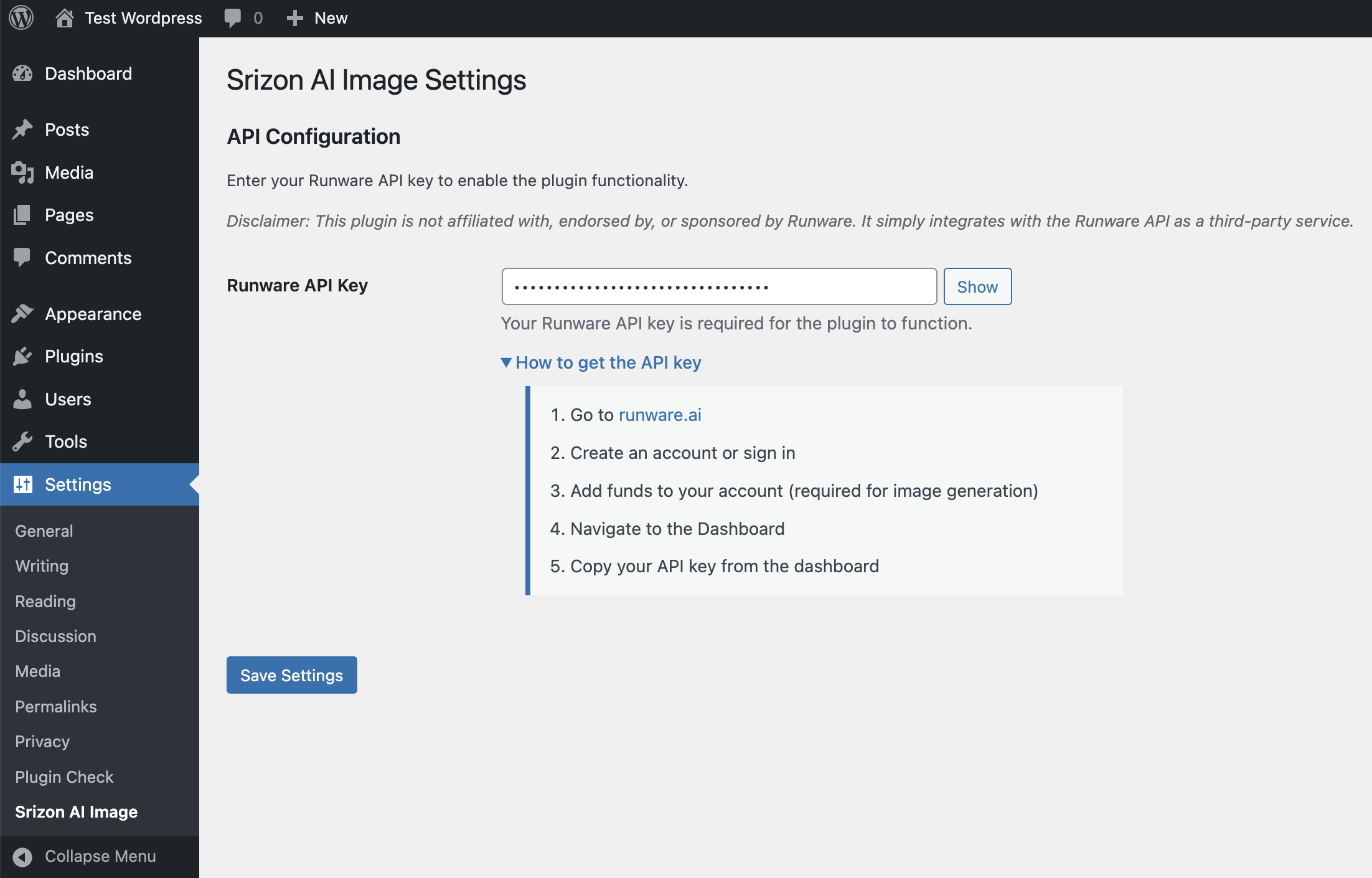
Settings page with API key configuration and instructions for getting your Runware API key 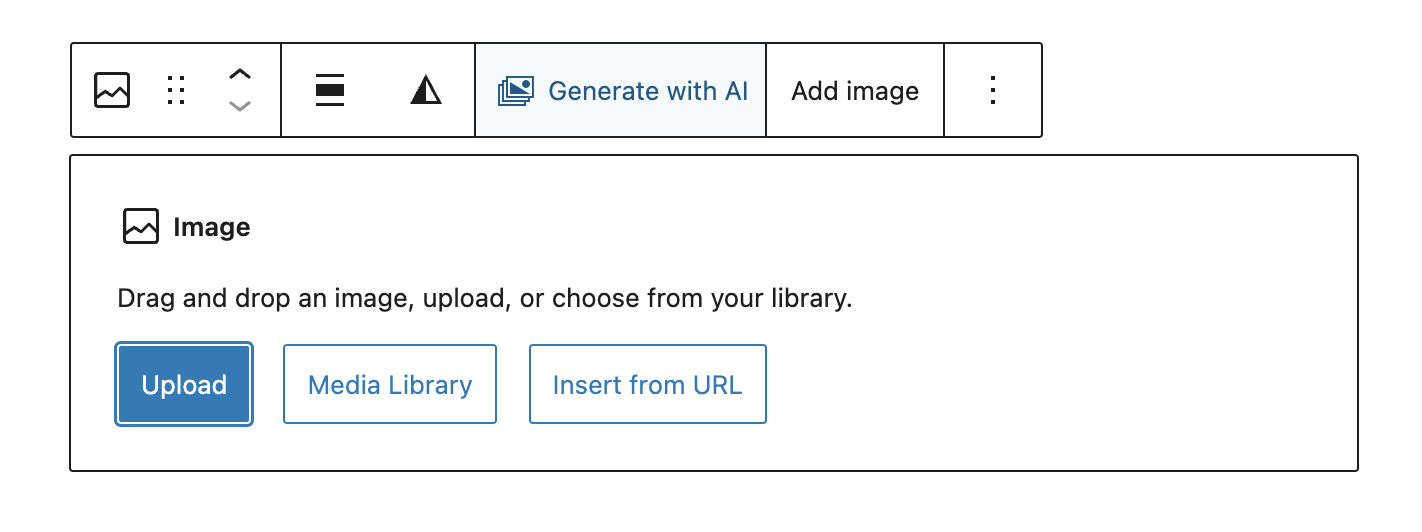
“Generate with AI” button in the Image block toolbar in the Gutenberg editor 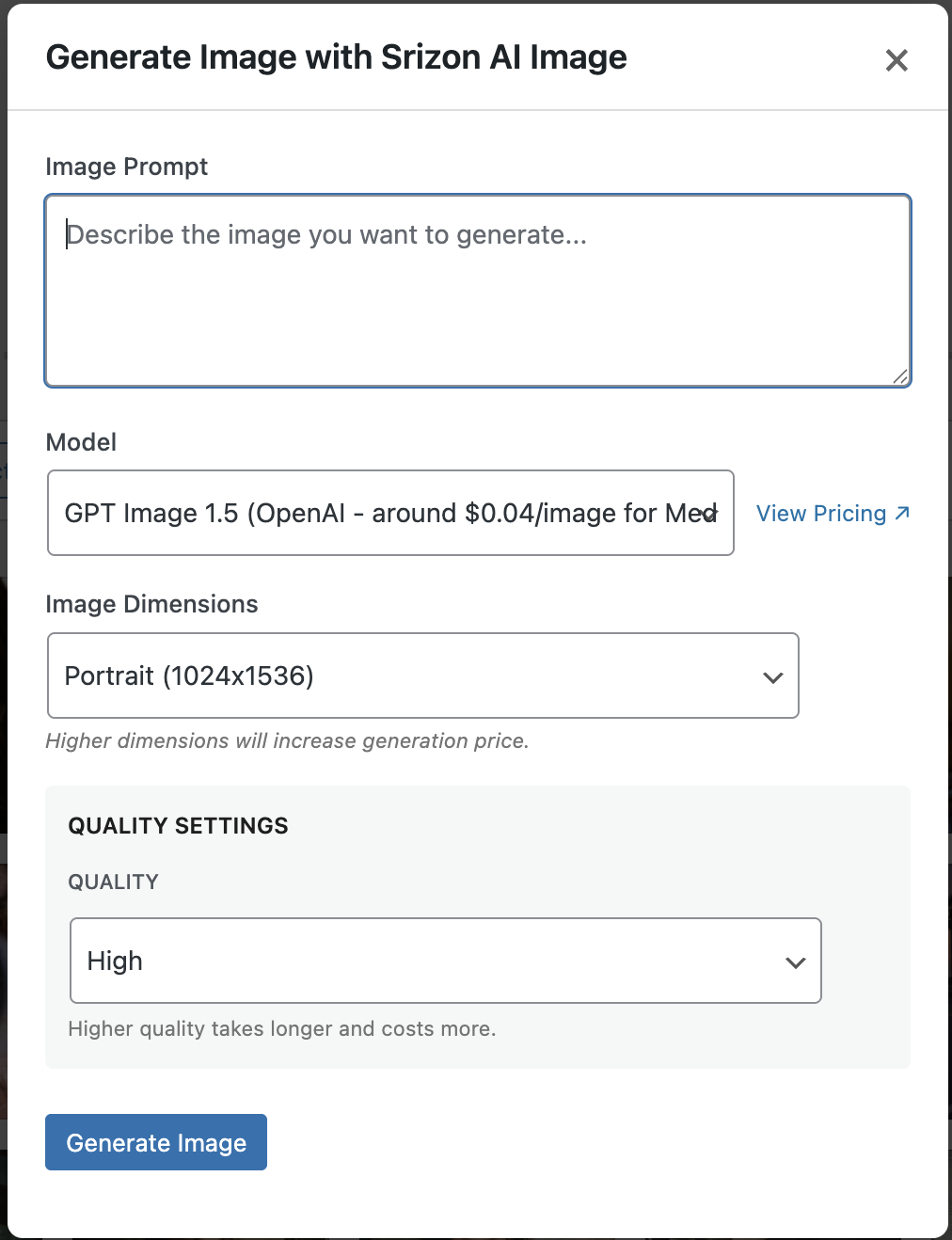
Image generation modal with prompt input, model selector, dimension presets, and quality settings 
Media Library page showing “Generate with AI” and “Remove Background” buttons with AI-generated images 
Attachment details view with “Remove Background” button for single image processing 
Background removal result showing the image with transparent background
Instalacija
- Upload the
srizon-ai-imagefolder to the/wp-content/plugins/directory - Activate the plugin through the ‘Plugins’ menu in WordPress
- Go to Settings Srizon AI Image
- Enter your Runware API key
- Start generating images and removing backgrounds!
Getting a Runware API Key:
- Go to runware.ai
- Create an account or sign in
- Add funds to your account (required for image generation)
- Navigate to your dashboard
- Generate an API key
- Copy the key and paste it in the plugin settings
ČPP
-
Do I need a Runware account?
-
Yes, you need a Runware account with an API key. Runware provides access to multiple AI image generation providers through a single API.
-
How much does it cost?
-
Pricing varies by feature:
Image Generation:
* FLUX.2 Dev – Very affordable (check Runware pricing)
* Nano Banana (Google) – ~$0.04/image
* GPT Image 1.5 (OpenAI) – ~$0.04/image for Medium quality
* Midjourney V7 – ~$0.10 for 4 images
* Nano Banana 2 Pro (Google) – ~$0.138/imageBackground Removal:
* ~$0.0006 per imageVisit Runware Pricing for current rates.
-
What image sizes are supported?
-
Each AI model has its own optimized resolution presets. Common sizes include:
- Square – 1024×1024 (all models)
- Landscape/Wide – Various ratios like 3:2, 4:3, 16:9, 21:9
- Portrait/Tall – Various ratios like 2:3, 3:4, 9:16, 9:21
Examples by model:
* FLUX.2 Dev – 768×1792 to 1792×768, multiples of 16
* Nano Banana – 10 presets from 768×1344 to 1536×672
* Nano Banana 2 Pro – Includes 2K and 4K square options (up to 4096×4096)
* GPT Image 1.5 – 1024×1024, 1536×1024, 1024×1536
* Midjourney V7 – 9 presets including cinematic 21:9 (1680×720) -
What are Steps and CFG Scale?
-
These are advanced parameters available for FLUX models:
* Steps – Number of inference steps (1-50). More steps can improve quality but take longer.
* CFG Scale – Classifier-free guidance scale (1-20). Higher values follow the prompt more closely. -
What are the Quality options for GPT Image?
-
OpenAI's GPT Image model supports quality settings:
* High – Best quality, higher cost
* Medium – Balanced quality and cost
* Low – Faster generation, lower cost
* Auto – Let the model decide -
Why does Midjourney generate 4 images?
-
Midjourney's API requires generating images in sets of 4. All 4 images are saved to your Media Library, and you can choose which one to use.
-
Where are generated images stored?
-
All generated images are saved to your WordPress Media Library as PNG files.
-
Can I use this with the Classic Editor?
-
The block editor toolbar integration requires Gutenberg. However, you can still generate images via the Media Library page or Featured Image modal.
-
Does the plugin remember my model selection?
-
Yes! The plugin remembers your last selected model and will default to it the next time you generate an image.
-
What image formats are supported for background removal?
-
Background removal supports JPEG, PNG, and WebP images.
-
Does background removal modify my original image?
-
No, the original image is preserved. A new image is created with “-nobg.png” suffix.
-
Can I remove backgrounds from multiple images at once?
-
Yes! Select multiple images in the Media Library grid view and click “Remove Background” to process them in batch.
-
Why does background removal require a live website?
-
The Runware API needs to access your images via URL. Images on localhost or behind authentication may not be accessible to the API.
Recenzije
Nema recenzija za ovaj dodatak.
Saradnici i programeri
“Srizon AI Image” is open source software. The following people have contributed to this plugin.
Doprinositelji
Prevedi “Srizon AI Image” na vaš jezik.
Zainteresirani za razvoj?
Pregledajte kôd, pogledajte SVN spremišteili se pretplatite na dnevnik razvoja od RSS.
Zapis promijena
1.0.0
- Initial release
- Image Generation Features:
- Block editor Image block toolbar integration
- Media Library modal tab for Featured Image and Gallery
- Media Library page button for direct generation
- Support for multiple AI providers via Runware API:
- FLUX.2 Dev
- Nano Banana (Google Imagen)
- GPT Image 1.5 (OpenAI)
- Midjourney V7
- Nano Banana 2 Pro (Google Imagen)
- Advanced parameters (Steps, CFG Scale) for FLUX models
- Quality settings for OpenAI GPT Image
- Multi-image support for Midjourney (4 images per request)
- Model selection memory via localStorage
- Model-specific dimension presets
- Background Removal Features:
- Single image background removal from attachment details
- Bulk background removal from Media Library grid view
- Bulk action in Media Library list view
- Progress indicator for batch processing
- Original image preservation
- Settings page with API key management