
Opis
Local Easy Tip is the simplest way to accept gratuity on your WooCommerce store.
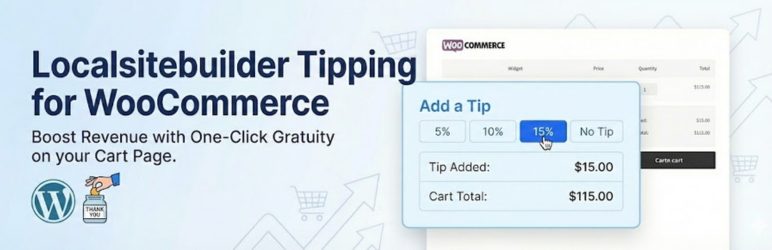
It adds a lightweight, conversion-optimized widget to your Cart page that allows customers to add a tip based on a percentage of their subtotal.
Stop leaving money on the table! Whether you run a local delivery service, a restaurant, or a custom print shop, customers often want to support your business. Give them the easiest way to say “Thank You.”
🚀 FREE VERSION FEATURES
- One-Click Tipping: Pre-set buttons for 5%, 10%, and 15%.
- Seamless Integration: Automatically injects into the WooCommerce Cart page.
- Native Fee System: Uses the standard WooCommerce Fee API, so tips appear correctly on invoices and order emails.
- HPOS Compatible: Fully compatible with High Performance Order Storage.
- Basic Reporting: See the total amount of tips collected in your dashboard.
🔥 UNLOCK MORE WITH PRO
Upgrade to Local Easy Tip Pro to take control of your revenue:
- Checkout Page Widget: Capture tips at the very last step (highest conversion rate).
- Custom Amounts: Allow customers to enter a specific dollar amount (e.g., $5.00).
- Custom Percentages: Change the default 5/10/15% to whatever you want (e.g., 10/15/20%).
- Advanced Reporting: Filter tip reports by Date Range and Payment Method.
Instalacija
- Upload the plugin files to the
/wp-content/plugins/local-easy-tipdirectory, or install the plugin through the WordPress plugins screen directly. - Activate the plugin through the ‘Plugins’ screen in WordPress.
- Go to Dashboard > Tip Reports > Settings to view your configuration.
- The widget will automatically appear on your WooCommerce Cart page.
ČPP
-
Where does the tip widget appear?
-
In the Free version, the widget appears automatically on the WooCommerce Cart page, usually near the “Proceed to Checkout” button or after the cart totals.
-
The Free version comes with industry-standard defaults (5%, 10%, 15%). To customize these percentages, you will need the Pro version.
-
Does this work on the Checkout page?
-
The Free version is limited to the Cart page. The Pro version allows you to place the widget directly on the Checkout page for better visibility.
-
Is this compatible with my theme?
-
Yes! The plugin uses standard WooCommerce hooks and jQuery logic to find the best spot for the widget. It works with 99% of themes, including Divi, Astra, Elementor, and Flatsome.
Recenzije

Saradnici i programeri
“LocalSiteBuilder Tipping for WooCommerce” is open source software. The following people have contributed to this plugin.
Doprinositelji
Prevedi “LocalSiteBuilder Tipping for WooCommerce” na vaš jezik.
Zainteresirani za razvoj?
Pregledajte kôd, pogledajte SVN spremišteili se pretplatite na dnevnik razvoja od RSS.
Zapis promijena
1.0.12
- Fix: Optimized reporting logic to use batch processing (prevents memory issues on large stores).
- Update: Tested up to WordPress 6.9.
1.0.11
- Initial release on WordPress.org.
- Added HPOS compatibility.
- Implemented split-screen admin settings.