Idi na sadržaj
WordPress.org

Bosanski

  • Teme
  • Plugini
  • News
  • Podrška
  • O nama
  • Projekti
  • Get WordPress
Get WordPress
WordPress.org

Plugin Directory

Kcaptcha

  • Submit a plugin
  • My favorites
  • Log in
  • Submit a plugin
  • My favorites
  • Log in

Ovaj dodatak nije testiran s najnovija 3 glavna izdanja WordPress-a. Možda se više ne održava ili se ne podržava i može imati problema sa kompatibilnošću kada se koristi sa novijim verzijama WordPress-a.

Kcaptcha

Od Ksolves – Emerging Ahead Always
Skini
  • Detalji
  • Recenzije
  • Instalacija
  • Razvoj
Podrška

Opis

Kcaptcha plugin is the perfect security plugin for your wordpress website forms that protects your website from spam bots. Kcaptcha allows you to implement security captcha anywhere in website’s form. It is very easy for humans and hard for robots. Kcaptcha is designed to recognise the difference between a bot and human and sometimes even malicious software to provide the security to the system. This captcha can be used for login, registration,password recovery, comments and contact forms.If you want to prevent the entry of bots into your website, then you must start using Kcaptcha as it is the smartest way to stop it.

Like WordPress, Kcaptcha is, and always will be free. We'll continue supporting and developing it for many years to come. It'll only get better from here. If you are facing any issue or challenges please contact us and help us making it better and rich in features.

We offer free support

Features

Add captcha to:

Registration form

Login form

Reset password form

Comments form

Easy for humans and hard for robots

Slike ekrana

  • screenshot-1.png shows Kcaptcha plugin activated in plugin list
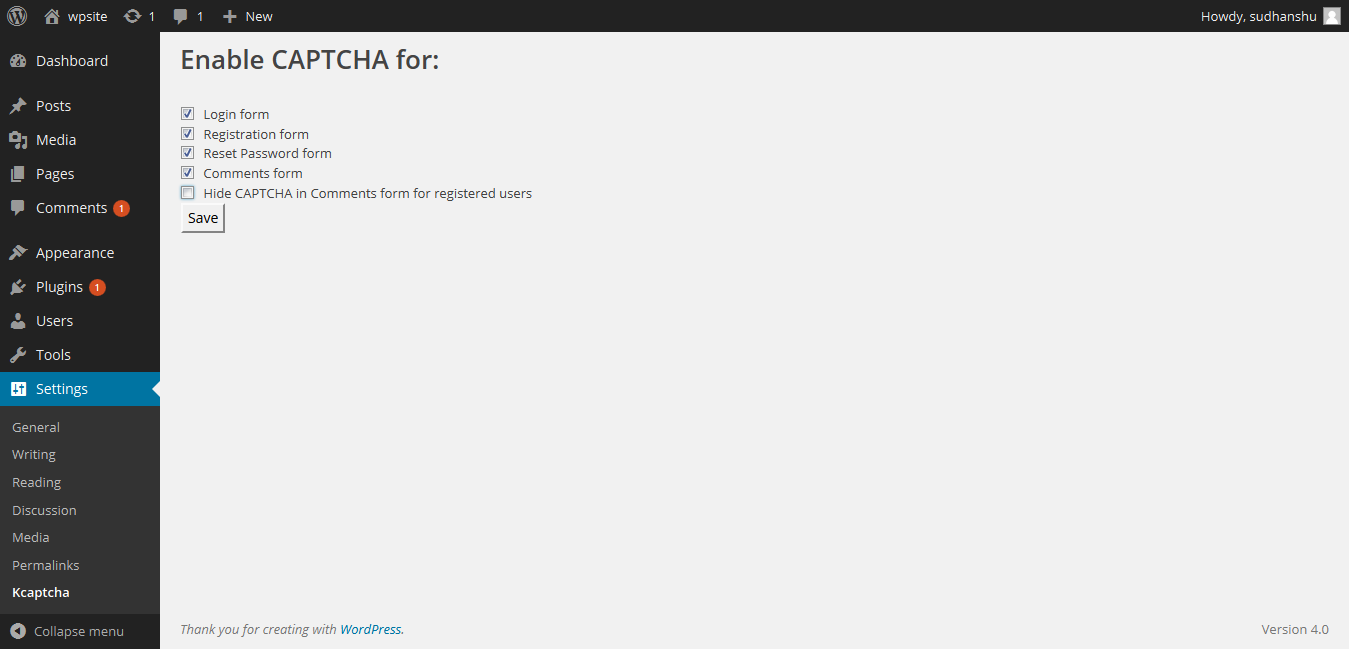
  • screenshot-2.png shows Kcaptcha plugin setting page
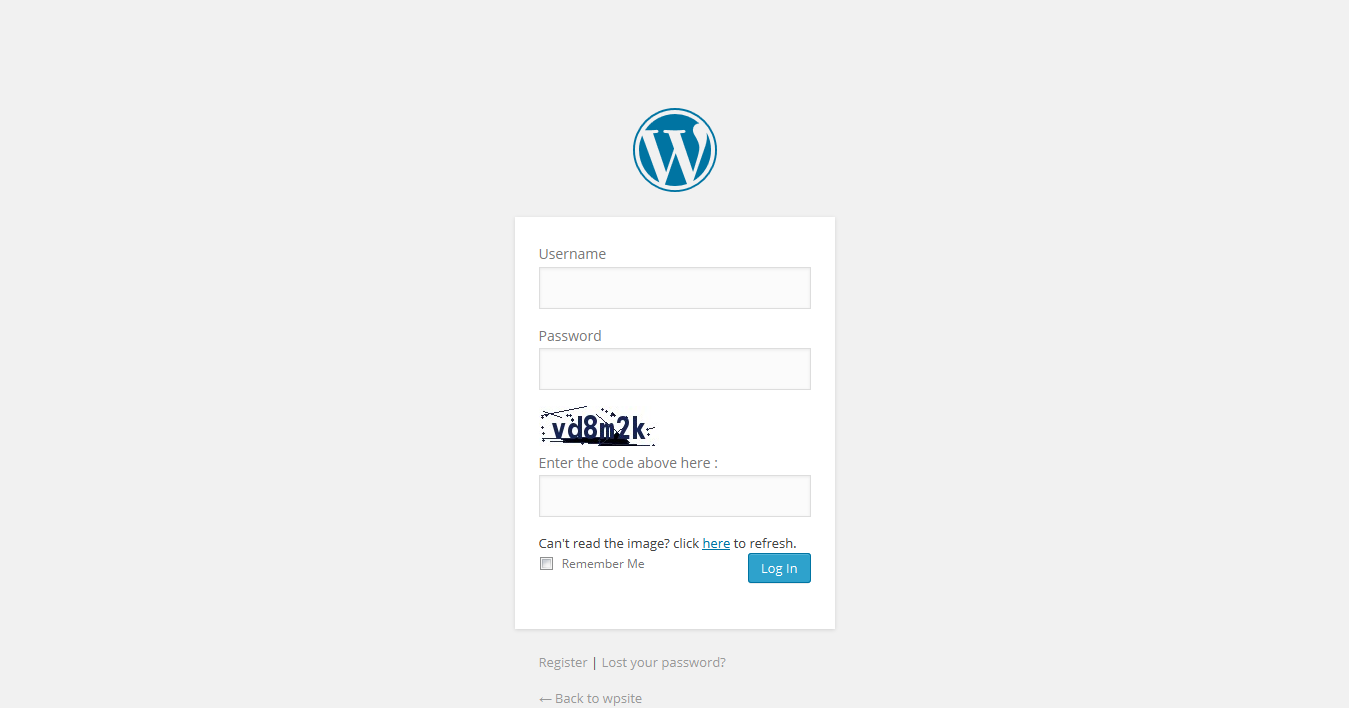
  • screenshot-3.png shows captcha added to login form.
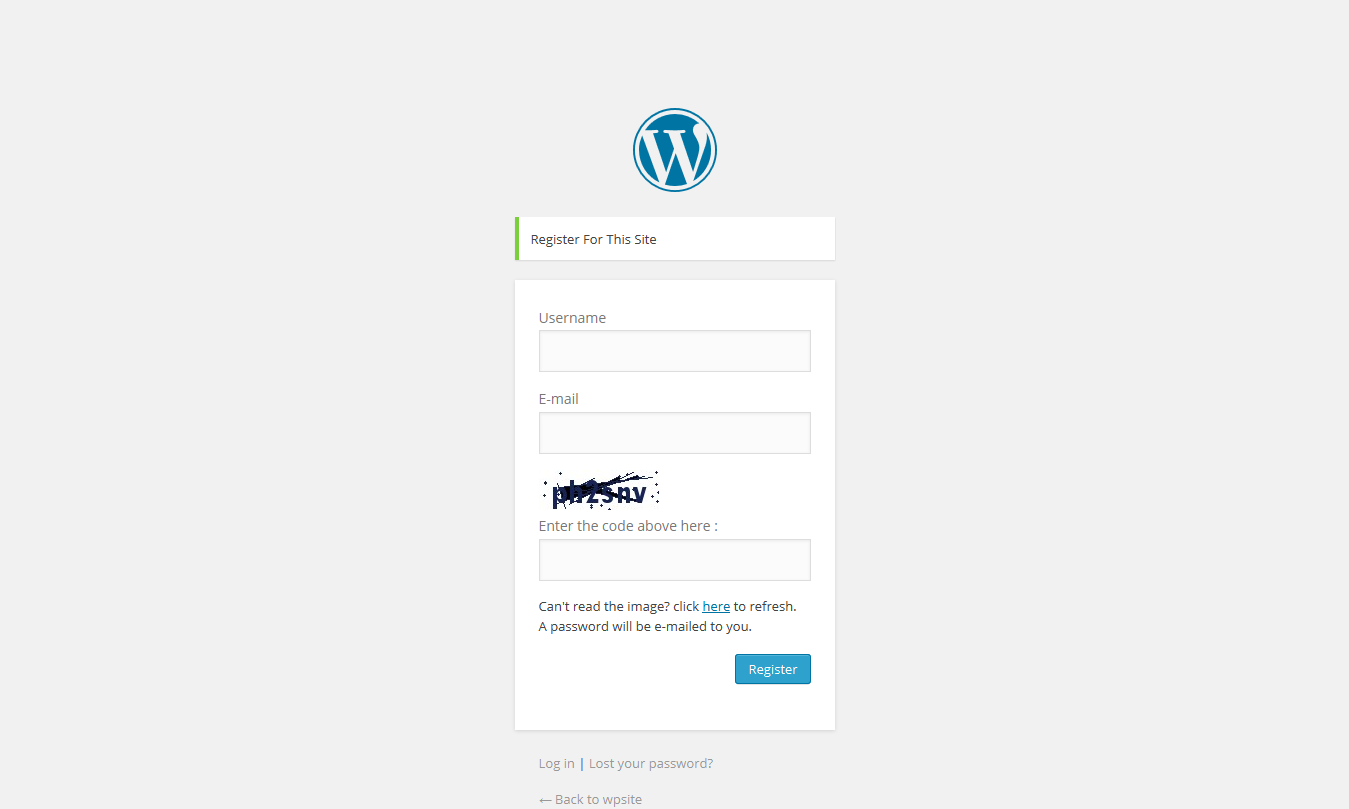
  • screenshot-4.png shows captcha added to Register form.

  • screenshot-5.png shows captcha added to comment.

  • screenshot-6.png shows captcha added to lost password form.

Instalacija

Extract the zip file and just drop the contents in the wp-content/plugins/ directory of your WordPress installation and then activate the Plugin from Plugins page. In setting of this plugin you can find checkboxes. Save this entry.

Add a shortcode [addKcaptcha] below a form. 

For validation you have to call validateKCaptcha() function.


ČPP

how to use this captcha Just on the checkbox on setting page.

Recenzije

Easy to use and very effective!

praphullpriyadarshi 15. Septembra 2016.
Easy to use and very effective!
Read all 1 review

Saradnici i programeri

“Kcaptcha” is open source software. The following people have contributed to this plugin.

Doprinositelji
  • Ksolves – Emerging Ahead Always

Prevedi “Kcaptcha” na vaš jezik.

Zainteresirani za razvoj?

Pregledajte kôd, pogledajte SVN spremišteili se pretplatite na dnevnik razvoja od RSS.

Zapis promijena

1.0.1

  • Bug fixes and updates for wordpress 4.6.1.

1.0.0

  • it is a simple implementation to place a captcha.

Meta

  • Version 1.0.1
  • Last updated prije 9 godina
  • Active installations 30+
  • WordPress version 3.1 ili viša
  • Tested up to 4.6.30
  • Language
    English (US)
  • Tags
    anti-spamcaptcha plugincomment captchaform captchalogin captcharegistration captcha
  • Napredni pogled

Ocjene

5 out of 5 stars.
  • 1 5-star review 5 stars 1
  • 0 4-star reviews 4 stars 0
  • 0 3-star reviews 3 stars 0
  • 0 2-star reviews 2 stars 0
  • 0 1-star reviews 1 star 0

Dodaj moju recenziju

See all reviews

Doprinositelji

  • Ksolves – Emerging Ahead Always

Podrška

Imate nešto za reći? Trebate pomoć?

Pogledaj forum podrške

Pokloni

Da li bi ste željeli da podržite napredovanje ovog proširenja?

Pokloni ovom proširenju

  • About
  • News
  • Hosting
  • Privacy
  • Showcase
  • Themes
  • Plugins
  • Patterns
  • Learn
  • Support
  • Developers
  • WordPress.tv ↗
  • Get Involved
  • Events
  • Donate ↗
  • Five for the Future
  • WordPress.com ↗
  • Matt ↗
  • bbPress ↗
  • BuddyPress ↗
WordPress.org
WordPress.org

Bosanski

  • Visit our X (formerly Twitter) account
  • Visit our Bluesky account
  • Visit our Mastodon account
  • Visit our Threads account
  • Visit our Facebook page
  • Visit our Instagram account
  • Visit our LinkedIn account
  • Visit our TikTok account
  • Visit our YouTube channel
  • Visit our Tumblr account
Kod je poezija.
The WordPress® trademark is the intellectual property of the WordPress Foundation. WordPress® is not the same thing as WP Engine®. Since October 2024, WordPress.org’s creator Matt Mullenweg is a defendant in a legal action from WP Engine®. The WordPress Hosting page does not recommend WP Engine®.