

Opis
For Development or debugging WordPress Plugin's Database queries, you can use this plugin along with Query Monitor Plugin.
This plugin will save all the selected database queries with useful information like backtrace, execution time, SQL statement, etc.
Using this plugin, you can optimize your SQL queries.
Here’s an overview of Fluent Query Logger:
Log Queries From Plugin-X/Y/Z: You can select which plugin's Database queries will be logged, and then you can filter by that plugin and see all the queries made by the plugin.
Trace Slow Queries: You can sort by execution time of the database queries and, based on that, find which Database queries are actually making your site slow. You can also trace back from which file and function are doing the query.
Find Duplicate Queries: You can also find duplicate queries and the page's source.
Other Plugins By The Same Team
- FluentCRM – Email marketing Automation for WordPress
- Fluent Forms – Fastest WordPress Form Builder Plugin
- Ninja Tables – Best WP DataTables Plugin for WordPress
- PayMattic – Simple Payments Plugin for WordPress
- FluentSMTP – WordPress Mail SMTP, SES, SendGrid, MailGun Plugin
👉 Check the project on Github & Contribute
CONTRIBUTE
You are more than welcome if you want to contribute to this project or report a bug. Please check repository from Github.
Slike ekrana
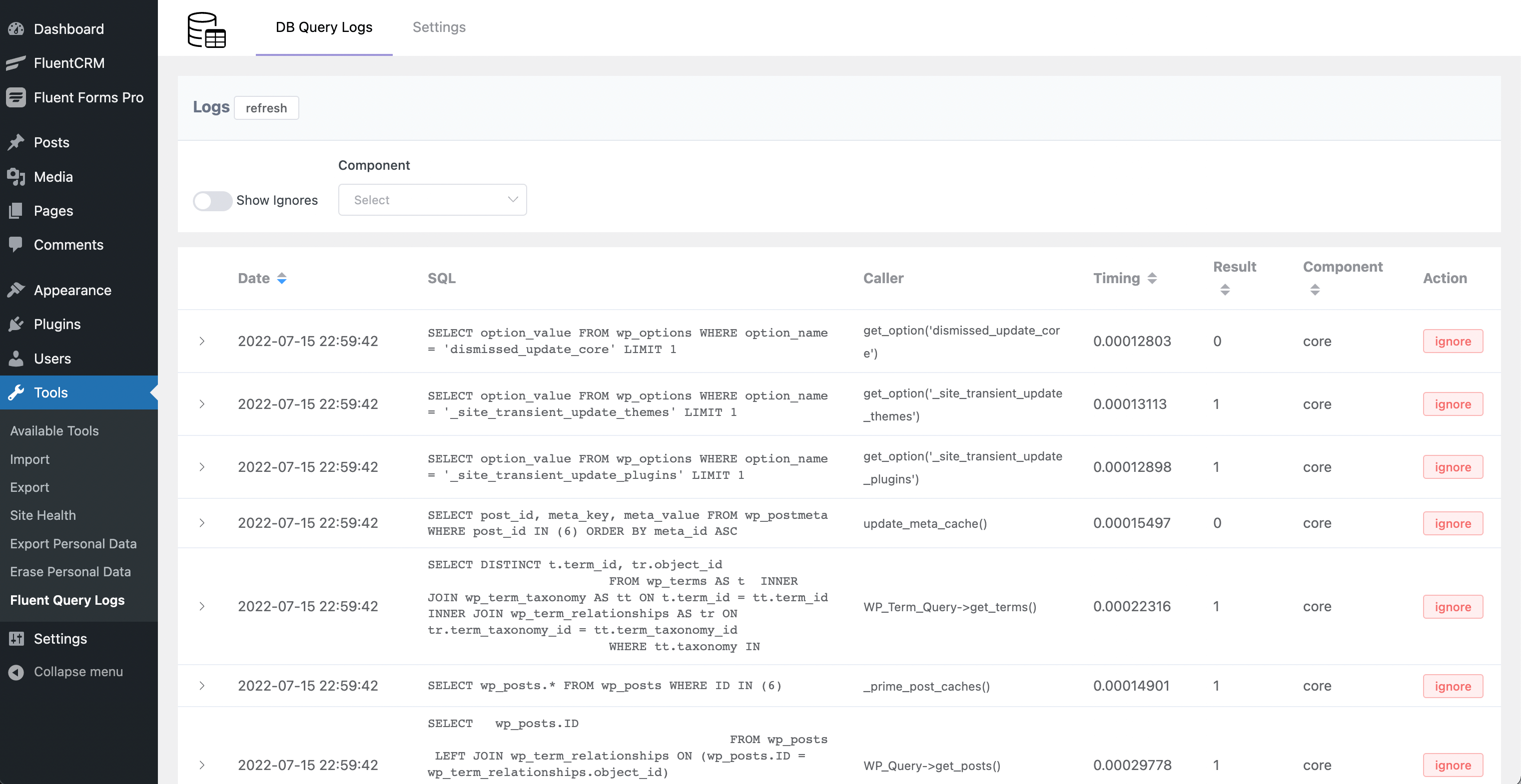
Database Logs 
Log Settings 
Log Trace View
Instalacija
This section describes how to install the plugin and get it working.
- Just search for Fluent Query Logger in WordPress Plugins and click install and activate.
OR
- Upload the plugin files to the
/wp-content/plugins/fluent-query-loggerdirectory, or install the plugin through the WordPress plugins screen directly. - Activate the plugin through the \'Plugins\’ screen in WordPress
- Use the
Tools->Fluent Query Logsscreen to configure the plugin
ČPP
-
Where should I use this plugin?
-
This plugin is built for WordPress site optimization. You can install it with the Query monitor Plugin and catch and log all the Database queries from a specific plugin. You can use this for analyzing Database Queries.
-
Do I need Query Monitor Plugin?
-
Yes.
Recenzije


Saradnici i programeri
“Fluent Query Logger – Log Database Queries and analyze plugin database performance” is open source software. The following people have contributed to this plugin.
Doprinositelji
Zainteresirani za razvoj?
Pregledajte kôd, pogledajte SVN spremišteili se pretplatite na dnevnik razvoja od RSS.
Zapis promijena
1.0.0 (Date: July 16, 2022 )
- Initial Release