
Opis
Clockinator Lite is a powerful and easy-to-use employee and attendance management plugin for WordPress.
It helps you manage attendance, employee records, shifts, and holidays from your WordPress dashboard.
Core Lite Features
- Employee management for administrator and employee roles
- Clock in/out with attendance history
- Shift and holiday management
- Department and designation management
- Monthly and past attendance reports
- Frontend employee dashboard
- Translation-ready interface
- And many other features
Clockinator Lite is suitable for small and medium teams that need a practical attendance workflow in WordPress.
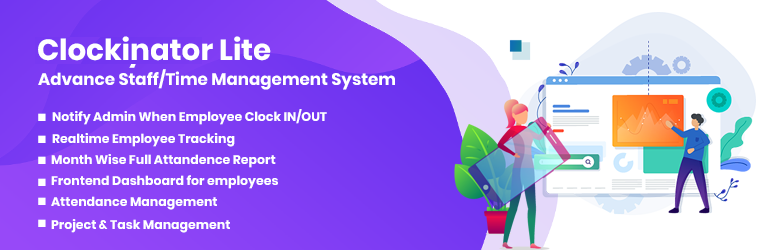
🔑 Key Features (Lite Version)
- User Management (Admin / Employee)
- Attendance & Holiday Management
- Real-time employee tracking
- Monthly & past attendance reports
- Admin notifications on clock in/out ( Email & SMS notifications )
- Employee self-service frontend dashboard
- Centralized admin dashboard
- Clean UI & translation ready
- And many other features
🚀 Upgrade to Pro
Unlock advanced HR features with Clockinator Pro, including:
– Shift, leave, payroll & reimbursement management
– Project & task management
– Payslip & Payroll generation( partial & monthly wise )
– Exportable reports (CSV)
– Customizable email/SMS notifications
– Department & role-based access control
– Frontend Dashboard for “Administrator” with all backend functionalities Addon
– More robust dashboards for HR Managers & Department Heads
👉 Learn More
👉 View Demo
👉 Buy Now
Short Description
A complete HR and attendance management plugin for WordPress with clock in/out, shift tracking, leave management, and employee dashboards.
License
Clockinator Lite WordPress plugin, Copyright (C) 2021 Beastthemes
Licensed under the GPL3 (https://www.gnu.org/licenses/gpl-3.0.en.html).
Slike ekrana


Instalacija
- Upload the plugin files to the
/wp-content/plugins/clockinator-lite/directory, or install the plugin through the WordPress Plugins screen. - Activate the plugin through the Plugins screen in WordPress.
- Open Clockinator Lite from the admin menu.
- Configure departments, shifts, holidays, and employee records.
ČPP
-
Does Clockinator Lite support multiple user roles?
-
Yes. The Lite version supports administrator and employee workflows.
-
Can employees view their own attendance?
-
Yes. Employees can access their attendance from the frontend dashboard.
-
Is Clockinator Lite translation ready?
-
Yes. Translation files are included for localization.
-
How is Clockinator Pro different?
-
The Pro version includes advanced modules such as payroll, leave approvals, and additional reporting tools.
Recenzije


Saradnici i programeri
“Clockinator Lite” is open source software. The following people have contributed to this plugin.
Doprinositelji
Prevedi “Clockinator Lite” na vaš jezik.
Zainteresirani za razvoj?
Pregledajte kôd, pogledajte SVN spremišteili se pretplatite na dnevnik razvoja od RSS.
Zapis promijena
[1.0.9 28-03-2026]
- Added profile image field in employee frontend profile form.
- Added WordPress media uploader button for profile image selection.
- Added live profile image preview on URL change and media selection.
- Added client-side and server-side profile image URL validation.
- Added frontend employee media upload capability bridge.
- Restricted employee media library to show only own uploads.
- Fixed reports time parsing issue that could trigger fatal errors.
- Fixed btcl_update_fetch_reports to reliably recalculate working hours after clock in/out edits.
- Improved reports UI refresh so updated working hours appear immediately after saving.
[1.0.8 23-08-2025]
- Tested with WordPress 6.8.2
- Compatible with PHP 8
[1.0.7 23-04-2023]
- Bug Fix (clock in/out button reload issue)
[1.0.6 18-11-2022]
- Working hours calculation bug fix
- Last day working hours bug fix
[1.0.5 26-09-2021]
- Compatible with PHP 8 version
- Shift Panel Added for Shifts management
- Target Panel Added for Target management
- Bug fix
- Forntend CSS fix for Mobile devices
[1.0.4 05-08-2021]
- Working hour column added in reports
- Bug fix
- Forntend CSS fix
[1.0.3 31-07-2021]
- Plugin name change
[1.0.2 02-06-2021]
- Add Frontend Shortcodes
- Bug Fix
[1.0.1 01-04-2021]
- Add “Go Pro” page.
…