
Descrição
OhmTang RFQ is an excellent, fully open-source and free inquiry form plugin for WooCommerce, designed specifically for B2B operations.
OhmTang RFQ seamlessly inserts a customizable RFQ form for WooCommerce product pages. It automatically captures and submits crucial product information with each inquiry, saving time for both customers and administrators.
Key Features
- Smart Form Placement: Insert the RFQ form at different positions on your product pages (e.g., after price, after add-to-cart, before product Description).
- Automated Product Data Capture: When a customer submits the form, it automatically includes:
- Product Image
- Product Link/URL
- Product Category
- Default or customer-selected product attributes (like size, color)
- Efficient Lead Management: This automation allows managers to quickly identify which product page the inquiry came from and understand the customer’s specific needs, eliminating repetitive basic questions and improving reply efficiency.
- Full Form Customization:
- Custom form title.
- Customize field labels for Name, Email, and Message.
- Custom placeholder text for the message area.
- Customizable success and error messages upon form submission.
- Integrated SMTP Engine:
- Built-in, complete SMTP functionality – no need for an additional SMTP plugin.
- Granular SMTP error debugging at all levels to verify configuration and troubleshoot issues.
- Dedicated debugging page with a “Send Test Email” feature to:
- Verify your SMTP setup is working correctly.
- Send temporary emails to customers if needed.
- Provides error logs for easy problem diagnosis.
🌍 Multi-language Ready
- Full translation support with .pot file
Recommended Plugins
- OhmTang CFT – Protect all your WordPress forms from bots and spam with Cloudflare Turnstile. This plugin is fully compatible with OhmTang RFQ and provides seamless integration.
Capturas de tela

Send a inquiry email with auto-captured product details. 
Example of a received inquiry email with auto-captured product details on mobile email client. 
Main plugin settings page for form customization. 
SMTP configuration settings panel. 
SMTP debugging settings panel. 
RFQ Form displayed on a product page After Product Meta. 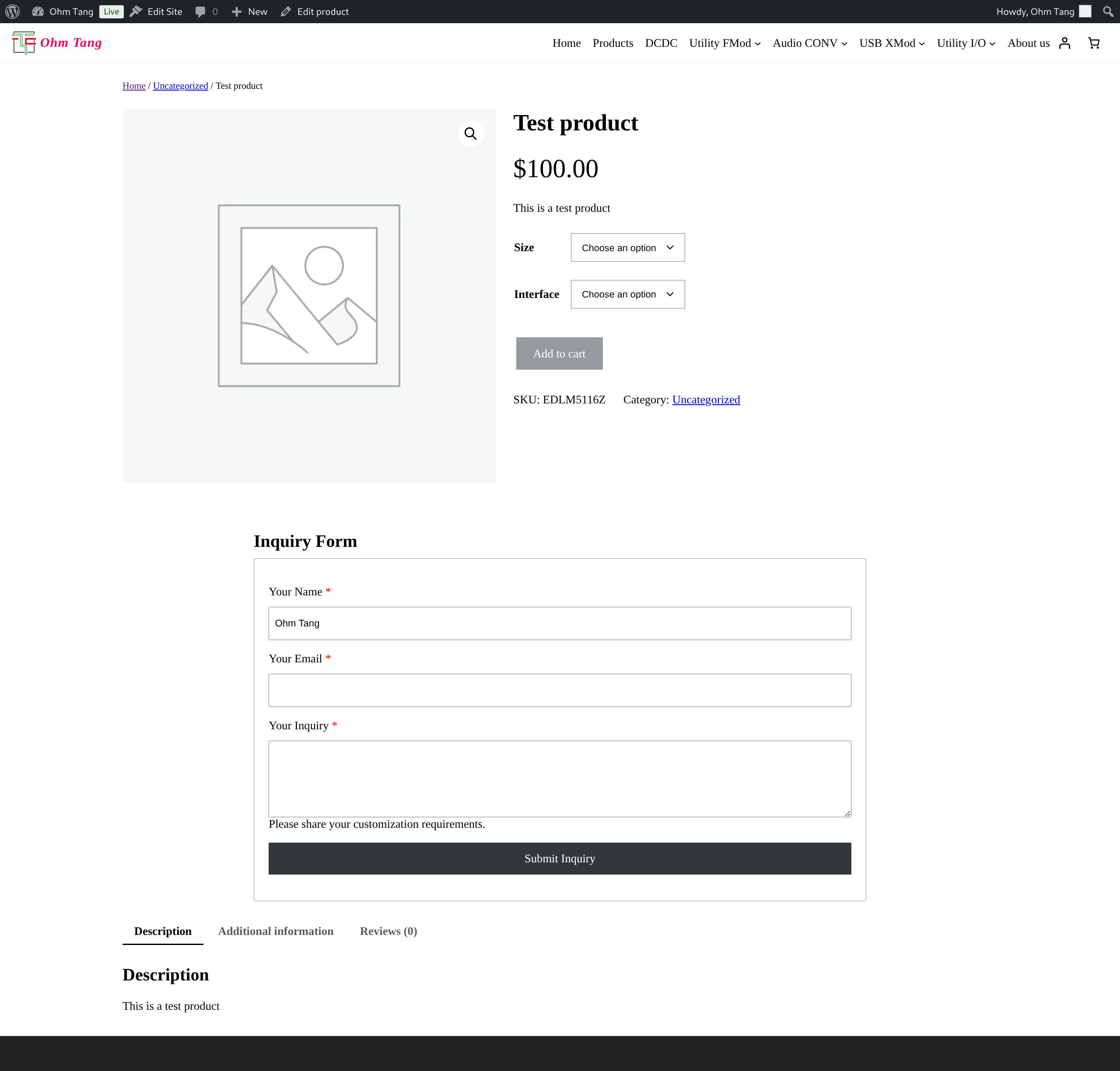
RFQ Form displayed on a product page Before Product Description. 
RFQ Form displayed on a product page After Product Price. 
RFQ Form displayed on a product page After Add To Cart Button. 
RFQ Form displayed on a product page After Product Description
Instalação
- Upload the
ohmtang-rfqfolder to the/wp-content/plugins/directory. - Activate the plugin through the ‘Plugins’ menu in WordPress.
- Navigate to OhmTang RFQ to configure the form placement, labels.
- Navigate to SMTP Settings to configure the SMTP settings.
- Navigate to SMTP Debug Settings to configure SMTP Debug settings and send test emails.
Perguntas frequentes
-
Where can I configure the form?
-
All settings are located under OhmTang RFQ in your WordPress admin panel.
-
Does this plugin require WooCommerce?
-
Yes, this plugin is designed specifically as an extension for WooCommerce and requires it to be installed and active.
-
Can I use my own SMTP plugin instead of the built-in one?
-
Yes, you can go to Dashboard->OhmTang RFQ->SMTP Settings uncheck Enable SMTP option and save settings, then you can use your own SMTP plugin.
-
How do I test if emails are sending correctly?
-
Go to the plugin’s settings page and find the “SMTP Debug Settings” section. use SMTP Send Test Email function there.
Avaliações
Não há avaliações para este plugin.
Colaboradores e desenvolvedores
“OhmTang RFQ” é um programa de código aberto. As seguintes pessoas contribuíram para este plugin.
Colaboradores
Traduzir o “OhmTang RFQ” para seu idioma.
Interessado no desenvolvimento?
Navegue pelo código, consulte o repositório SVN ou assine o registro de desenvolvimento por RSS.
Registro de alterações
1.0.0
- Initial release.