
ཞིབ་བརྗོད།
Voxfor AI Content Summary helps improve AEO (Answer Engine Optimization) by creating clear, accurate summaries directly from your WordPress content. The plugin generates faithful summaries based only on what is written in your post, making it easier for search engines, AI assistants, and readers to understand your content quickly.
Powered by Claude or ChatGPT, Voxfor AI Content Summary does not add external knowledge, assumptions, or promotional language. Every summary is traceable to the original text, ensuring accuracy, trust, and consistency. This structured approach helps your content perform better in modern search experiences where clear answers matter more than long explanations.
Summaries are cached in the database for fast loading, work with Gutenberg and custom post types, and can be displayed automatically, manually, or via shortcode. This plugin is lightweight, secure, and designed for sites that value accuracy, performance, and future-ready search optimization.
Resources
Key Features
- Accurate Summaries – 60-90 words, faithful to source content
- Two AI Providers – Choose between Claude Haiku 4.5 or ChatGPT 5.2
- Multiple Display Modes – Automatic, Manual, or Shortcode-only
- Full Control – Enable/disable per post, choose post types
- Hebrew Support – Full RTL and Unicode support
- Caching – Summaries stored in database for fast loading
- Security – Nonce verification, rate limiting, post validation
How It Works
- Install and activate the plugin
- Add your API key (Claude or ChatGPT)
- Configure display settings
- Summaries appear automatically or use
[voxfor_summary]shortcode
Display Options
- Automatic – Button appears on all selected posts
- Manual – Enable per post via checkbox in editor
- Shortcode – Full control using
[voxfor_summary]
Accuracy First
Unlike other AI summary plugins, Voxfor follows strict rules:
– Only summarizes what’s actually written
– No external knowledge or interpretation
– No completing missing information
– No marketing language or fabrication
– Every word traceable to source
Tested With
- WordPress 6.9 (compatible with 6.0+)
- PHP 8.3 (compatible with 8.0+)
- MariaDB 10.11
- All major themes
External Services
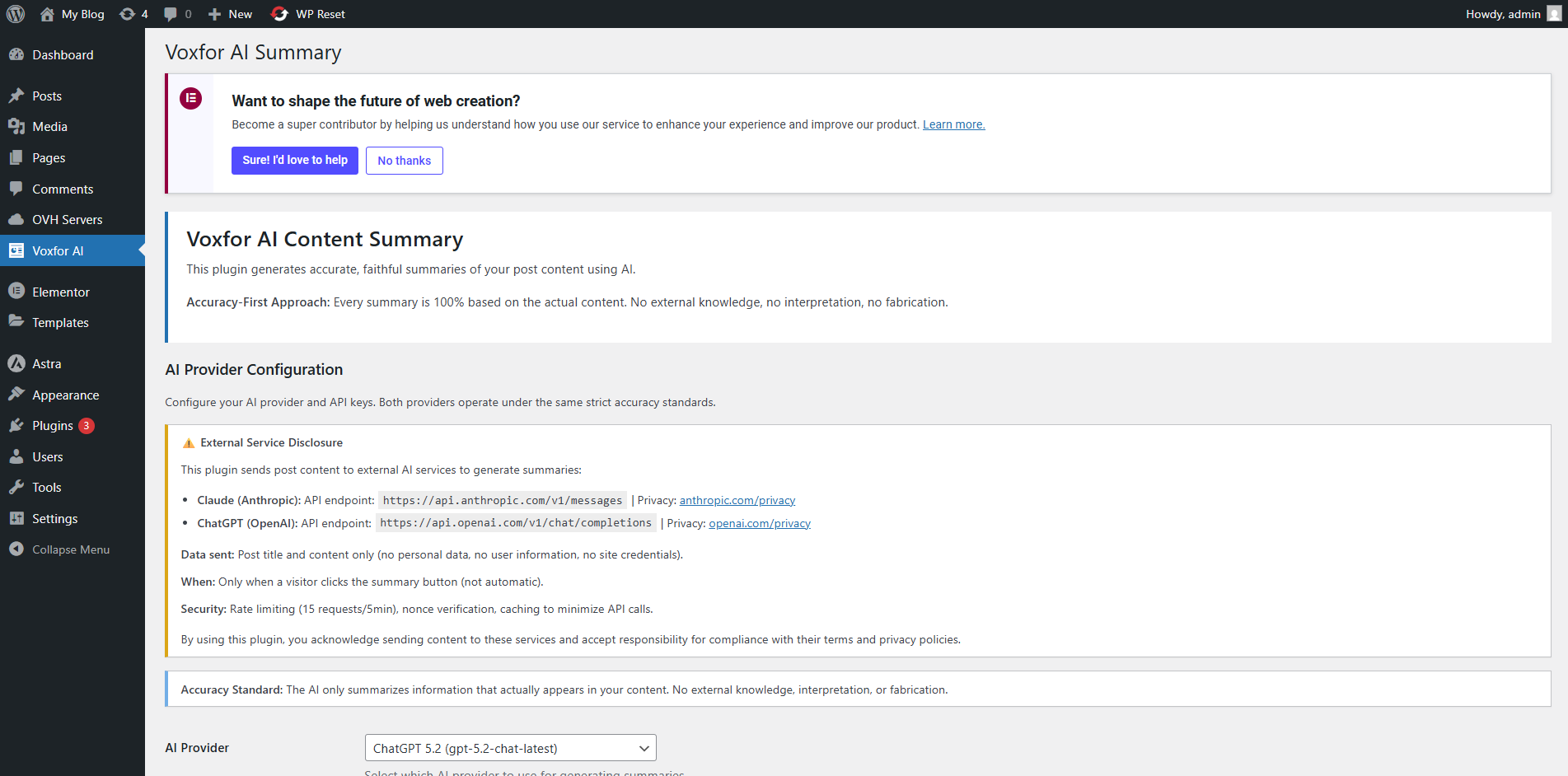
This plugin connects to external AI services to generate summaries. You must provide your own API key and agree to the provider’s terms.
Claude API (Anthropic)
- Service URL: https://api.anthropic.com/v1/messages
- Model: claude-haiku-4-5-20251001
- Data sent: Post title and content only
- Privacy Policy: https://www.anthropic.com/privacy
- Terms of Service: https://www.anthropic.com/terms
ChatGPT API (OpenAI)
- Service URL: https://api.openai.com/v1/chat/completions
- Model: gpt-5.2-chat-latest
- Data sent: Post title and content only
- Privacy Policy: https://openai.com/privacy
- Terms of Service: https://openai.com/terms
What Data Is Sent:
When generating a summary, the plugin sends:
1. Post title (plain text)
2. Post content (HTML stripped, shortcodes removed)
3. System prompt (instructions for accurate summarization)
What Is NOT Sent:
- Author information
- User data
- Comments
- Custom fields
- Site URL or credentials
Your Responsibility:
By using this plugin, you acknowledge that:
– Post content is sent to third-party AI services
– You are responsible for your API usage and costs
– You must comply with the AI provider’s terms
– Sensitive content should not be summarized
Privacy Policy
Data Collection:
This plugin does not collect or store any personal user data. However, it sends post content to third-party AI services (Claude or ChatGPT) to generate summaries.
What Is Sent:
- Post title and content (when generating a summary)
- No personal information
- No user data
- No site credentials
What Is Stored:
- Generated summaries in WordPress database
- Content hash (for detecting changes)
- Provider name and timestamp
- No personal data or user information
Third-Party Services:
Post content is sent to external AI services. Review their privacy policies:
– Claude: https://www.anthropic.com/privacy
– OpenAI: https://openai.com/privacy
User Rights:
As a site administrator, you control:
– Which posts get summarized
– Which AI provider is used
– When summaries are generated
– Which data is sent
GDPR Compliance:
- No personal data collected by this plugin
- Post content may contain personal data (your responsibility)
- Right to delete: Summaries can be deleted anytime
- Right to access: View summaries in WordPress admin
- Data processor: You (site owner) are responsible for AI provider compliance
Recommendations:
- Add disclosure to your privacy policy about AI processing
- Avoid summarizing posts with sensitive personal information
- Review AI provider terms and privacy policies
- Inform users that content may be processed by AI services
གཏུབ་རེིས།
AI Summary button on post (frontend) 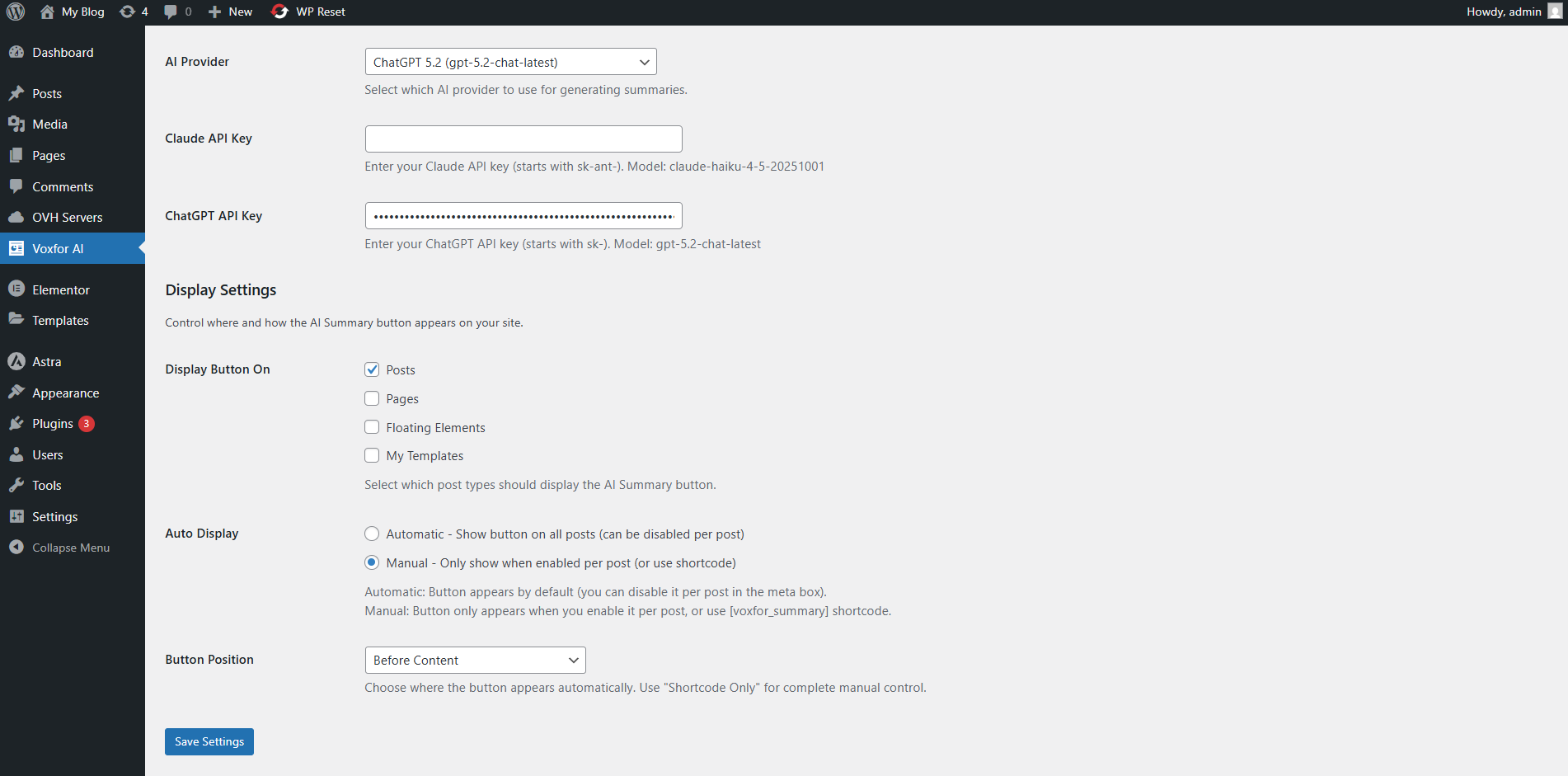
Summary displayed after clicking button 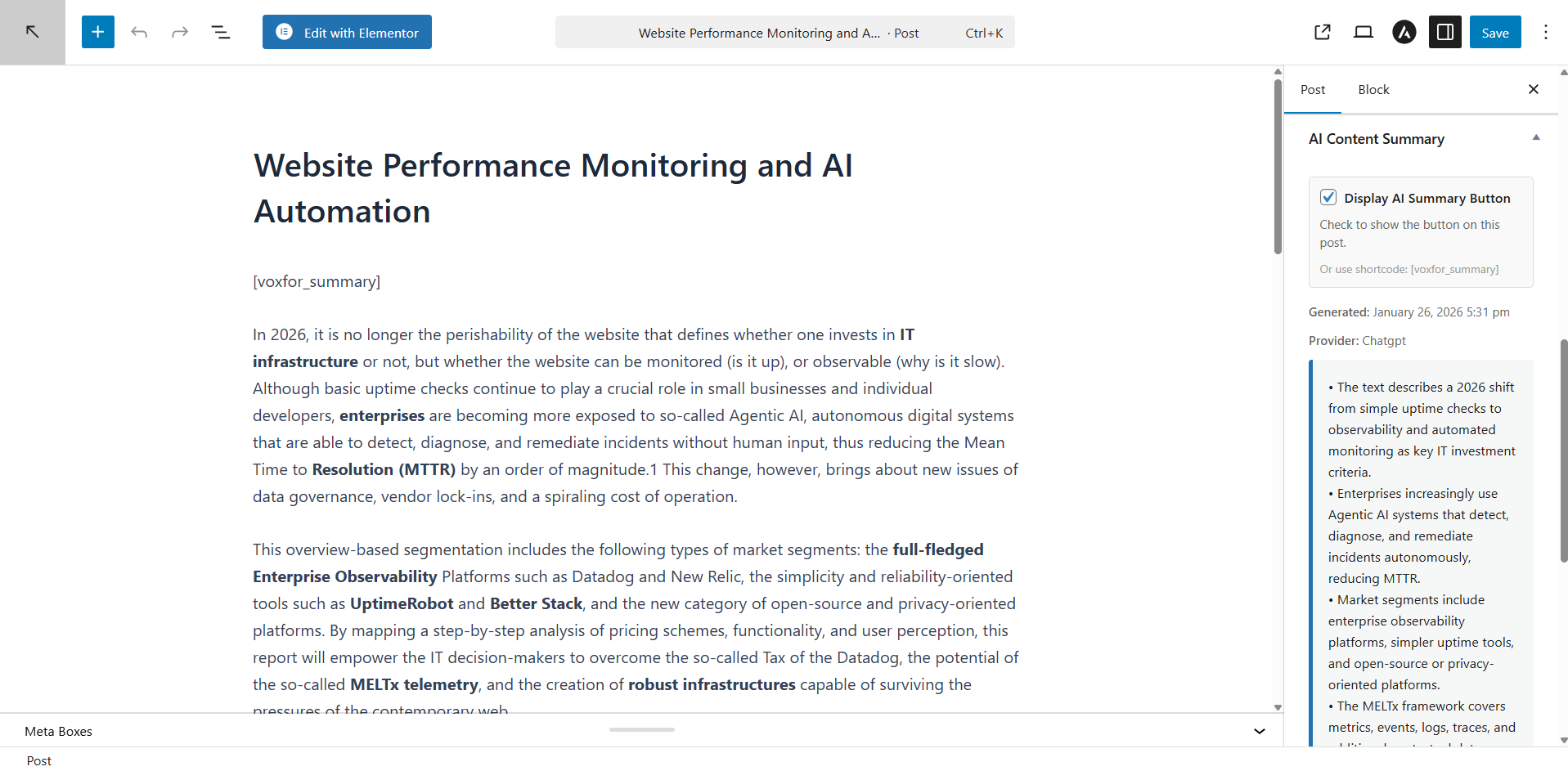
Admin settings page – AI provider configuration 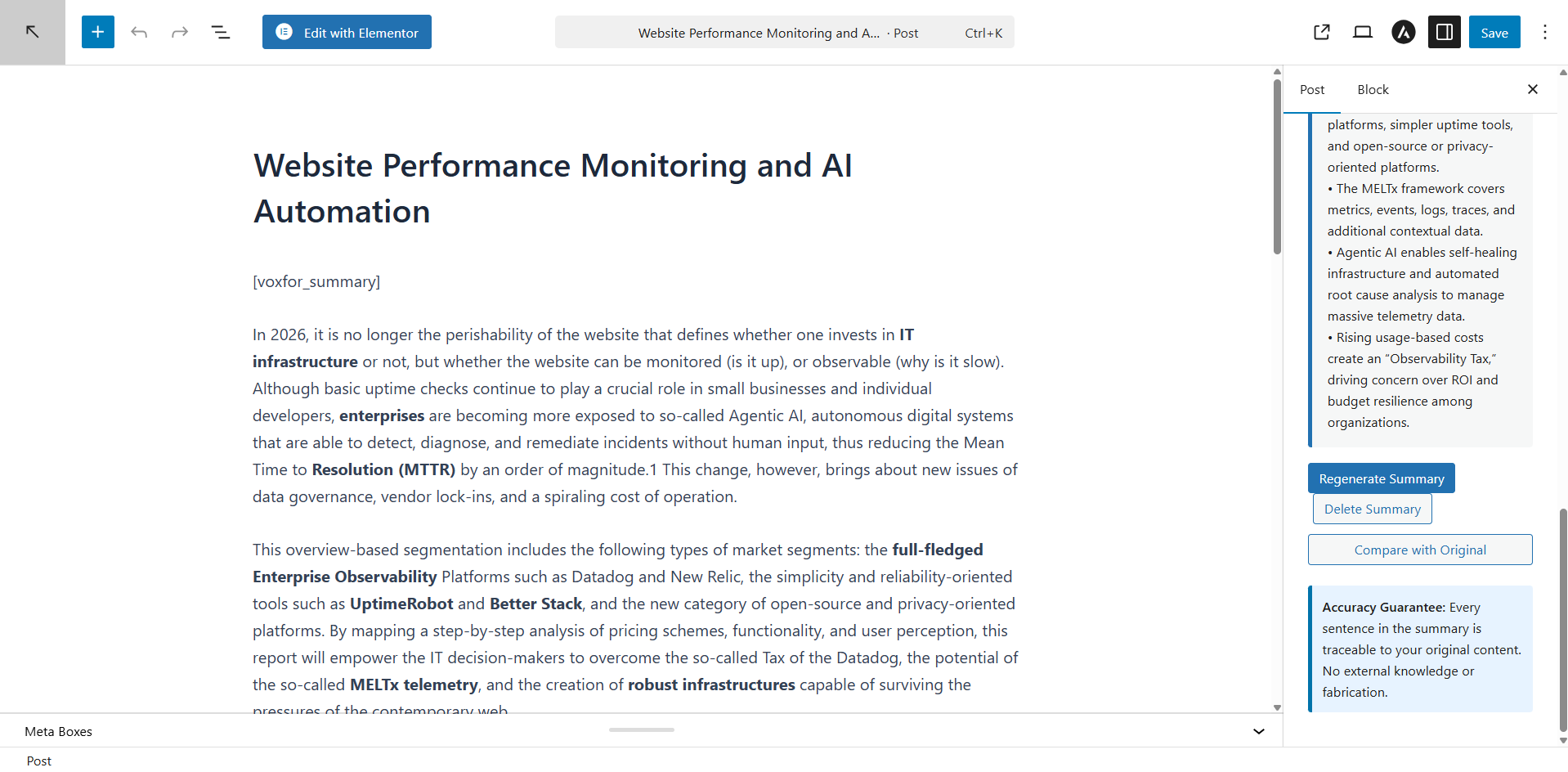
Admin settings page – Display settings 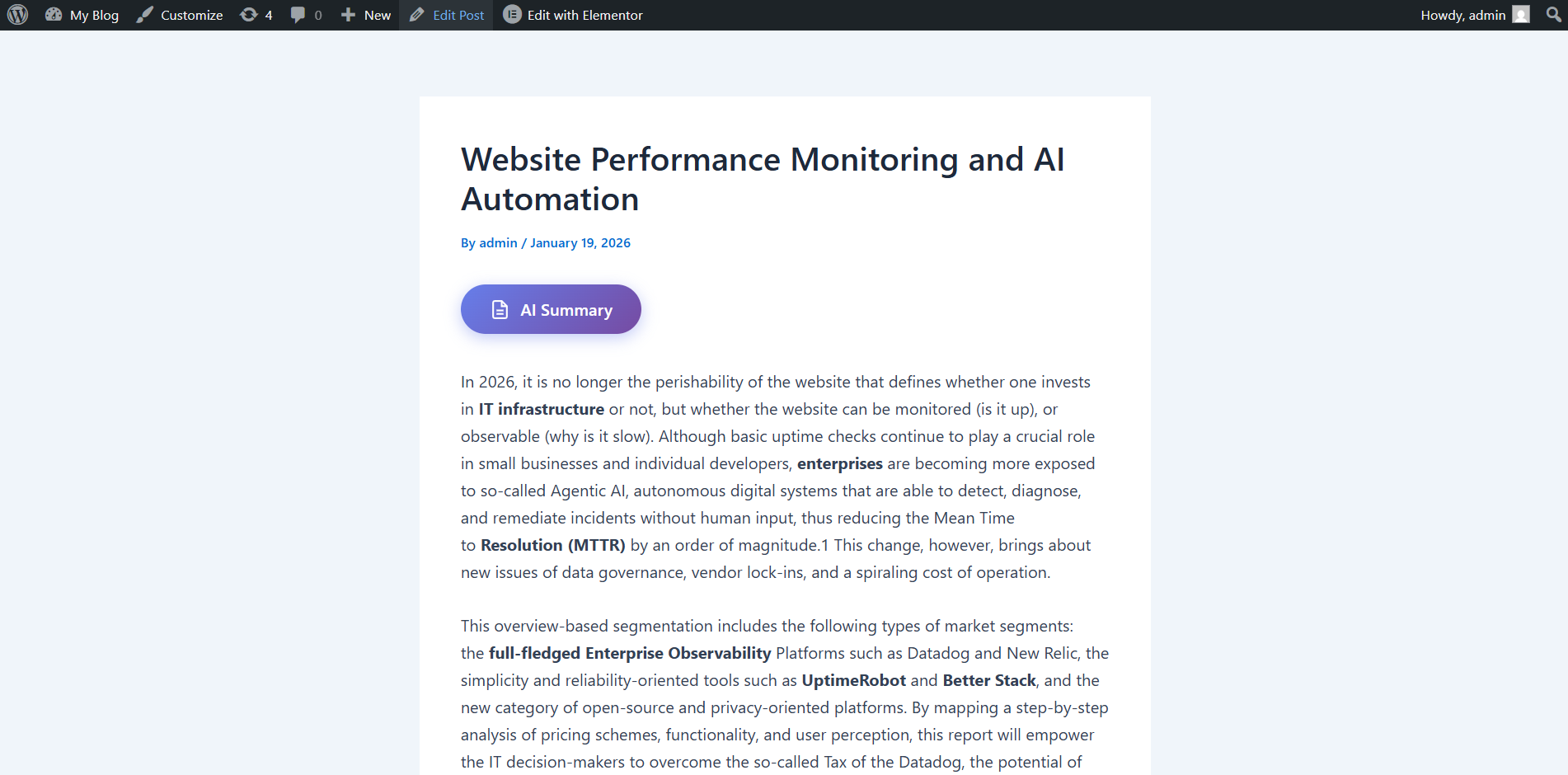
Meta box in post editor with display checkbox 
Shortcode usage example
སྒྲིག་འཇུག
Automatic Installation:
- Go to WordPress Admin Plugins Add New
- Search for “Voxfor AI Content Summary”
- Click Install Now
- Activate the plugin
Manual Installation:
- Download the plugin ZIP file
- Go to WordPress Admin Plugins Add New Upload Plugin
- Choose the ZIP file and click Install Now
- Activate the plugin
Configuration:
- Go to Voxfor AI Settings
- Choose your AI provider (Claude or ChatGPT)
- Enter your API key
- Configure display settings:
- Select post types
- Choose display mode (Auto/Manual)
- Set button position
- Save settings
Get API Keys:
- Claude: https://console.anthropic.com/
- ChatGPT: https://platform.openai.com/
Requirements:
- WordPress 6.0 or higher (tested up to 6.9)
- PHP 8.0 or higher (tested with PHP 8.3)
- API key from Claude or ChatGPT
FAQ
-
Do I need an API key?
-
Yes. You need an API key from either Claude (Anthropic) or ChatGPT (OpenAI). The plugin does not work without a valid API key.
-
How much does it cost?
-
The plugin is free. However, API usage has costs:
– Claude Haiku 4.5: ~$0.001 per summary
– ChatGPT 5.2: varies by usageSummaries are cached, so you only pay once per post.
-
Does it work in Hebrew?
-
Yes! Full Hebrew support with proper RTL display and Unicode word counting. The plugin automatically detects the content language and generates summaries in the same language.
-
Can I use it with custom post types?
-
Yes. Go to Settings Display Settings Display Button On, and select your custom post types.
-
If using Auto mode: Uncheck “Display AI Summary Button” in the post editor.
If using Manual mode: The button is hidden by default; check the box to show it. -
Yes. Three options:
1. Before Content – Button appears at the top
2. After Content – Button appears at the bottom
3. Shortcode Only – Use[voxfor_summary]wherever you want -
Is the summary accurate?
-
Yes. The AI only summarizes what’s actually in your content. No external knowledge, no interpretation, no fabrication.
-
Does it support Gutenberg blocks?
-
Yes. The plugin extracts content from Gutenberg blocks properly.
-
What about privacy and GDPR?
-
Post content is sent to the AI provider (Claude or OpenAI) to generate summaries. The plugin itself does not collect personal user data. See “External Services” and “Privacy Policy” sections for full details.
-
Can visitors generate summaries?
-
Yes, but with security limits:
– Nonce verification required
– Rate limit: 15 requests per IP per 5 minutes
– Only published posts can be summarized
– Caching prevents duplicate API calls -
Does it slow down my site?
-
No. Assets load only on relevant pages, and summaries are cached. After first generation, loading is instant from database.
-
What PHP and WordPress versions are supported?
-
- WordPress: 6.0 or higher (tested up to 6.9)
- PHP: 8.0 or higher (tested with PHP 8.3)
-
Use the shortcode with a post that already has a generated summary. The shortcode
[voxfor_summary]will display the button, which reveals the summary when clicked.
གདེང་འཇོག
There are no reviews for this plugin.
བྱས་རྗེས་འཇོག་མཁན། & གསར་འབྱེད་པ།
“Voxfor AI Content Summary” is open source software. The following people have contributed to this plugin.
བྱས་རྗེས་འཇོག་མཁན།
ཁྱེད་ཀྱི་སྐད་ཡིག་ནང་ལ་ “Voxfor AI Content Summary” ཡིག་སྒྱུར་བྱོས།
Interested in development?
Browse the code, check out the SVN repository, or subscribe to the development log by RSS.
དག་བཅོས་ཉིན་ཐོ།
1.2.0 – January 27, 2026
Updates
- Bug fixes and improvements
- Enhanced stability and performance
- Code optimization
1.1.0 – January 2026
Updates
- Bug fixes and improvements
- Performance enhancements
1.0.0 – December 24, 2025
Initial Release
- AI-powered summaries using Claude Haiku 4.5 or ChatGPT 5.2
- Multiple display modes: Auto, Manual, Shortcode
- Per-post control via meta box checkbox
- Post types selection
- Button position control
- Hebrew and English support (all Unicode languages)
- Frontend button with AJAX loading
- Database caching for performance
- Security: Nonce verification, rate limiting (15/5min), post validation
- Admin menu with settings page
- Meta box for post editor
- Tested with WordPress 6.9 and PHP 8.3
- Compatible with WordPress 6.0+ and PHP 8.0+