

ཞིབ་བརྗོད།
Link Shortner helps you generate short links and share any URL on or off your WordPress website.
With this plugin, you can:
- Create short links for posts.
- Share short links on social media, emails, or anywhere online.
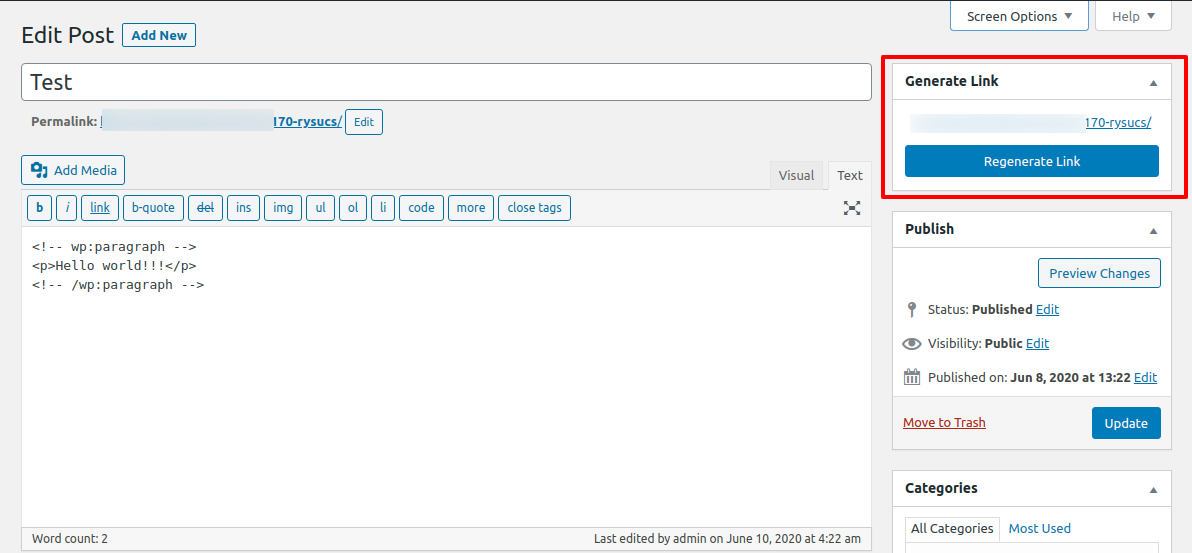
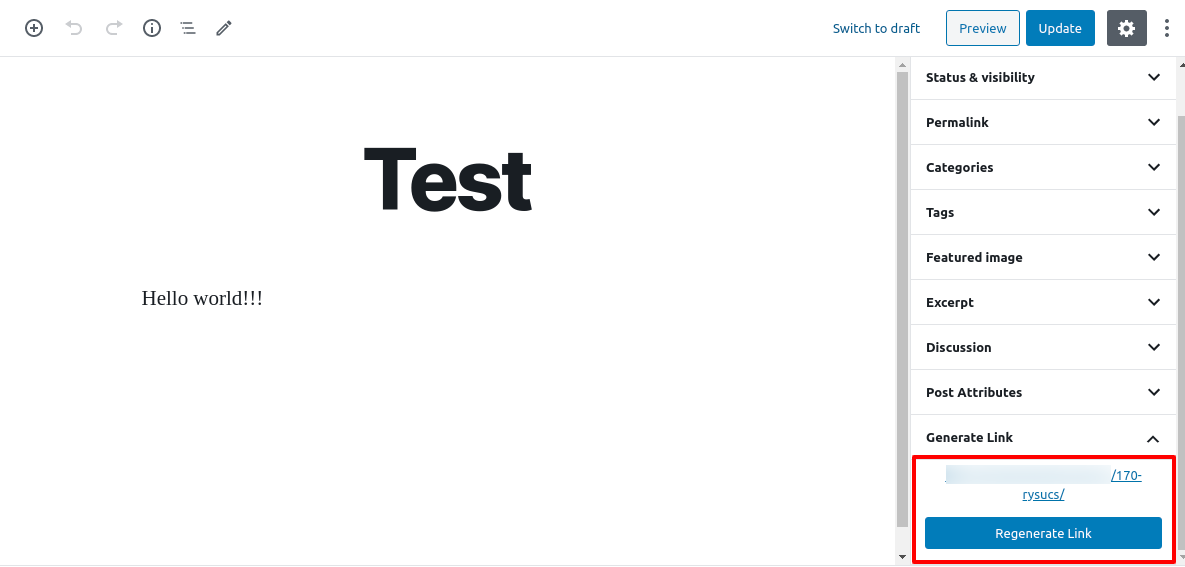
- Quickly regenerate links with one click from your WordPress admin.
Whether you’re managing content, marketing campaigns, or just want neat and professional URLs, Link Shortner makes it simple and effective.
གཏུབ་རེིས།
སྒྲིག་འཇུག
-
From your WordPress dashboard, go to Plugins Add New.
Search for Link Shortner, then click Install and Activate. -
Or upload manually:
Upload thelink-shortnerfolder to the/wp-content/plugins/directory and activate it from the Plugins menu in WordPress.
FAQ
-
How do I generate a short link?
-
After installing Link Shortner, go to the Posts section.
There you’ll see a Regenerate Link button that creates a short URL for your post.
གདེང་འཇོག


བྱས་རྗེས་འཇོག་མཁན། & གསར་འབྱེད་པ།
“Link Shortner” is open source software. The following people have contributed to this plugin.
བྱས་རྗེས་འཇོག་མཁན།

“Link Shortner” has been translated into 3 locales. Thank you to the translators for their contributions.
ཁྱེད་ཀྱི་སྐད་ཡིག་ནང་ལ་ “Link Shortner” ཡིག་སྒྱུར་བྱོས།
Interested in development?
Browse the code, check out the SVN repository, or subscribe to the development log by RSS.
དག་བཅོས་ཉིན་ཐོ།
1.1
- Small improvements and bug fixes
1.0
- Initial release.