

ཞིབ་བརྗོད།
Absoluto Access Gate is a flexible WordPress access-control plugin that allows you to require user login across your site while offering precise control over who can access what. It is designed for site owners who need reliable login enforcement without sacrificing usability or performance.
Many sites require authentication for content access but still need exceptions for specific pages, users, or integrations. Absoluto Access Gate provides a structured and predictable way to enforce login rules while supporting common real-world scenarios such as public landing pages, APIs, feeds, and temporary access needs.
Author: Absoluto Designs
Author URI: http://absolutodesigns.com
Plugin URI: https://absolutodesigns.com/plugins/absoluto-access-gate/
Features
- Force login requirement for all pages
- Enable/Disable toggle without deactivating plugin
- Exclude specific pages from login requirement
- Exclude page templates from login requirement
- Exclude post types, categories, and tags
- Allow specific user roles to bypass login requirement
- Allow specific users to bypass login requirement
- IP whitelist with CIDR notation support
- Bypass key/token for temporary access
- Custom login page URL
- Custom redirect after login
- Maintenance mode with custom messages
- RSS feed and REST API exclusion options
- AJAX request exclusion
- Archive and search page exclusion
- Easy-to-use admin settings page with 2-column layout
- Clean and modern UI with enhanced multi-select dropdowns (uses native HTML5 selects, WordPress.org compliant)
- Quick add current IP to whitelist button
Configuration
After activating the plugin, navigate to Settings > Absoluto Access Gate to configure:
Excluded Pages
Select pages that should be accessible without login. These pages will be publicly accessible even when the plugin is active.
Excluded Page Templates
Select page templates that should be accessible without login. All pages using these templates will be publicly accessible.
Bypass Roles
Select user roles that can bypass the login requirement. Users with these roles can view all pages without being redirected to login.
Bypass Users
Select specific users that can bypass the login requirement. These users can view all pages without being redirected to login.
How It Works
-
When a user visits any page on your site, the plugin checks:
- If the user is logged in and has bypass permission (role or user)
- If the current page is excluded
- If the current page uses an excluded template
-
If none of the above conditions are met and the user is not logged in, they are redirected to the WordPress login page.
-
After logging in, users are redirected back to the page they were trying to access.
Requirements
- WordPress: 5.0 or higher
- PHP: 7.0 or higher
- Tested up to: WordPress 6.4
- Network: Not compatible with WordPress Multisite network activation
Support
For issues, questions, or contributions, please visit the plugin page.
License
GPL v2 or later
གཏུབ་རེིས།
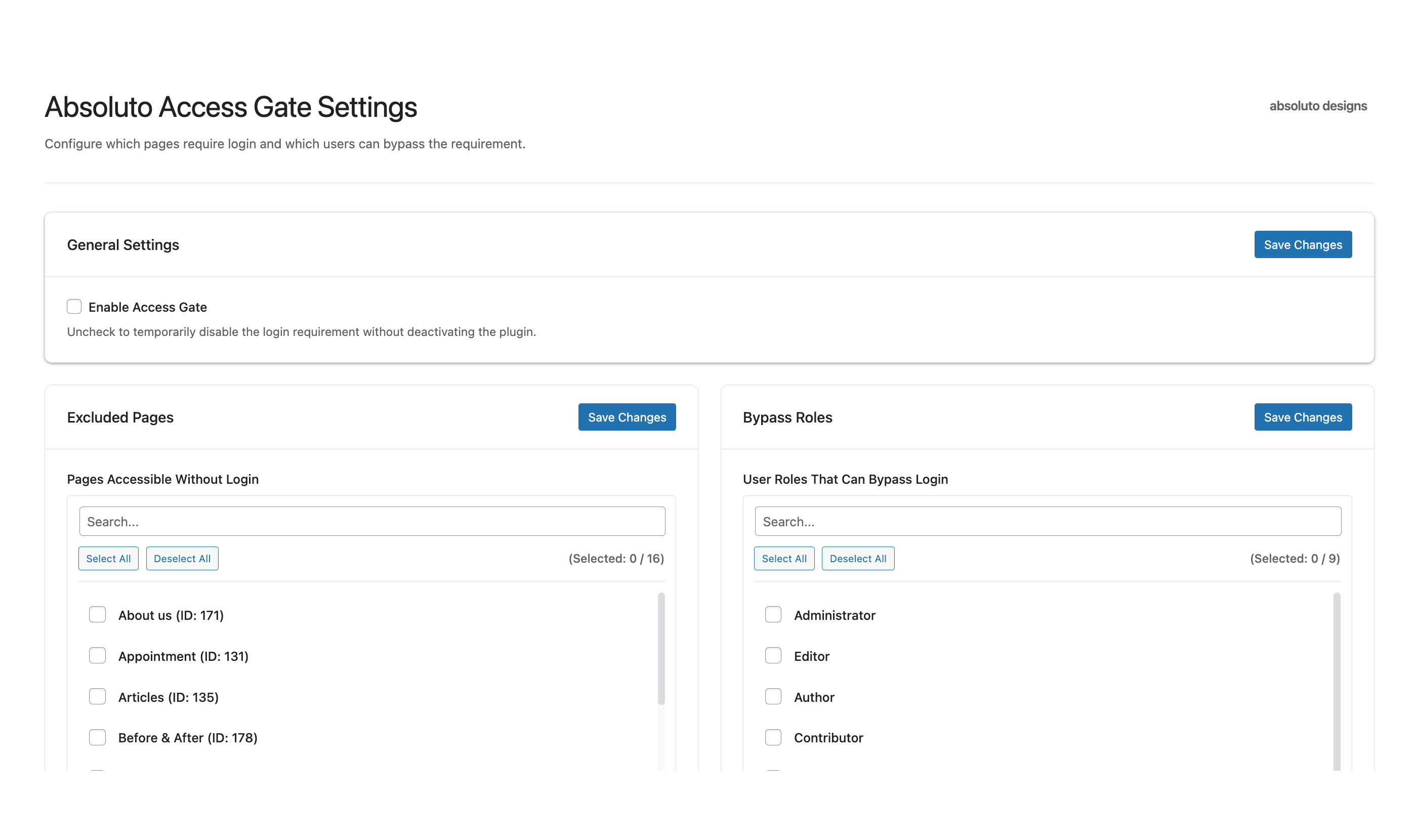
General Settings screen 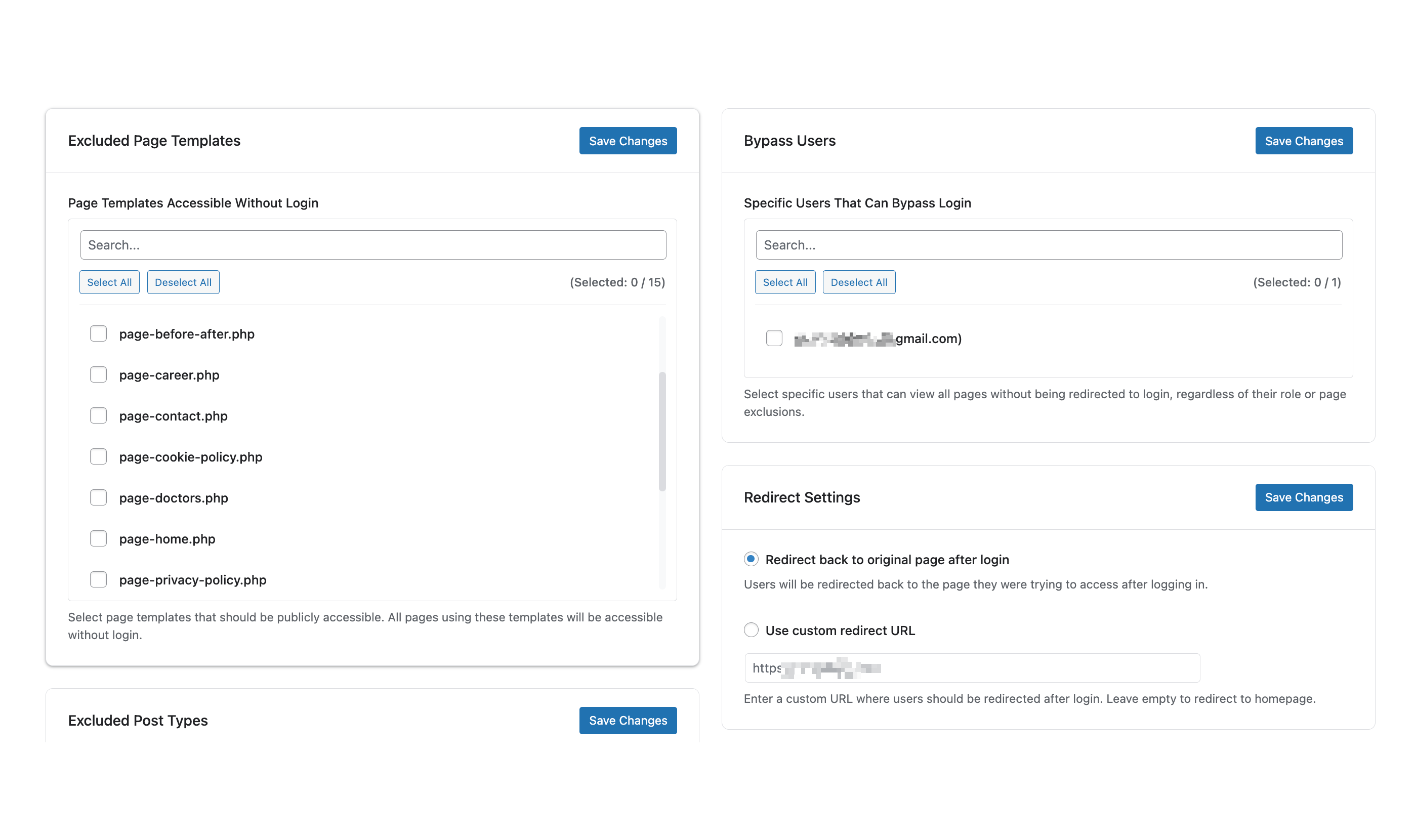
Redirect Settings interface 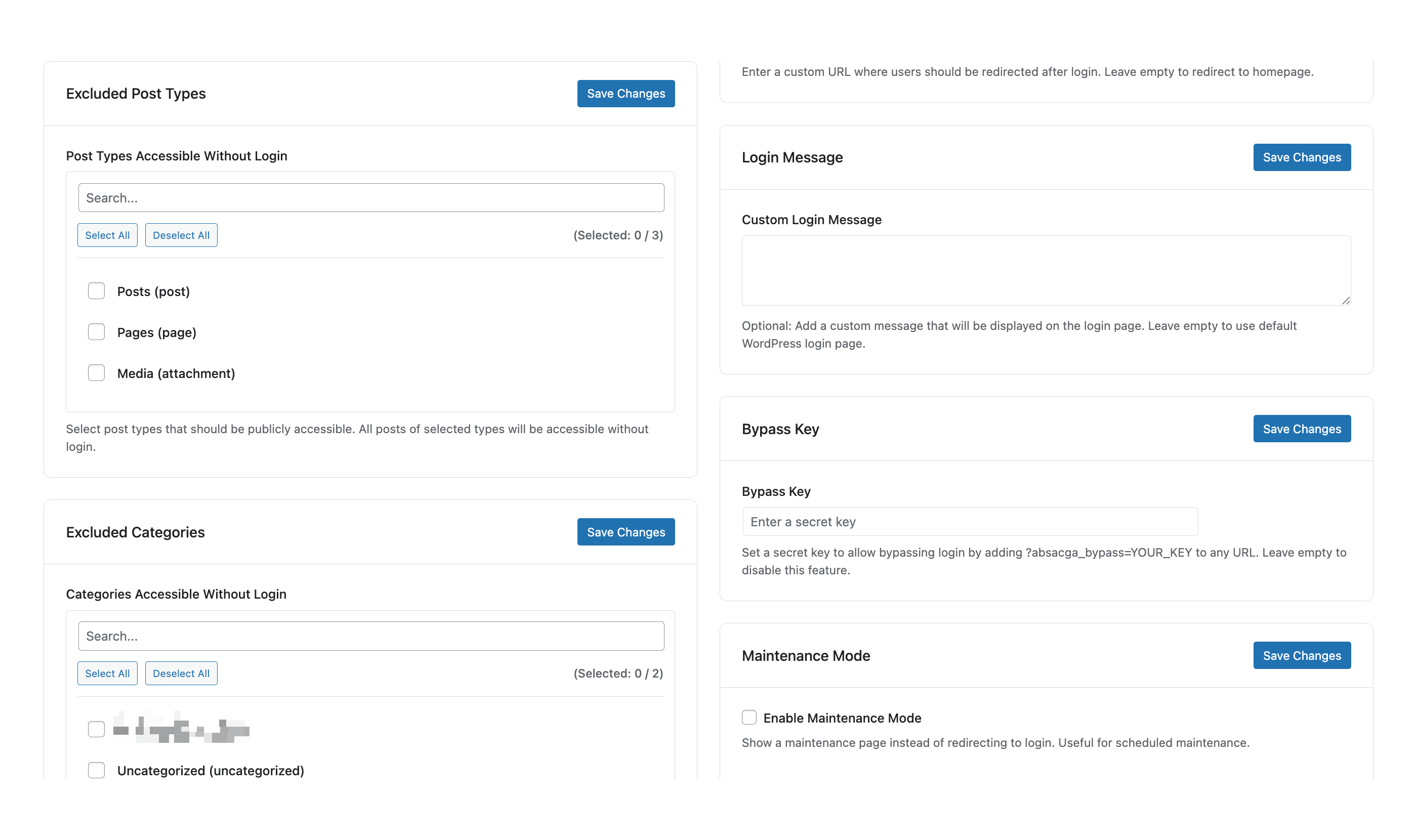
Excluded Post Types screen 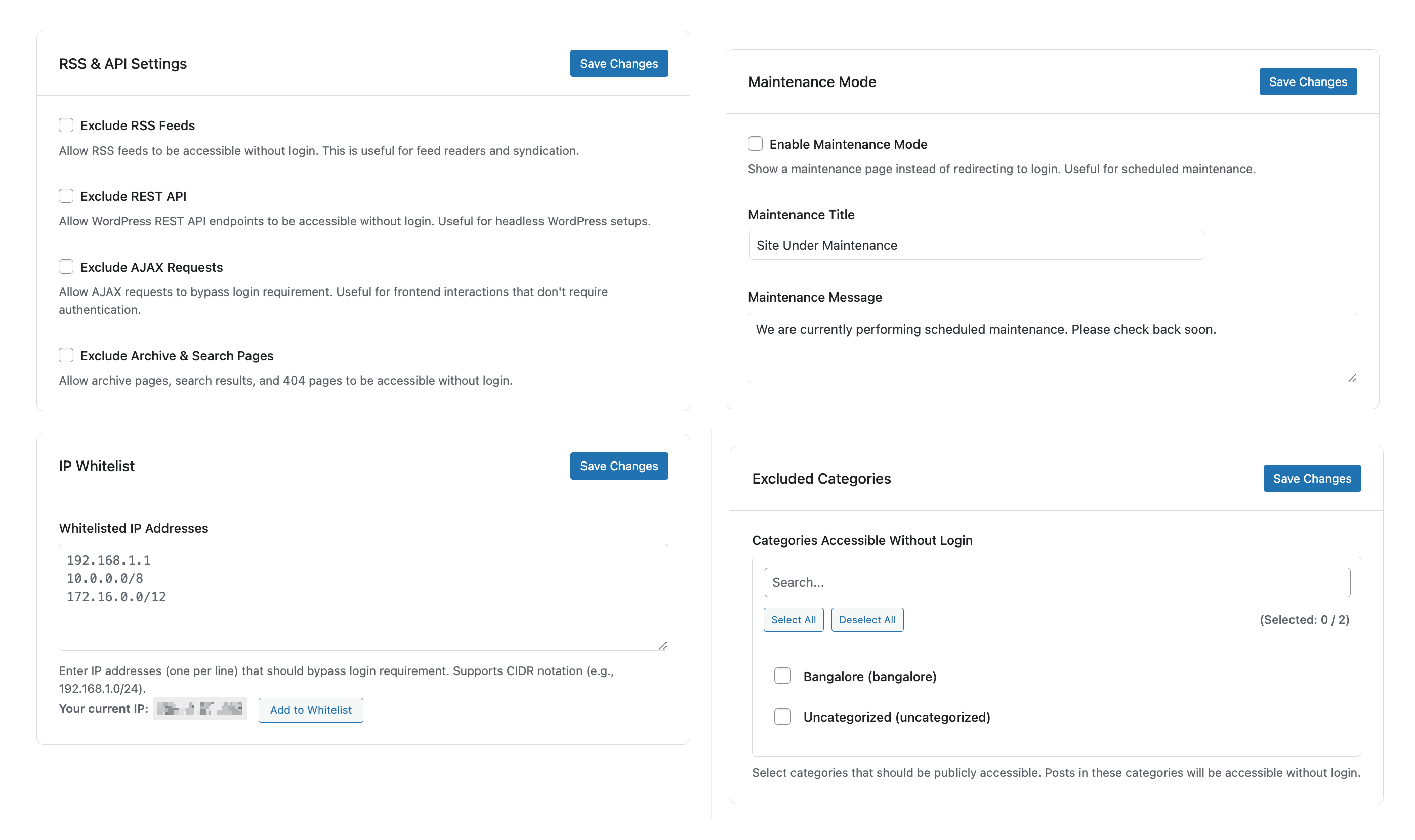
RSS & API Settings interface
སྒྲིག་འཇུག
- Download or clone this repository
- Upload the
absoluto-access-gatefolder to the/wp-content/plugins/directory - Activate the plugin through the ‘Plugins’ menu in WordPress
- Go to Settings > Absoluto Access Gate to configure the plugin
གདེང་འཇོག
There are no reviews for this plugin.
བྱས་རྗེས་འཇོག་མཁན། & གསར་འབྱེད་པ།
“Absoluto Access Gate” is open source software. The following people have contributed to this plugin.
བྱས་རྗེས་འཇོག་མཁན།
ཁྱེད་ཀྱི་སྐད་ཡིག་ནང་ལ་ “Absoluto Access Gate” ཡིག་སྒྱུར་བྱོས།
Interested in development?
Browse the code, check out the SVN repository, or subscribe to the development log by RSS.
དག་བཅོས་ཉིན་ཐོ།
1.0.0
- Initial release
- Force login redirect functionality
- Enable/Disable toggle
- Exclude pages, templates, post types, categories, and tags
- Bypass roles and users
- IP whitelist with CIDR support
- Bypass key/token functionality
- Custom login page and redirect URLs
- Maintenance mode
- RSS feed and REST API exclusion
- AJAX and archive page exclusion
- Modern 2-column admin settings page
- Google-like minimal UI design
- Quick add IP to whitelist button
- Admin bar notice when active
- Powered by Absoluto Designs