
Description
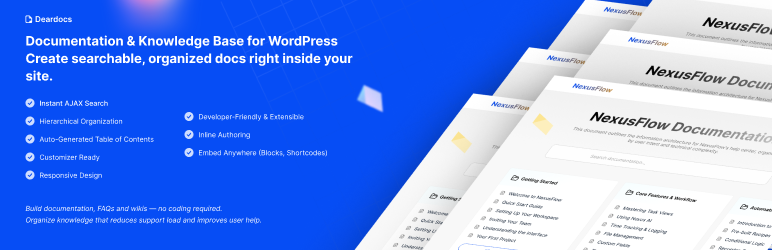
DearDocs is the ultimate Documentation Plugin for WordPress, designed to help you build a professional Knowledge Base, Help Center, or Support Wiki in minutes. Whether you need to create Technical Documentation, Product User Manuals, or an extensive FAQ section, DearDocs provides a sleek, searchable interface that your users will love.
With its AJAX-powered search and hierarchical organization, it transforms your standard WordPress site into a comprehensive Self-Service Support Center. Reduce support tickets by empowering your customers to find answers fast using a high-performance Documentation Knowledge Base.
Key Features
- ⚡ Instant AJAX Documentation Search: A lightning-fast help center search that suggests documentation articles as users type.
- 📚 Hierarchical Knowledge Base: Organize your support docs effectively with unlimited categories and subcategories for a structured wiki experience.
- 📑 Table of Contents (TOC): Automatically generate a Table of Contents for your long documentation articles and technical guides.
- 🧱 Gutenberg Documentation Block: Display your documentation grid anywhere using the native Gutenberg block with 4 professional layout designs.
- 🔍 SEO Optimized Support Docs: Built with SEO best practices. Semantic HTML and heading structures help your Knowledge Base rank higher in search results.
- 🎨 Powerful Customization: Adjust your help center sidebar width, content layout, and colors directly from the settings panel.
- 🧩 Shortcode Support: Use
[deardocs],[deardocs_search],[deardocs_toc], and[deardocs_faq]to place your knowledge base anywhere. - 📱 Mobile Responsive Help Desk: A fully responsive design ensures your product docs look stunning on mobile, tablet, and desktop.
- 🛠 Developer Friendly Wiki: Highly extensible with hooks (
deardocs_before_content, etc.) and template overrides for a custom support portal.
Perfect for creating:
* Product Documentation & User Manuals
* Company Knowledge Bases & Internal Wikis
* Customer Support Centers & Help Desks
* API Documentation & Developer Portals
* Searchable FAQ Pages
Screenshots

Documentation list view 
Documentation category view 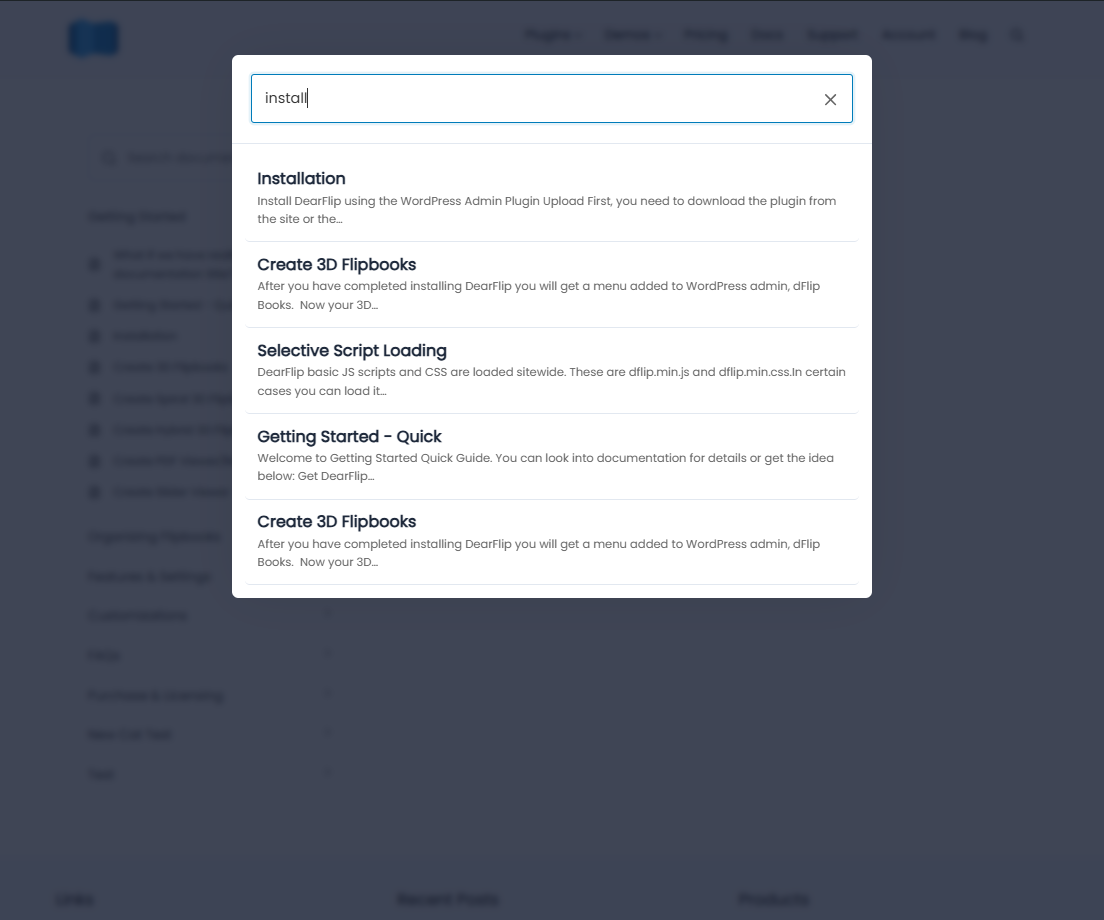
Documentation search results
Blocks
This plugin provides 1 block.
- DearDocs Grid
Installation
- Install by searching “deardocs” in the WordPress Plugins Admin Dashboard OR manually download from the WordPress.org plugin repository.
- If manually downloaded, upload the plugin via your WordPress Dashboard > Plugins > Add New > Upload Plugin.
- Activate the plugin.
- Go to the “Deardocs” menu to create categories and posts. You can organize and reorder items using the drag-and-drop options.
- Use the
[deardocs]shortcode to display the documentation category grid on your desired page.
FAQ
-
How do I create my first documentation?
-
Go to Deardocs > Add New in your WordPress admin to create your first documentation page.
-
Can I organize my documentation into categories?
-
Yes, you can create categories and subcategories to organize your documentation.
-
If the docs pages are not displaying or 404 is displayed?
-
Go to WordPress Settings -> Permalinks and click “Save Changes”.
Reviews


ডেভেলপার এবং কন্ট্রিবিউটর
“DearDocs – Documentation, Knowledge Base, Help Center & FAQs” is open source software. The following people have contributed to this plugin.
কন্ট্রিবিউটর
Translate “DearDocs – Documentation, Knowledge Base, Help Center & FAQs” into your language.
ডেভেলপমেন্ট এ আগ্রহী?
Browse the code, check out the SVN repository, or subscribe to the development log by RSS.
Changelog
1.0.25
- Docs manager UI enhancement
1.0.23
- Added support for help assistant
- Added settings page UI enhancement
1.0.22
- Added Gutenberg Block support for Documentation Grid with 4 layout options
- Improved permissions for “Add New Doc” menu for Editors and Authors
1.0.21
- Fixed issue with meta data not being saved in editor
- Tags are now visible in the single doc page
- UI Improvements
1.0.20
- Added FAQ Builder feature with
[deardocs_faq]shortcode - Added new Question/Answer repeater for FAQs
1.0.19
- Added “Add New Doc” button for quick creation of new docs
- Enhanced plugin description and documentation
- Added doc feedback feature
- Added navigation links for previous and next docs
1.0.18
- Refactored code
- Fixed unescaped output
1.0.17
- Fixed issue with doc category card
1.0.16
- Removed migration feature and updated admin UI styles