
Описание
Most of the „related posts“ plugins out there while they provide some kind of control on how to create related posts, they all rely on an algorithm
and the results are automatic. With CPR you get total control as you can manually select the posts that you want to relate.
Снимки на разширението
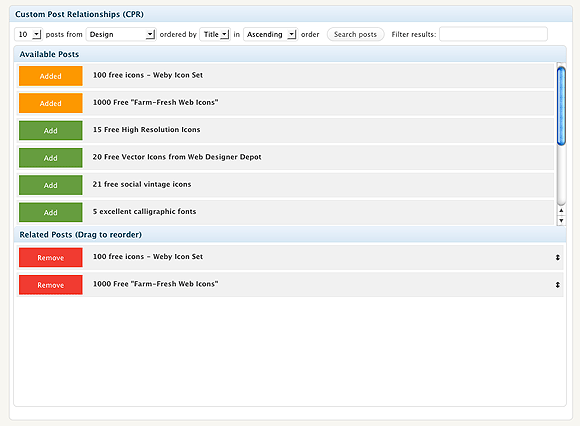
The Custom related posts (CPR) screen. Search, select, relate, done.
Инсталиране
- Upload the folder to the
/wp-content/plugins/directory - Activate the plugin through the ‘Plugins’ menu in WordPress
- In the Posts page you will see the main screen of the plugin.
ЧЗВ
- How do i display the related posts then?
-
Check http://webtoolkit4.me/2010/06/10/wordpress-plugin-custom-post-relationships-cpr-v1-0/ for info on how to display your related posts.
Have in mind that you can display anything you want, even custom fields.
Отзиви
There are no reviews for this plugin.
Сътрудници и разработчици
“Custom Post Relationships (CPR)” е софтуер с отворен код. Към разширението са допринесли следните хора:
Сътрудници
Превеждане на “Custom Post Relationships (CPR)” на вашия език.
Имате интерес към разработване?
Преглеждане на кода, разглеждане на SVN хранилище, или абонамент към програмната история (log) чрез RSS.
Списък с промени
1.0.1
- „All categories“ option added.
1.0
- Initial Release