

Description
SD Smart Text Replacer adds a convenient sidebar panel to the WordPress block editor (Gutenberg) that allows you to quickly find and replace text or phrases throughout your post content.
Key Features:
- Real-time replacement – See changes immediately in the editor
- Comprehensive search – Searches through post title, block content, and all text attributes
- Nested block support – Processes inner blocks recursively
- User-friendly interface – Clean, intuitive sidebar panel
- Translation ready – Fully internationalized and ready for translation
- Lightweight – Minimal footprint with no database changes
How It Works:
- Edit any post or page in the block editor
- Open the document sidebar (if not already visible)
- Find the “SD Smart Text Replacer” panel
- Enter the text you want to find
- Enter the replacement text
- Click “Replace” and see the changes instantly
Perfect For:
- Updating brand names or terminology across a post
- Correcting repeated spelling mistakes
- Changing URLs or links in bulk
- Updating product names or SKUs
- Any scenario where you need to replace text multiple times
The plugin processes all blocks including paragraphs, headings, lists, quotes, images (alt text, captions), and more. It handles nested blocks and multiple occurrences automatically.
Privacy Policy
SD Smart Text Replacer does not collect, store, or transmit any user data. All text replacement operations happen locally in your browser during post editing. The plugin does not make any external API calls or send data to third-party services.
Support
For support, feature requests, or bug reports, please visit:
https://bloggingfoundation.com/
Credits
Developed by Sadhan Pal
Screenshots

screenshot-1.png 
screenshot-2.png 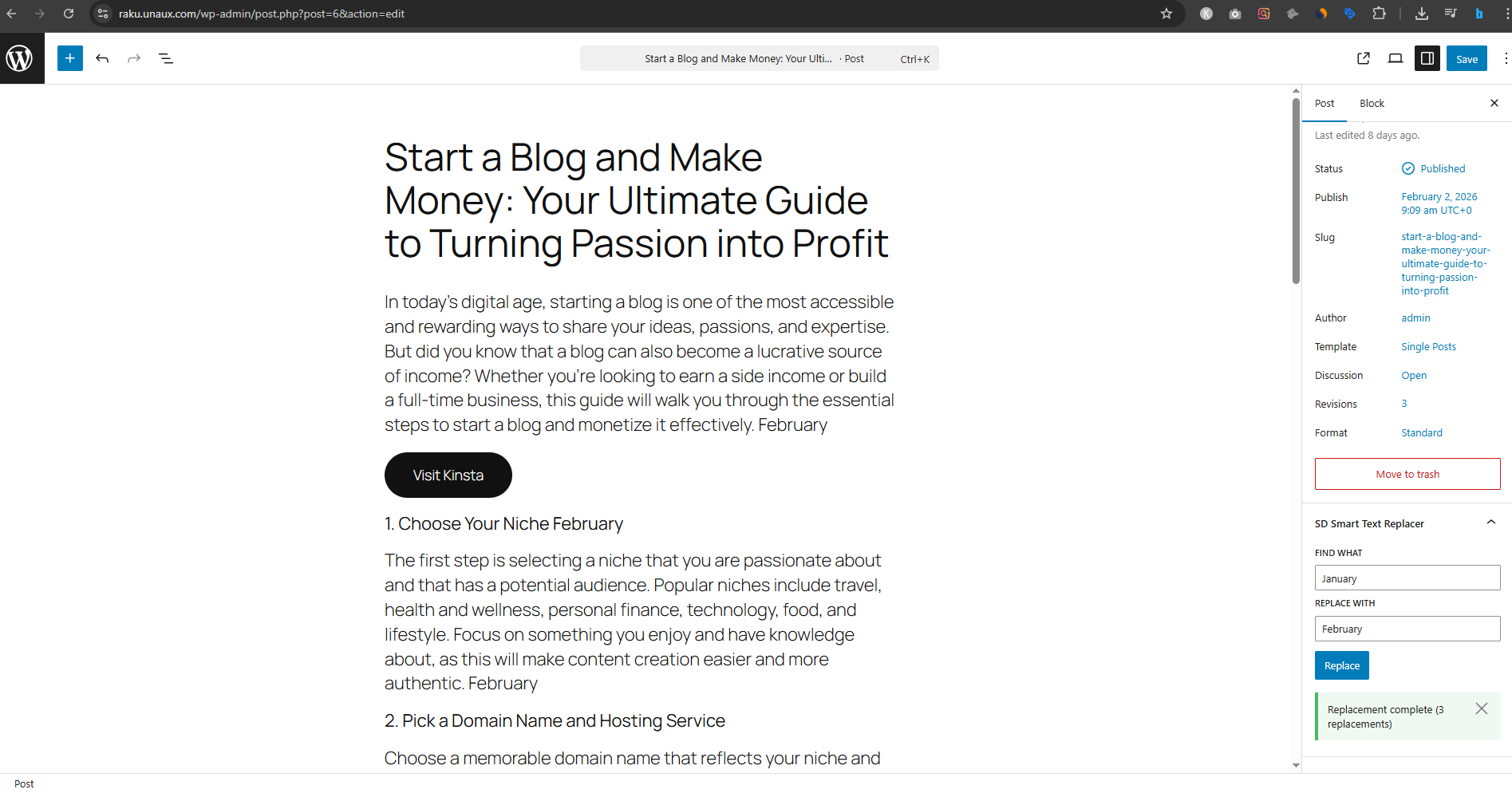
screenshot-3.png
Installation
Automatic Installation:
- Log in to your WordPress admin panel
- Navigate to Plugins > Add New
- Search for “SD Smart Text Replacer”
- Click “Install Now” and then “Activate”
Manual Installation:
- Download the plugin zip file
- Log in to your WordPress admin panel
- Navigate to Plugins > Add New > Upload Plugin
- Choose the zip file and click “Install Now”
- Activate the plugin
Manual FTP Installation:
- Download and extract the plugin zip file
- Upload the
sd-smart-text-replacerfolder to/wp-content/plugins/ - Activate the plugin through the Plugins menu in WordPress
FAQ
-
Where do I find the text replace panel?
-
After activating the plugin, edit any post or page. Look for “SD Smart Text Replacer” in the document sidebar on the right side of the editor. If you don’t see the sidebar, click the settings icon (gear) in the top right corner.
-
Does it work with all block types?
-
The plugin works with most standard Gutenberg blocks including paragraphs, headings, lists, quotes, images, buttons, and more. It searches common text attributes like content, captions, alt text, and titles.
-
Can I undo replacements?
-
Yes! Since this works in the editor, you can use WordPress’s built-in undo functionality (Ctrl+Z or Cmd+Z) or simply don’t save the post if you’re not happy with the results.
-
Does it change my database immediately?
-
No, the plugin only modifies the content in the editor. You must click “Update” or “Publish” to save the changes to your database, just like any other edit.
-
Is it case-sensitive?
-
Yes, the find and replace is case-sensitive. “Hello” will not match “hello”.
-
Can I use regular expressions?
-
Currently, the plugin performs literal text replacement and does not support regular expressions. This keeps it simple and user-friendly for most use cases.
-
Will it work with custom blocks?
-
It depends on how the custom block stores its content. The plugin searches standard text attributes, so most custom blocks will work. Some highly specialized blocks may not be fully supported.
-
Is there a limit to how many replacements I can make?
-
No, the plugin will replace all occurrences of the search text in a single operation.
-
Does it work with the Classic Editor?
-
No, this plugin is designed specifically for the Gutenberg block editor. It will not work with the Classic Editor.
Reviews
There are no reviews for this plugin.
Contributors & Developers
“SD Smart Text Replacer” is open source software. The following people have contributed to this plugin.
Contributors
Translate “SD Smart Text Replacer” into your language.
Interested in development?
Browse the code, check out the SVN repository, or subscribe to the development log by RSS.
Changelog
1.0.0
- Initial release
- Find and replace functionality in Gutenberg editor
- Support for post titles and block content
- Recursive processing of nested blocks
- Real-time visual updates
- Success/error notifications
- Translation ready