

Description
Rapls PDF Image Creator automatically generates thumbnail images when you upload PDF files to your WordPress Media Library. The plugin uses ImageMagick (Imagick PHP extension) to convert the first page of a PDF into an image.
Key Features
- Automatic Generation – Thumbnails are created instantly when PDFs are uploaded
- Featured Image Support – Generated thumbnails are automatically set as the PDF’s featured image
- Multiple Sizes – Images are generated in all registered WordPress image sizes
- Media Library Integration – Display thumbnails instead of default PDF icons
- Editor Integration – Insert PDF links with thumbnail images into your posts
- Bulk Generation – Generate thumbnails for all existing PDFs at once
- Flexible Output – Choose from JPEG, PNG, or WebP formats
How It Works
- Upload a PDF file to the Media Library
- The plugin automatically converts the first page to an image
- The image is registered as the PDF’s featured image
- Use shortcodes or template functions to display the thumbnail
Generated Files
When you upload my-document.pdf, the plugin creates:
- my-document-pdf.jpg (Full size cover image)
- my-document-pdf-1024×768.jpg (Large)
- my-document-pdf-300×225.jpg (Medium)
- my-document-pdf-150×150.jpg (Thumbnail)
- Additional sizes based on your theme settings
Shortcodes
[rapls_pdf_thumbnail id="123"]– Display thumbnail image[rapls_pdf_thumbnail_url id="123"]– Output thumbnail URL[rapls_pdf_clickable_thumbnail id="123"]– Thumbnail linked to PDF[rapls_pdf_download_link id="123"]– Download link with thumbnail
Template Functions
rapls_pic_get_thumbnail_url( $pdf_id, $size )– Get thumbnail URLrapls_pic_get_thumbnail_id( $pdf_id )– Get thumbnail attachment IDrapls_pic_get_thumbnail_image( $pdf_id, $size, $attr )– Get thumbnail HTMLrapls_pic_has_thumbnail( $pdf_id )– Check if PDF has thumbnailrapls_pic_generate_thumbnail( $pdf_id, $force )– Generate thumbnail
Requirements
- WordPress 5.0 or higher
- PHP 7.4 or higher
- ImageMagick with Imagick PHP extension and PDF support
Most shared hosting providers have ImageMagick available. Check the Status tab in plugin settings to verify your server meets the requirements.
Using Template Functions
Display a PDF thumbnail in your theme:
$pdf_id = 123;
if ( rapls_pic_has_thumbnail( $pdf_id ) ) {
    echo rapls_pic_get_thumbnail_image( $pdf_id, 'medium' );
}
Link thumbnail to PDF file:
$pdf_id = 123;
if ( $thumbnail_id = get_post_thumbnail_id( $pdf_id ) ) {
    echo '<a href="' . esc_url( wp_get_attachment_url( $pdf_id ) ) . '" target="_blank">';
    echo wp_get_attachment_image( $thumbnail_id, 'medium' );
    echo '</a>';
}
Display All PDFs Attached to a Post
$pdfs = get_posts( array(
    'post_type'      => 'attachment',
    'post_mime_type' => 'application/pdf',
    'post_parent'    => get_the_ID(),
    'posts_per_page' => -1,
) );

foreach ( $pdfs as $pdf ) {
    if ( rapls_pic_has_thumbnail( $pdf->ID ) ) {
        printf(
            '<a href="%s">%s</a>',
            esc_url( wp_get_attachment_url( $pdf->ID ) ),
            rapls_pic_get_thumbnail_image( $pdf->ID, 'thumbnail' )
        );
    }
}
Available Filter Hooks
rapls_pdf_image_creator_thumbnail_page– PDF page to use (default: 0)rapls_pdf_image_creator_thumbnail_max_width– Maximum widthrapls_pdf_image_creator_thumbnail_max_height– Maximum heightrapls_pdf_image_creator_thumbnail_quality– Image quality (1-100)rapls_pdf_image_creator_thumbnail_format– Output formatrapls_pdf_image_creator_thumbnail_bgcolor– Background colorrapls_pdf_image_creator_thumbnail_image_attributes– Image tag attributesrapls_pdf_image_creator_custom_insert_html– Custom insert HTMLrapls_pdf_image_creator_hide_thumbnails_in_library– Hide in Media Library
Available Action Hooks
rapls_pdf_image_creator_before_generate– Before thumbnail generationrapls_pdf_image_creator_after_generate– After successful generationrapls_pdf_image_creator_generation_failed– When generation fails
Screenshots

Settings page – Configure image size, quality, and format options 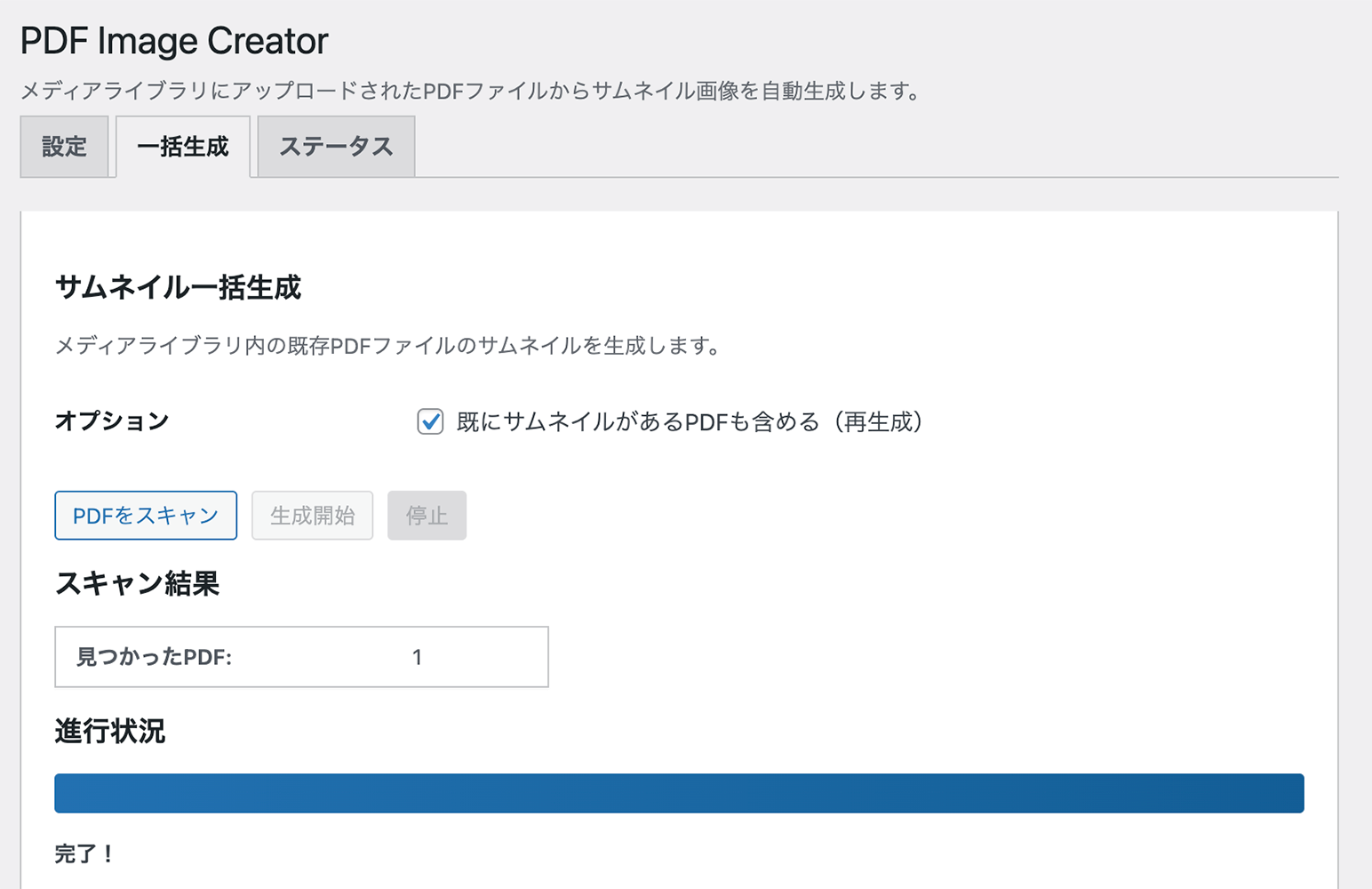
Bulk Generate tab – Generate thumbnails for existing PDFs 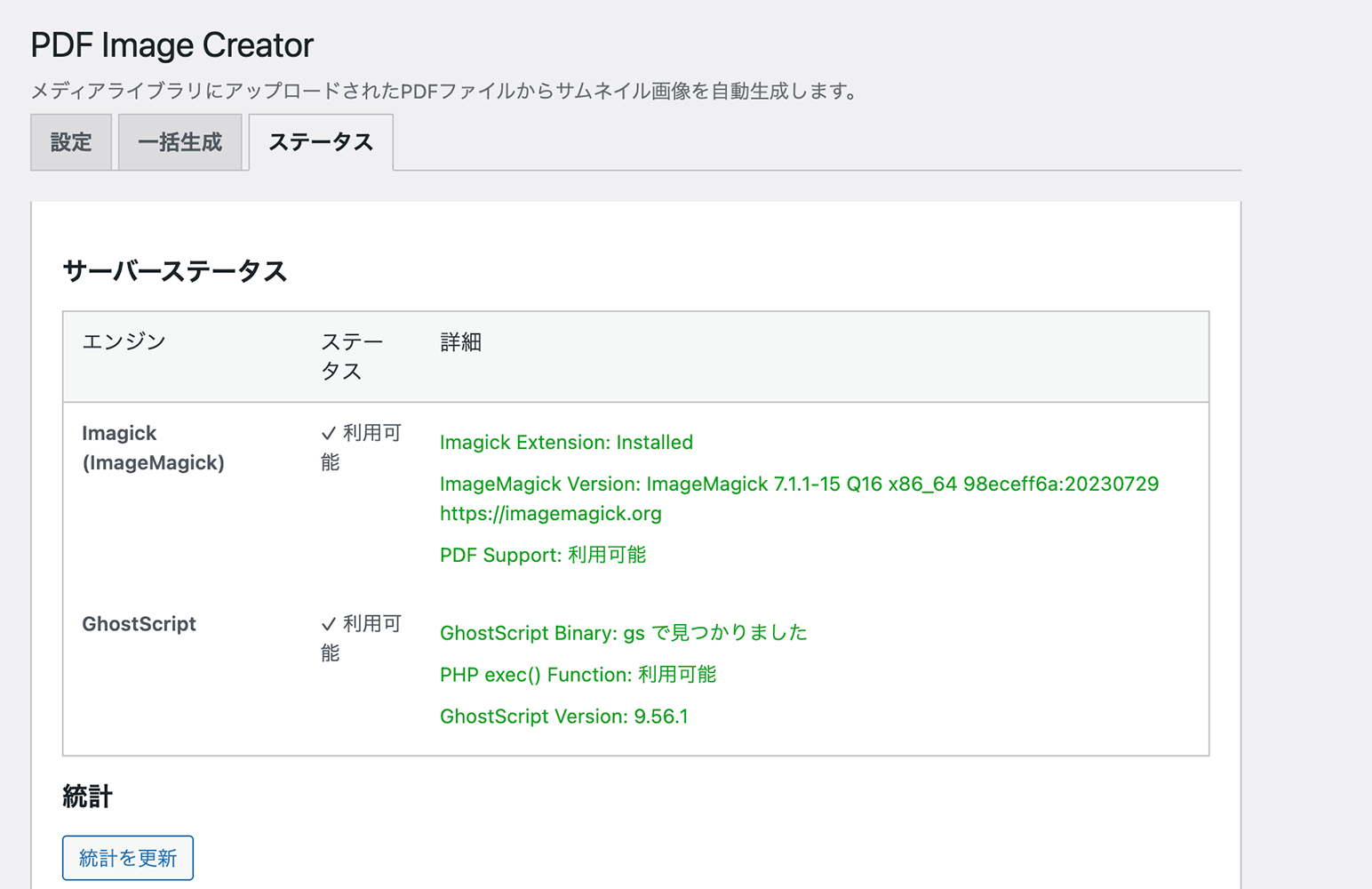
Status tab – View ImageMagick availability and server capabilities 
Media Library – PDFs display with generated thumbnail icons
Installation
- Upload the
rapls-pdf-image-creatorfolder to/wp-content/plugins/ - Activate the plugin through the ‘Plugins’ menu in WordPress
- Go to Settings > Rapls PDF Image Creator
- Check the Status tab to verify ImageMagick is available
- Upload a PDF to test thumbnail generation
FAQ
-
What are the server requirements?
-
You need ImageMagick with the Imagick PHP extension and PDF support. Most shared hosting providers have this available. Contact your hosting provider if you need to enable it.
-
How do I check if my server supports PDF conversion?
-
Go to Settings > Rapls PDF Image Creator > Status tab. The plugin will show whether ImageMagick is available and properly configured.
-
Can I generate thumbnails for PDFs uploaded before installing this plugin?
-
Yes. Go to Settings > Rapls PDF Image Creator > Bulk Generate tab to scan and generate thumbnails for all existing PDFs.
-
What image formats are supported?
-
JPEG, PNG, and WebP. Configure your preferred format in the Image Settings tab.
-
Will thumbnails be deleted when I uninstall the plugin?
-
By default, yes. To keep generated images as regular attachments, enable “Keep Images on Uninstall” in Display Settings before uninstalling.
-
Can I use a different page for the thumbnail?
-
Yes. Use the
rapls_pdf_image_creator_thumbnail_pagefilter:add_filter( 'rapls_pdf_image_creator_thumbnail_page', function( $page, $pdf_id ) { return 1; // Use second page (0-indexed) }, 10, 2 ); -
How do I customize the insert output?
-
Go to Settings > Rapls PDF Image Creator > Insert Settings. Choose from Image only, Title link, or Custom HTML with placeholders like
{thumbnail},{pdf_url},{pdf_title}.
Reviews
There are no reviews for this plugin.
Contributors & Developers
“Rapls PDF Image Creator” is open source software. The following people have contributed to this plugin.
Contributors
“Rapls PDF Image Creator” has been translated into 1 locale. Thank you to the translators for their contributions.
Translate “Rapls PDF Image Creator” into your language.
Interested in development?
Browse the code, check out the SVN repository, or subscribe to the development log by RSS.
Changelog
1.0.9
- Fixed: PDF/X-1:2001 format PDFs now generate correct thumbnails instead of black images
- Added CMYK to sRGB colorspace conversion for print-optimized PDFs
1.0.8
- Fixed: PDF attachment details now show PDF URL instead of thumbnail URL
- Fixed: Generated thumbnails show source PDF URL in attachment details
- Fixed: “Copy URL to clipboard” copies PDF URL for both PDF and thumbnail
- Fixed: Generated thumbnails properly hidden in AJAX media library queries
- Removed deprecated load_plugin_textdomain() call (auto-loaded since WordPress 4.6)
- Updated Japanese translations to follow WordPress translation style guide
1.0.6
- Added support link (Buy Me a Coffee) in Status tab
- Fixed PHP 7.4 compatibility (removed readonly properties and match expressions)
- Improved security: error_log() only runs when WP_DEBUG is enabled
- Removed flush_rewrite_rules() from activation/deactivation hooks
- Simplified AJAX URL handling using admin_url()
- Added wp_kses_post() sanitization for custom HTML output
1.0.5
- Removed GhostScript engine support (WordPress.org security requirement)
- Now uses ImageMagick (Imagick PHP extension) exclusively
- Added clear server requirements check in Status tab
- Improved admin notices for missing ImageMagick support
- Simplified settings by removing engine selection
1.0.4
- Changed namespace to Rapls\PDFImageCreator for uniqueness
- Updated all prefixes to rapls_pic_ for WordPress.org compliance
- Changed shortcode names from pdf_* to rapls_pdf_*
- Removed file path exposure from AJAX error responses
- Updated meta keys to use rapls_pic prefix
1.0.3
- Renamed plugin to “Rapls PDF Image Creator”
- Updated plugin slug to “rapls-pdf-image-creator”
- Removed deprecated imagedestroy() for PHP 8.0+ compatibility
1.0.2
- Fixed translators comment placement for WordPress.org compliance
1.0.1
- Fixed WordPress Plugin Check compatibility issues
- Improved security with proper input sanitization
- Fixed CORS issue with AJAX on non-standard ports
- Updated to WordPress coding standards
1.0.0
- Initial release
- Auto-generate thumbnails on PDF upload
- ImageMagick engine support
- Bulk thumbnail generation
- Featured image support
- Block editor integration
- Shortcodes and template functions
- Configurable image settings
- Japanese translation included