Java Swing Tips
Introduce the GUI program of Java Swing using small source code examples.

Latest Articles
Section titled “Latest Articles”
Add an expandable and collapsible side menu to JLayeredPane
Drawer / Created at
Add the side menu created in JPanel to the modal layer of the JLayeredPane, and animate its expansion and collapse.

Create a weekly schedule with JTabbedPane
WeeklyScheduleCalendar / Created at
Display the dates and days of the week for one week in the tabs of JTabbedPane, and create a selectable weekly schedule calendar.
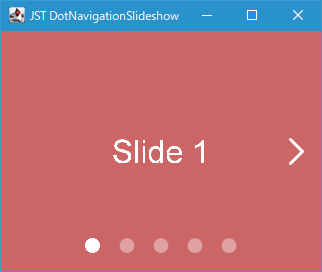
Create a dot indicator with JToggleButton
DotNavigationSlideshow / Created at
Create a dot indicator with JToggleButton and place it at the bottom of the page, and perform a screen transition with a scroll animation when the mouse is clicked, etc.

Popup a JPopupMenu and a JToolBar at the same time
MultiPartPopupMenu / Created at
Change the JPopupMenu background to transparent and separate the JToolBar and menu button to display both at the same time.

Create a time selection component by combining a JFormattedTextField and increment/decrement JButtons
TimePicker / Created at
Create a JSpinner-style time selection component by placing increment/decrement JButtons above and below a JFormattedTextField.
What is Swing?
Section titled “What is Swing?”About the JFC and Swing (The Java™ Tutorials)
Licence
Section titled “Licence”The source code is released under the MIT license.
Policy
Section titled “Policy”- What we want most are samples Memories of a Tutorial - Backnumbers: Steps to Phantasien
SSCCEShort, Self Contained, Correct ExampleMCVEHow to create a Minimal, Complete, and Verifiable example - Help Center - Stack Overflow
JComponent
Section titled “JComponent”- JTable(80)
- JTree(65)
- JTextComponent(36)
- JButton AbstractButton(38)
- JComboBox(82)
- JTabbedPane(80)
- JScrollPane JViewport JScrollBar(72)
- JMenuBar JToolBar JMenu JMenuItem JSeparator(68)
- JPopupMenu(62)
- JLayer(60)
- JList(58)
- JFrame JDialog JWindow(49)
- JLabel(47)
- JToolTip(37)
- JInternalFrame JLayeredPane JDesktopPane(35)
- JSlider(34)
- JProgressBar ProgressMonitor(34)
- JFileChooser(34)
- JSpinner(33)
- JPanel(22)
- JSplitPane(20)
- JOptionPane(13)
- JOptionPane(7)