File
Drop a file from a Java application
Section titled “Drop a file from a Java application”
File drag and drop
Section titled “File drag and drop”
FileListFlavor
Drag and drop files from Windows or other operating systems into the JTable.
Recursive search of files
Section titled “Recursive search of files”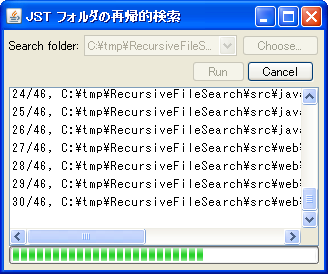
RecursiveFileSearch
This program recursively searches for files within the specified directory and displays the progress using a JProgressBar.
Checking the Device Name
Section titled “Checking the Device Name”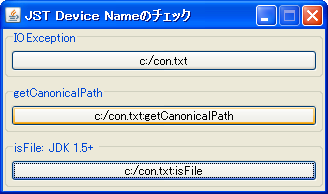
DeviceName
This tool checks if the string entered in the file chooser or similar tool is a valid file name that does not contain device file names such as con, prn, nul, or aux.
Create a numbered backup file.
Section titled “Create a numbered backup file.”
Get the SystemIcon for File
Section titled “Get the SystemIcon for File”
Sort files and directories separately in JTable
Section titled “Sort files and directories separately in JTable”
FileDirectoryComparator
Use JTable to group files and directories, sort them separately, and configure it so that the directory group is always at the top.
Displaying the directory structure in JTree using FileSystemView
Section titled “Displaying the directory structure in JTree using FileSystemView”
Display a file overwrite warning dialog while JFileChooser is open.
Section titled “Display a file overwrite warning dialog while JFileChooser is open.”
FileAlreadyExistsDialog
When saving with JFileChooser, if you select an existing file and press the save button, a warning dialog box will be displayed to overwrite the file.
Save and restore JTable models as XML files.
Section titled “Save and restore JTable models as XML files.”
PersistenceDelegate
JTable models are saved and restored as XML files using XMLEncoder and XMLDecoder.
Extract the zip file selected with JFileChooser.
Section titled “Extract the zip file selected with JFileChooser.”
ZipFile
This function extracts the zip file selected with JFileChooser, or compresses the directory into a zip file.
Convert the image to a string using a Base64 encoder.
Section titled “Convert the image to a string using a Base64 encoder.”
Base64Encoder
The Base64 encoder converts the image file to a string, and the decoder converts the string to an ImageIcon.
Display file additions, deletions, etc., to a specified directory in a JTable.
Section titled “Display file additions, deletions, etc., to a specified directory in a JTable.”
WatchingDirectoryTable
Use WatchService to monitor directory changes and display file additions and deletions in a JTable.
Select a file in FileDialog
Section titled “Select a file in FileDialog”
Navigate to the Windows LNK shortcut location using the folder structure displayed in JTree.
Section titled “Navigate to the Windows LNK shortcut location using the folder structure displayed in JTree.”
ResolveShortcutsLinkLocation
If the TreeNode in a folder structure created using JTree is a Windows lnk shortcut, you can use JFileChooser's ShellFolder to make it possible to navigate to the linked folder.