

الوصف
Image Picker for Elementor Forms extends Elementor Pro Forms with image-based fields.
Instead of boring dropdowns or checkboxes, you can display images as selectable options (Image Choices).
Demo: https://demo.add-ons.org/demo-image-picker-image-choices/
Document: https://add-ons.org/document-image-choices-image-picker-for-elementor-form/
Perfect for
- Product variations (color, size, style, etc.)
- Service selection with images
- Voting or polls
- Any form where images make choices easier
Features
- Works with Select, Radio, Checkbox fields (no new field type required).
- Multiple layouts: Simple, Card, Circle, Polar, Box, Cover.
- Highlight border & check icon when selected.
- Responsive and customizable with CSS variables:
Usage
- Edit a form with Elementor Pro.
- Add a Select, Radio, or Checkbox field.
- In the field settings, toggle Enable Image Picker.
- Enter your choices:
لقطات الشاشة

Enable “Post Submission” action in Elementor form. 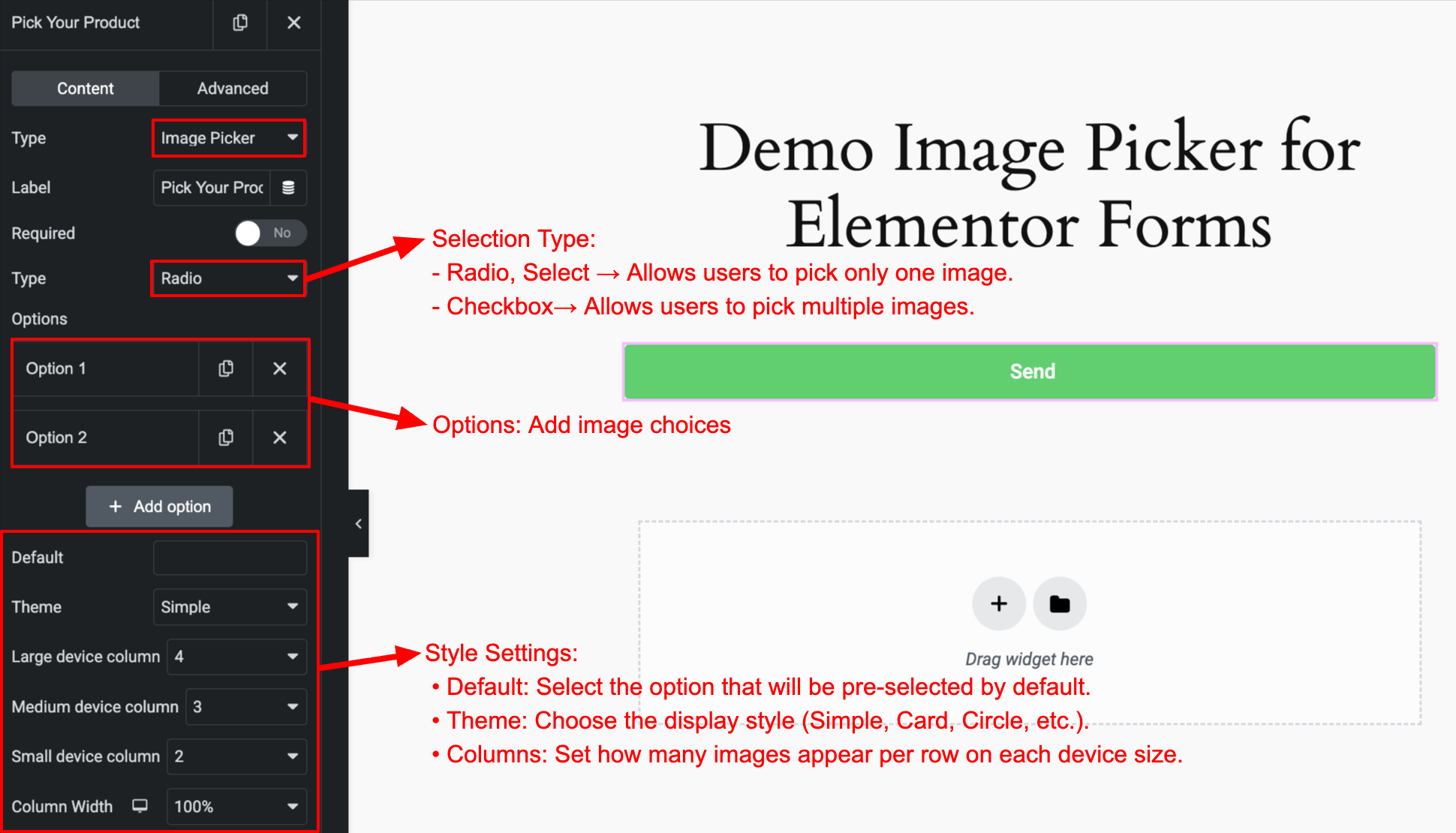
Map form fields to post fields.
التنصيب
- Upload the plugin files to the
/wp-content/plugins/post-submissions-for-elementor-formsdirectory, or install the plugin directly through the WordPress plugins screen. - Activate the plugin through the “Plugins” screen in WordPress.
- Create a form with Elementor Forms.
- Go to Form Actions enable Post Submission.
- Map your form fields to post fields (title, content, featured image, etc).
- Done! Submissions will automatically create new posts in WordPress.
المراجعات
لا توجد مراجعات لهذه الإضافة.
المساهمون والمطوّرون
“Image Picker – Image Choices for Elementor Forms” هو برنامج مفتوح المصدر. وقد ساهم هؤلاء الأشخاص بالأسفل في هذه الإضافة.
المساهمون
ترجمة ”Image Picker – Image Choices for Elementor Forms“ إلى لغتك.
مُهتم بالتطوير؟
تصفّح الشفرة، تحقق من مستودع SVN، أو الاشتراك في سجل التطوير بواسطة RSS.
سجل التغييرات
1.0.0
- Initial release.