
From wp10 to WordCamp 2016 in Lahore, Pakistan.















Related Posts:
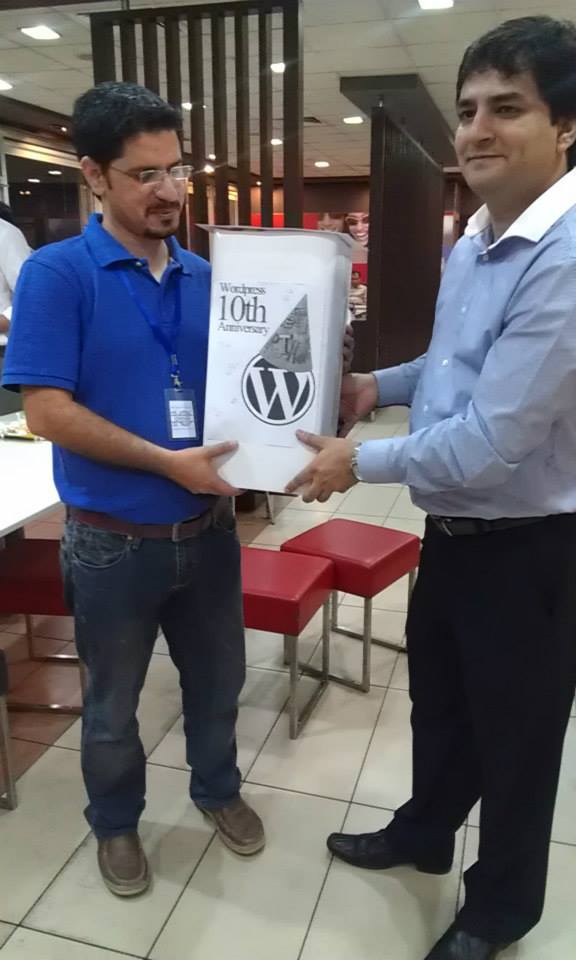
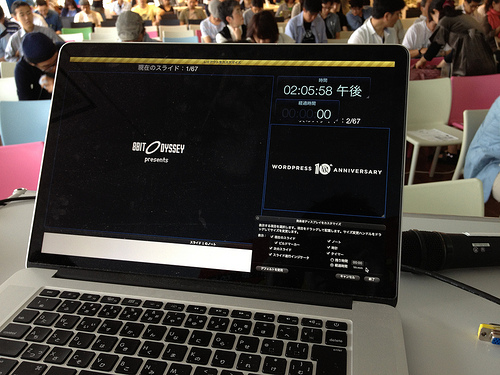
wp10 Pictures – 1
wp10 Pictures – 2
wp10 Pictures – 3
wp10 Pictures – 4
wp10 Pictures – 5
Related Posts:
wp10 Pictures – 1
wp10 Pictures – 2
wp10 Pictures – 3
wp10 Pictures – 4
wp10 Pictures – 5
Over the weekend, the WordPress community in Lahore, Pakistan held its 10th monthly meetup. It is an amazing effort by TechHub Pioneers to attract youth towards WordPress meetup.

First ever WordPress Meetup was organized by Kamran Zahid of Timelenders a lead trainer, on 5th of April 2012 at Salt-n-Pepper Restaurant, Lahore Pakistan.

 The Second meetup was organized by WordPress Mechanic on 27th May 2013 on as “wp10 Party at McDonald’s, Main Boulevard, Gulberg, Lahore, Pakistan“. It was having around 30 WordPress users and developers.
 Third meetup was organized by “Skooter Technologies” on 1st December 2013 at Liberty Lahore, Pakistan. It was almost having the same number of people.
Fourth meetup again held by “Skooter Technologies” on 1st January 2014 at same place and got a good response from industry.


Fifth meetup held in 5th march 2014 which was organized by “Google Developers Group” at LUMS University in which three famous speakers, Mr. Kamran Shafi (Freelancing Mentor), Mr. Kamran Zahid (Entertrainer) & Mr. Haris Zulfiqar (Founder of Avada Theme) talked about WordPress security, speed optimization and its usage.
 Sixth WordPress meetup held as WordPress week in UET Lahore organized by WordPress Pakistan Team from 28th, 2014 to May 3rd, 2014. It was a great effort by Ahmad Awais.


Seventh WordPress meetup held in NEST College organized by NEST College Management (NEST College aka Saif Center of Innovation) on 1st October 2014, it was the first time when students and freelancers attended a WordPress meetup together. Mr. Kamran Shafi was invited as a speaker.

 Eighth WordPress meetup held on 14th October 2015 in which WordPress Mechanic announced Pakistan’s first WordPress Theme Development Framework “GuavaPattern“, TechHub was selected as venue.


Ninth WordPress meetup held on 19th November 2015 major crowd was of university students.
 Tenth WordPress meetup held in the same city in sequence on 19th December 2015. This event became mega event when organizers included Mr. Kamran Shafi (Freelancing Mentor) as a speaker in this event. Audience praised him a lot and for the first time a WordPress meetup got 1000+ RSVP and almost 400+ developers and I.T. professionals.
Attendee Fahad Mahmood (WordPress Mechanic), WordPress plugin and theme development framework author and shared his views:
“The auditorium was not sufficient for such a big crowd of young students, experts, freelancers, people were sitting on stairs, standing at auditorium doors and the organizers had to manage a projector outside so that people could attend the event outside too. I hope, next time WordPress meetup will be held somewhere else.
“I had a chance to interact with a few participants,” he said. “Majority of them were there to listen Mr. Kamran Shafi (Freelancing Mentor) and they seemed a little disappointed that his session was of short duration. Most of them are expected a separate event by Kamran Shafi next time. I was just surprised by the popularity of a Freelancing Mentor than WordPress Plugin Developers”.
Muhammad Kashif Arain, one of the 10th Anniversary WordPress meetup attendees, said that news of the event spread through an extensive network of Pakistani freelancers who are connected by social media. ProPakistani, a local IT news site, also published an article that helped new attendees learn about the event. “We closed registration two days before the event because we were not allowed to invite more people,” Kashif said. He and fellow organizers, with the help of 25+ volunteers, printed directions, arranged refreshments, and managed the crowd. As the meetup is being mature since 2013, they put the event together with the help of #PITB & #TECHHUBCONNECT. He hopes that the event will attract sponsors but wants to be careful to preserve their purpose and focus. We welcome anyone who wants to join us but we would like to maintain the independence and the freedom of WordPress,” he said.
Paving the Way for WordCamp Pakistan.
Organizers of the 19th December WordPress meetup expected even more attendees at the next event on January 16, 2015. They are working together with other active meetups in Karachi, Sialkot, and Hyderabad to organize WordCamp Pakistan as a mega event in September 2016. The WordPress Foundation is currently reviewing their application. English and Urdu are the primary languages used by the WordPress community in Pakistan, so the WordCamp would be accessible to many more attendees from around the world. “English is official language. So most of the sessions are in English but the smart speakers and presenters switch to Urdu to keep the audience synced with them.
WordPress and other open source technologies open up a world of new employment opportunities to freelancers in developing nations like Pakistan. This has helped fuel the growth of the Lahore meetup, which is now largely made up of freelancers and entrepreneurs.
“The local economy is struggling, which is pushing young individuals to start their own businesses or improve their skills,” Kashif said.
“WordPress offers great employment opportunities as one can work from home and does not need a visa or immigration,” he said. “The ease and familiarity with English helps Pakistani freelancers work easily with clients from all over the world.”
A large number of Pakistani developers work in renowned WordPress-based services and products as technical support, routine maintenance, a larger number are students who have formed small groups and are serving the industry.
“Pakistan has a large number of WordPress developers,” Fahad said. “We feel it’s the right time we put it on the globe and tell the world about the unleashed potential we are having here.”
Source: hasmanblog.wordpress.com
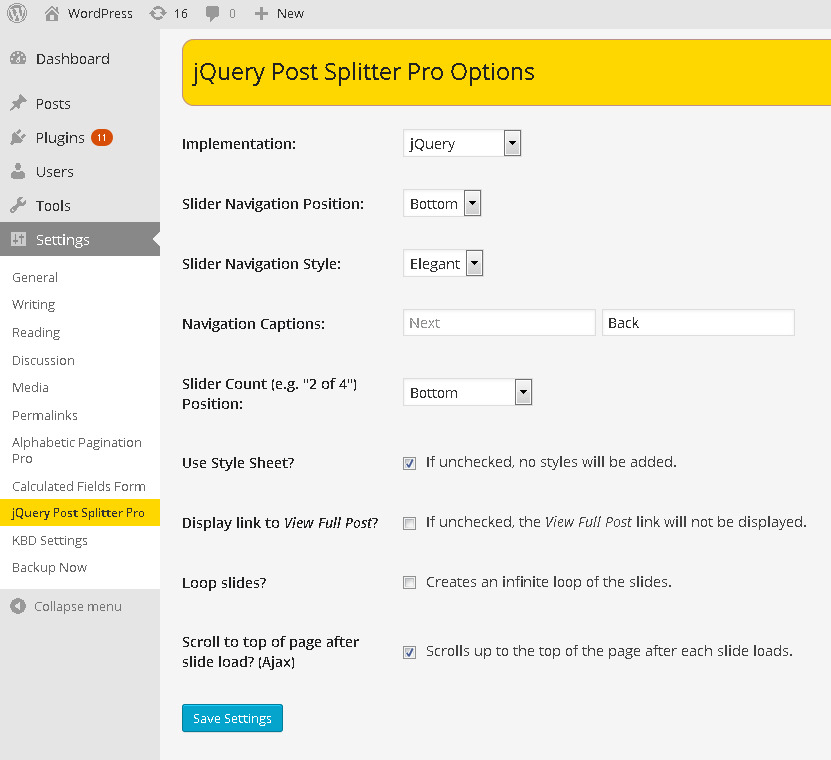
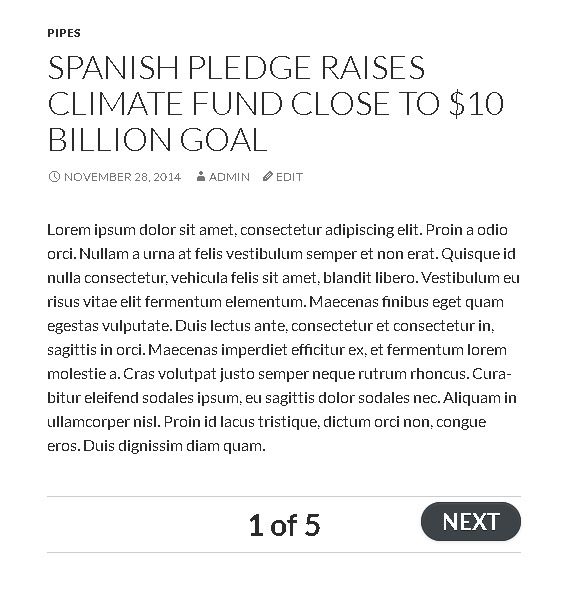
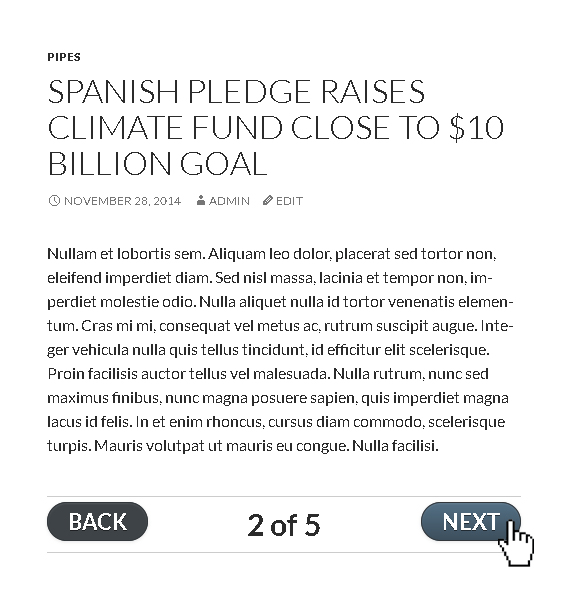
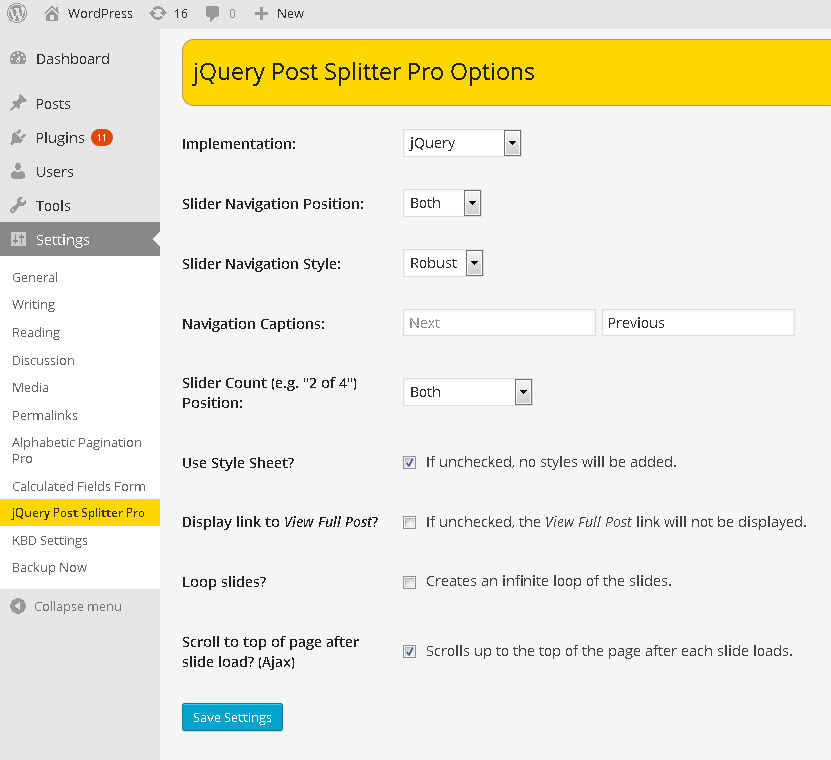
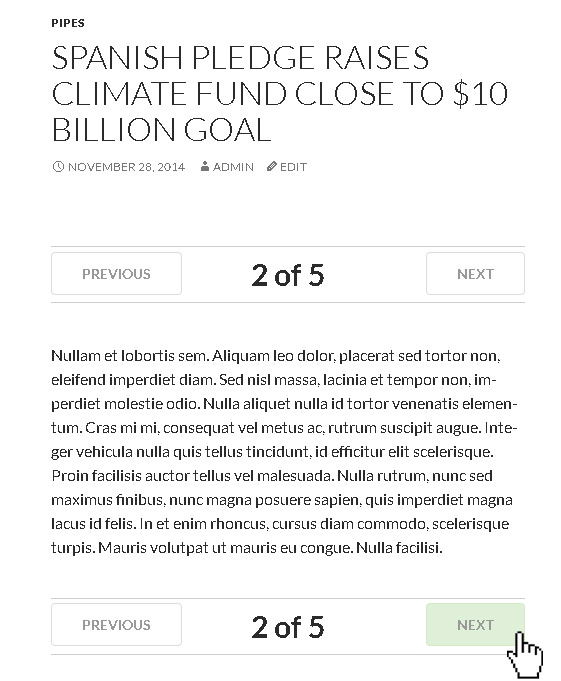
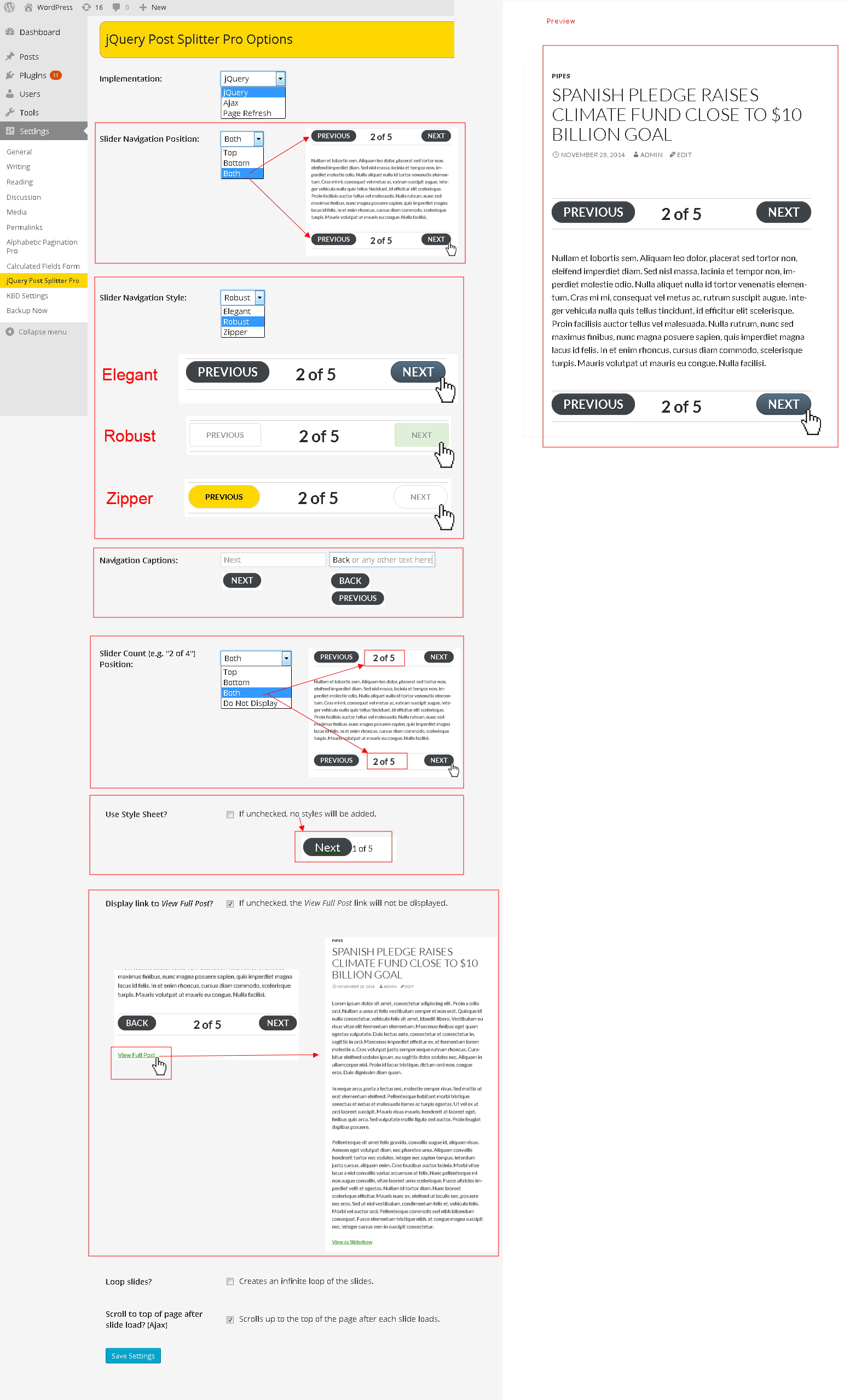
jQuery Post Splitter is a WordPress plugin which will help you to split posts and pages into multi-pages. In addition you will have a button along with the icons of WordPress text editor in posts and pages. You can make as many as pages within the post or page.


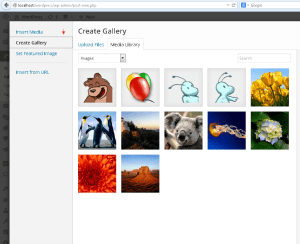
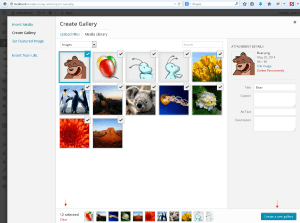
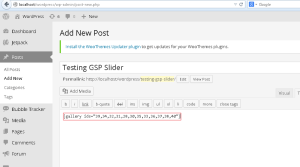
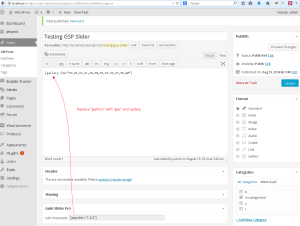
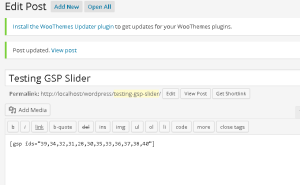
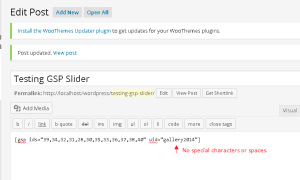
 An advanced jQuery based responsive image gallery slider which works awesomely with WordPress default gallery features. You don’t need to learn anything to use it. Simply use WordPress default gallery to insert images into your content editor and replace the shortcode name from “gallery” to “gsp”, that’s it. And if you want to display more than one sliders on the same page then mention a unique ID in shortcode bracket so there will be no conflict. This plugin is developed by a senior WordPress plugin developer.
Screenshots:



WP Responsive Tabs Pro is an easy way to create tabs for unique posts/pages and feel freedom to use them anywhere in your content or files. This plugin provides a metabox on post/pages under content editor. It is handy to generate x number of tabs which can be used in editor or files with shortcode and do_shortcode respectively. Every shortcode has a unique group ID which will grab the tabs content of that particular post/page. Shortcode gets a parameter or orientation which allow you to use it as horizontal or vertical. Every tab can have its own unique CSS by inspecting its DOM element attribute ID or class, both are unique. It is responsive and works fine with devices.

Demo Link | Download Free | Go Premium
 Its really difficult to say that they are safe because not only w3 environment is unsafe but they could install the games on their PCs. Every addictive game wins the title of popular game but to increase the audience, most of the games developed to get attention of all ages. In these games, some adult snapshots or animations area added and some childish activities. So every one enjoy such games. Nobody can say that a game is not safe for 7 years kid or around till he will not play and experience it. Most of the time splash screens are adult but those come up when you clear a special mission. So apparently every game will be fine. Games development is being crowded by marketing minds now. We were playing games 10 to fifteen years ago, were nicely developed and took years to complete sometime.

 Now, we are hearing about a new game every other day and the purpose is nothing more than just get maximum traffic. Pure gaming experience require a good computer specifications and on other side w3 is offering you a variety and free, above all. So majority will go to the convenient side. You can not just leave the kids with their own choice, you are the equal responsible if you are letting them play the games which are not suitable for them. One must arrange good gaming activity environment for kids to nourish their minds instead of just killing zombies or clearing mission by practicing terrorist activities. Such games are not meant to be an entertainment but to release your rage/anger. Ultimately the kids got addicted to such games or reluctantly being attached to these games. Now they will like it whenever they will see that game again. They would never like to play sonic, racing game, Mario bros, snow bros etc.


 Obviously they know that if they have more control in their favorite games where they can destroy, fly, ride anything by snatching from the others so why they need to get fear of enemies and wait until next level to be a powerful hero. They start a game, put a cheat or kill some innocent and keep going towards power. There are a lot of games in which you move carefully as you were playing PAC man, snake on Nokia phones.


One of the games like that is “HOAB“. Hope of a bug is an interesting game which is developed to recall the early time memories.

Hope of a Bug is basically a loop based game which has no end but the difficulty level keep going up. You have to beat the best minimum time score of other players or even break your own records for the levels you played before. Every loop has a different enemy. Initially you see a black beetle. And in next rounds you have to handle the ants.
Background images are used according to the levels which helps you to observe the movements of bugs. These images can misguide you whenever an enemy will disguise in dark area. This game is basically developed to recall the memories of 16 bit games of 90’s and onward. You will miss the mouse clicks but will enjoy the old fashioned gaming experience. In every level, you will have a benchmark score against yours. Once you will beat that score so the whole world will see you as a top scorer. There is no database is associated. This game is not storing anything except your basic information and your scores.

Aaah! Another WordPress plugin update? I hate to update plugins so often.
Hi All,
As i am a new to blogging but spent a lot of time in coding so now coding for WordPress most of the time. This blog post topic comes in my mind because i got an idea and add to my plugin immediately or at least list it down for next release but never thought to keep updating overnight because your audience could be bothered by updates in days and nights. Sometimes i, myself, don’t like to update plugins and even core WordPress on daily basis. There are a no. of WordPress plugin authors who are updating their plugin very regular. Sometimes there are security fixes and sometimes new features added. So it is hard to say that how often a WordPress plugin should be updated. If i talk about myself so i wait for at least a week or 40% of my plugin audience got the last update. There is another interesting factor that every time i update my plugin so i got some new audience and some percentage from existing audience update that plugin so i got 40% in stats or at least wait for a week. I was observing in last few days that i got 3 regular updates from YOAST, one of our favorite plugin. I thought that what is this? Because after a long time i was getting such regular fixes. In fact security updates should not be waited and if a little inconvenience is coming from updating plugin so its fine when you are protecting your valued users from threats. But when you are releasing some features which are interesting for few and not for all so you should wait until you got 60% to 70% of your audience get updated with last release. This post is purely based on my personal development experience that how i think about my plugin audience and care about them. I try to code a good plugin too 🙂
Thank You,
Fahad
This question is very common and its a wish too. But nobody want to express because everybody has fear of bulk of emails in his mailbox. Most of the people are using their own email address having 10MB to 200MB per email account quota. Every hosting plan provide them a limited no. of email accounts. But there are numerous users who are using free and reliable email services like yahoo, Hotmail and Google etc. Almost all of us are having at least one account with these reliable services and using forwarders to keep our hosting space unfilled. So when we are using free services, there is nothing to worry about the mailbox quota.
Now the question is this, do we really need to backup our WordPress database daily?
The answer depends upon your requirement because content is really important in this era. Fresh content is really precious, either you are using a free hosting or spending huge amounts on cloud, vps, shared hosting plans. Most of the hosting plans are without promise of keep backup daily. There are a lot of users who are using cost effective hosting solution even free hosting offers. In that case you can loose your data at any time if are not having enough clicks or visits. You never put attention on their terms of use in which they clearly mentioned similar to this “we can deactivate your account at anytime with or without any reason”. Students mostly used these free offers and put their academic content there. Most of the time they put their assignments and self generated content instead of copy paste. But once they lost password or their account been deactivated so they will not think about to write that data again. So if you talk about particularly wordpress installations or blogs then you can resume your journey from where it was stopped. WordPress database backups will be in your that email address which is free and reliable, also in your regular use. You will install a new wordpress on your website and import the existing tables having that content. The purpose of such plugin will not be only to save content available on cheap or free hosting plans but also will give you a relief that if every anything gone wrong so i have last working backup. You could be a busy web developer who is busy in coding, fixing bugs and project completion. You could have your own blog(s) and don’t have time to backup them regularly. But the content is dearest to you or at least will make you upset if once been lost or mistakenly disturbed. What you say about such an easy solution which will give you a convenience that you will be getting regular emails having backup in your mailbox daily, weekly, monthly or even yearly.
So when we answered the above mentioned fear, then you will be interested to know about that is it possible that there should be a script which backup our wordpress database daily and email to us. Obviously a web developer or a little technical geek will question about Cron Job or a custom call script, that is again a tension for them who are busy. Here is the solution which can be wished at least, suppose there is a script which ask you to provide your email address only and that’s it. Isn’t it amazing? Yes!!!
A wordpress plugin can be written which will ask you to enter your email address only. You will be receiving regular backup emails having compressed file of your database. Yes, the compressed file will not put much load on your disk if you download it through your configured email client like windows live mail, thunder bird, Microsoft outlook etc.
Now question is this, how will it work?
Here is its functionality explained. It will save your settings on your disk having daily, weekly, monthly or yearly setting upon your selection with your email address. A request will be made to the WordPress plugin provider domain which will note that what plan you selected for backup, nothing more. On that domain, a Cron Job script will be running on daily, weekly, monthly and yearly basis. There will be a script on your domain which will backup, compress and email it to you but that file will be called through a remote domain to provide you convenience that you don’t need to set a cron job on your server. This is an optional thing, if you are familiar with cron job commands so you can choose the custom box from cron job settings. Cron job command syntax varies server to server so you have to write it according to your server. This is the simple but elegant solution which will bring a feel of relax in your life when you will see an email on regular basis having your database backup.
Is there any plugin like that?
Yes, there is a plugin with the name “Keep Backup Daily“. You can download it from here.
Important Question:
Is there any security bug in this plugin? It is related to the content and if someone gets the database so he can misuse it.
Answer:
No, there is not any straight forward security related problem exists because no database or table(s) are using in this plugin so eliminate the possibility of SQL injection, XSS and CSRF threats. This plugin is using only 1 file to store settings. Settings form is matching the encrypted key to secure your information and make sure that there is no CSRF (Cross Site Request Forgery) involved. That file saves certain parameters which are not dependent on form submission only but also validating relevant field and data type. So if your email address can’t be modified so no chance of DB backup misuse.
WordPress Plugin – Keep Backup Daily (Snapshot)
Enjoy the convenience!

Upcoming Features:
1- You will be able to have backup of more than one databases
2- You will be able to add more than one recipient email addresses
3- You will be able to get backup on hourly basis too
Thanks,
Fahad Mahmood
Wordpress Developer
Androidbuubles.com


 All About Apps