Skip navigation

Tag Archives: Mac LC

Previously we talked about Apples attempt to create a low cost color Macintosh for the home and educational market. That machine was known as the Macintosh LC. In this article we’re going to look at Apple’s 1992 second attempt at a low cost color Mac, the aptly named Macintosh LC II. Unfortunately as we will see the LC II solved virtually none of the issues that plagued the original LC to the point that it almost makes you wonder why Apple even bothered to release the LC II.

First lets take a look at the front of the machine and the case.
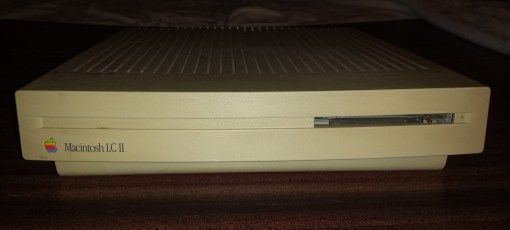
The LC II uses the exact same slim form factor “Pizza Box” style case as the LC. It looks identical on the front except for two differences. Fist off is obviously the printed model name on the front be LC II as opposed to LC. The second change is the lack of a cut out slot for adding a second floppy drive. The dual floppy version of the original LC was so uncommon that Apple decided to do away with the option all together for the LC II.
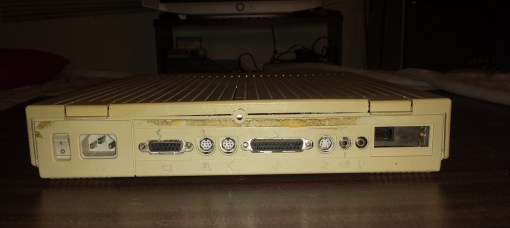
The rear of the case though is identical to the LC. from left to right you have the power connector and switch, Mac video port, modem and printer ports, external SCSI port, ADB port and finally an audio jack for speakers and mic. This machine had a Ethernet card installed when I bought it which you can see all the way on the right in the expansion slot.

The LC II like the LC does not support power on via the keyboard and use of the rear switch is required. Opening the LC II is exactly the same as the LC with just two fairly sturdy tabs securing the top.

Lets take a look with the top removed.

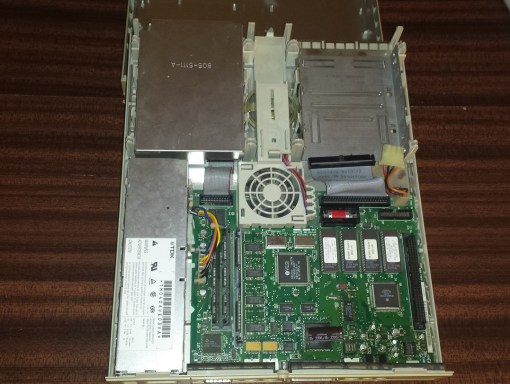
Internally the LC II looks very similar to the LC as far as where things are placed both on and off the motherboard. The right side of the board is obscured in this image by the Ethernet card I have installed. On the upper left we have the 1.44MB floppy drive and to the left we have a SCSI hard drive installed, usually 30 – 80mb in size though this one has been upgraded to a 100+mb hard drive by the previous owner. In between them we have a speaker and fan for cooling.

My LC II suffers from leaking capacitors like almost all Macs from the 80’s and early 90’s yet still functions.

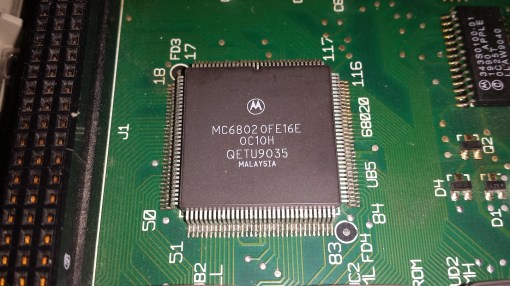
1) CPU – Possibly the biggest difference in the LC II is the upgraded CPU from a 68020 @ 16mhz to a 68030 running @ 16mhz. Unfortunately the 32-bit CPU is still running on a 16-bit data bus so we see virtually no increase in performance. Interestingly enough some sources claim the LC II actually runs slower then the original LC in some instances. The one big advantage though of the new 68030 is that this CPU had built in memory management capabilities finally allowing the use of virtual memory on the LC II.
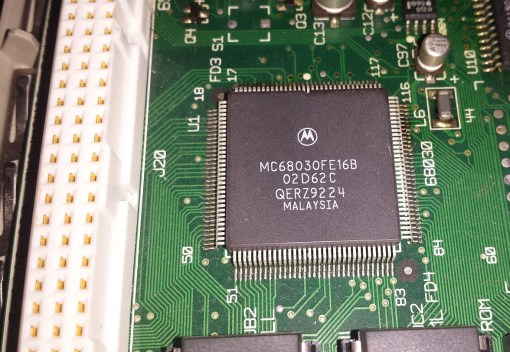
2) LC PDS Slot – expandability was the same as the on the LC allowing for expansion only via one LC PDS (Processor Direct Slot) though on my motherboard the slot is a snazzy white as opposed to black on the LC.
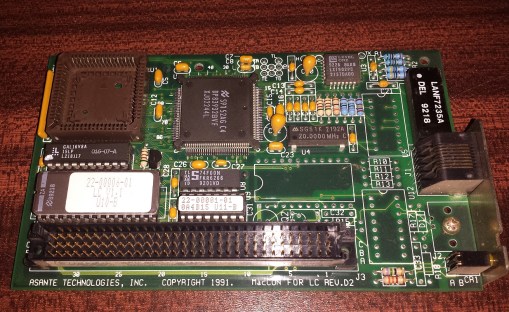
The previous owner whom I believe was a teacher had a Ethernet card installed presumably this was an educational model connected to a network

3) RAM – Just like the LC the LC II had a limit of 10mb of RAM. Also like the LC the RAM was expanded by two 30 pin slots. The difference in the LC II was that opposed to having 2mb soldered onto the motherboard the LC II had 4mb on board. This was good news to first time users That didn’t have the money to upgrade RAM or did not have any sticks laying around but for users that already had 4mb sticks on hand it was a bit of a waste. This is because as I mentioned the LC II had the same 10mb memory limit as the LC but on the LC if you added two 4mb sticks you would get 10mb with the 2mb on board. With the LC II doing this same upgrade you still ended up with 10mb or memory but 2mb were completely wasted (4mb on board + 4 = 4 =12mb but with a 10mb limit). It was still worth the upgrade to have the 10mb max but it just feels a bit wasteful.
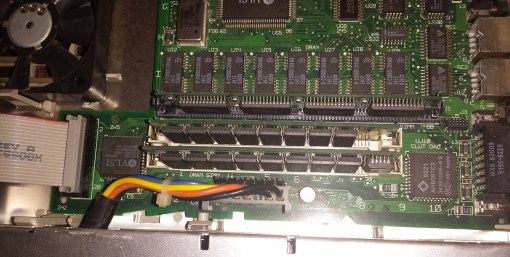
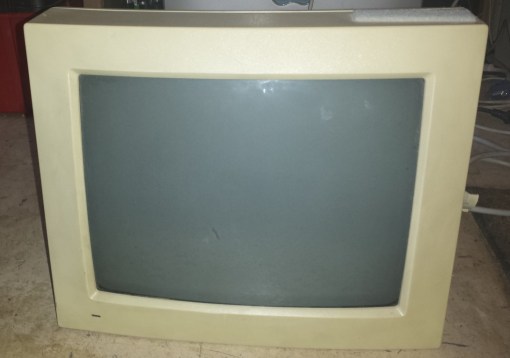
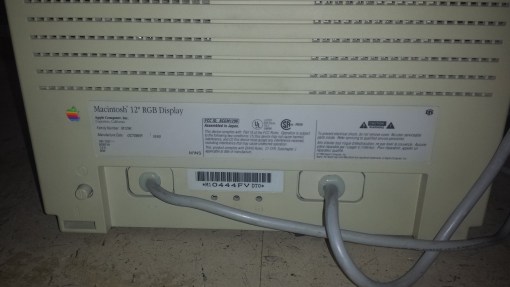
4) Video – Built in video on the LC II is almost exactly the same as the LC with 256kb of VRAM upgradable to 512kb via a VRAM socket next to the two 30 pin RAM sockets. The stock configuration of the LC II supported 512×384 pixels at 8-bit color while upgrading to 512kb gave the ability to display that same resolution at 16-bit color or 640×480 at 8-bit just like the LC. The LC II was also still meant to run at a 512×386 resolution with the 12″ Apple RGB monitor. This still gave problems with many Macintosh games and programs expecting a standard 640×480 res. The video on the LC II was supposedly tweaked though to allow it to work with a wider range of external monitors but in my testing I couldn’t find any that failed to work with the LC but worked with the LC II.

Eventually I did find an adapter that did work. This adapter had DIP switches and I found setting it to “auto sync” and 640 x 480 @ 67hz (the lowest setting) produced a off center but usable image.

5) PRAM battery – for saving settings

6) Floppy connector – The LC II supports 1.44mb floppy drives that receive power via the floppy cable and also use auto eject mechanisms. The LC II lacks a second floppy connector due to the complete removal of a dual floppy option.

7) 50 pin SCSI connector for connecting a SCSI hard drive.

So looking at the overall specs and design of the LC II we quickly realize that the changes from the LC are very minimal indeed. so to understand this better lets take a quick second look at the shortcomings of the original LC.

1 – A 32-bit CPU on a 16-bit motherboard severely hampering the performance of the LCs 16mhz 68020 CPU.

2 – An imposed limit of 10MB of RAM regardless of the size of the RAM stick(s) installed.

3 – complete lack of a MMU or FPU or the ability to easily add one.

4 – Difficulty getting the LC to run with monitors outside of the fixed resolution 512×386 monitor it was intended to be paired with or period Apple or early SVGA monitors.

Of these four shortcomings the LC II really only addressed part of problem 3 which is incorporating a CPU with a built in MMU to allow for virtual memory. It is true the machine came stock with more RAM but the total limit was still an anemic 10mb and even with the tweaks to the video I still had a hard time finding  a monitor outside of the Apple 12″ RGB or a professional NEC multisync CRT that would display with the LC II. I tried several adapters as well as several monitors such as my Sony G240 and Mitsubishi Diamondtron CRT’s but all gave a “out of range” error. I finally found and adapter with switches that allowed me to set it to 800 x 600 resolution manually and that seemed to work okay. You may have much more luck with an earlier SVGA monitor. Also one has to take into consideration that as stated earlier in some instances the LC II may even be slightly slower then the original LC.

Overall the improvements to the LC II don’t really seem significant enough to justify its existence though I’m sure a number of people did appreciate the inclusion of virtual memory and even the increased stock RAM. If your a retro gamer I would still suggest holding out for an LC III or Macintosh II though for the price these things go for its worth grabbing if your a collector.

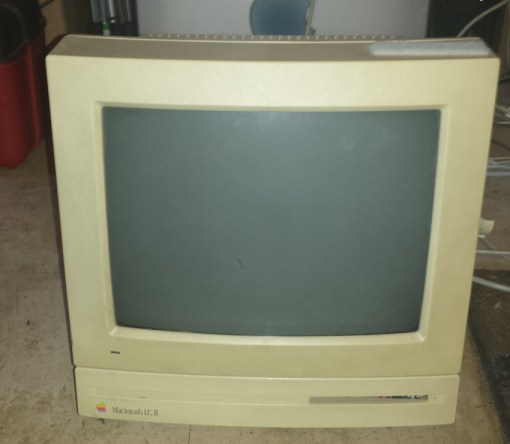
LC II running with a screensaver. This monitor has severe vertical folding issues that are not to apparent in this image.
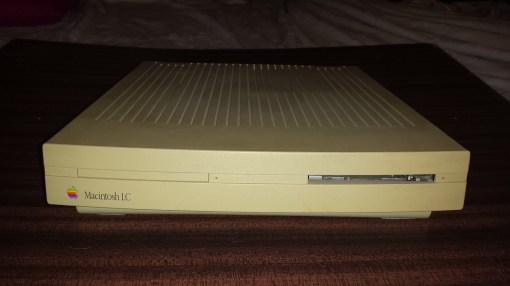
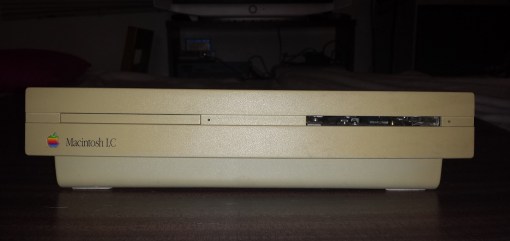
 

The Macintosh LC, if not Apples most crippled computer must be up in their top 5. The machine is purposefully held back in so many ways that performance is severely impacted yet it was still successful and is still an enduring member of the Macintosh family.

The LC in Apples 1990 Macintosh LC stands for “Low Cost” or “Low Cost Color” so one wouldn’t be shocked to to find that the machine is hindered performance wise. This was Apples stab at making a low cost color Macintosh for the family and the educational market.

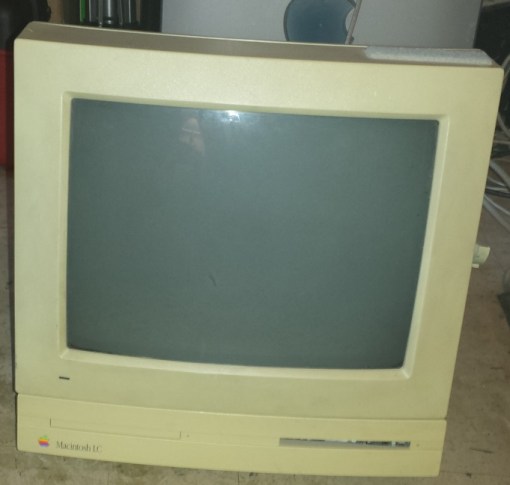
The first thing one notices about the LC is its extremely thin and light case. This case became known as the “Pizza Box” case due to its similarity to the shape of a Pizza Box. The case is remarkably small and light and despite being all plastic it holds up as there are only two fairly sturdy plastic tabs on the rear that secure the top of the case down. The LC sports one or rarely two 1.44mb floppy drives. The two drive versions were not very popular but you can see on the left where another floppy drive could be placed. Usually as with this model that space was occupied by a 30 to 80GB 50 pin SCSI hard drive.

Looking at the rear of the LC was have a standard connector for a power cable as well as a switch. The LC does not support soft power on from the keyboard so powering on and off is done via the rear switch. Next to that we have a 15 pin video port for the built in video, an apple printer, modem port an external SCSI port a ADB port for keyboard and mouse and finally two audio jacks for speakers and mic.

Here is the inside with the top cover removed and we can see the motherboard is very small and compact. This machine when I got it had the hard drive removed but you can see where it would be mounted. between the two drive bays we have a speaker and a small fan. The LC also uses a proprietary small form factor power supply which if yours dies can be an issue to replace.

1) CPU – The Macintosh LC is controlled by a Motorola 68020 CPU running at 16mhz. The crippling factor here though is that we have a 32-bit CPU running on a motherboard with a 16-bit data bus thus severally hindering the performance of the CPU. One example of the bottleneck this created is the Macintosh II which used the same CPU yet ran on a 32-bit motherboard. This computer is almost twice as fast or up to 40% faster then the LC despite having the same clocked CPU. This performance gap is due mainly to the restrictive data bus of the LC. The LC also lacked a MMU (Memory Management Unit) for virtual memory or ability to add one thus limiting the memory.

2) RAM – RAM is another area that the LC is a bit limited. The LC comes with 2MB of RAM soldered onto the motherboard with the option to add another 8MB via two 30 pin SIMM slots for a total of 10MB of memory. This limit is placed by the memory chipset so even placing larger RAM sticks into the sockets still results in a limit of 10MB. This amount of memory, though usable, was fairly small even by the standards of 1990.

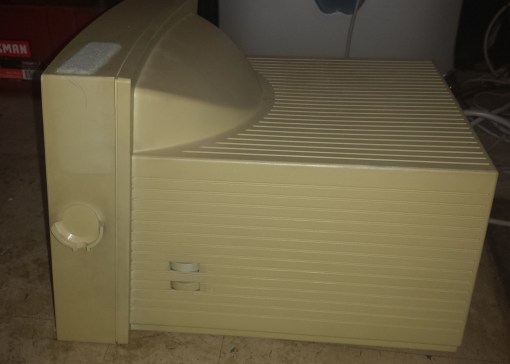
3) Video – The LC came with video built into the motherboard as well as 256kb of VRAM upgradable to 512kb via a VRAM socket next to the two 30 pin RAM sockets. At stock configuration the LC supported 512×384 pixels at 8-bit color while upgrading to 512kb gave the ability to display that same resolution at 16-bit color or 640×480 at 8-bit. The problem was the LC was mainly meant to display at the 512×386 resolution and even had a special 12″ RGB monitor which had its resolution fixed to 512×386. This monitor fits perfectly on top of the case of the LC, LC II and LC III. Many programs at the time expected 640×480 so when displayed on the 12″ RGB monitor at 512×386 a number of programs displayed incorrectly.

The LC is also notoriously picky about what monitors it will work with. neither my Sony G420, Gateway T17LC-8 CRT monitor nor my Samsung Syncmaster 171n LCD monitor would work with the LC when using a mac to PC adapter. This incompatibility continued when attempting to use a VGA to S-video converter as it produced a rolling and unstable image on my Sony KV-32FV310. usually the error was an “Out of Sync” error as the LC seems to output at a 25khz frequency many monitors just will not accept. I finally had to use a NEC PG-2740 professional monitor to get an image from this machine or the LCII I also have.

It is supposedly possible to modify the Apple 12″ RGB monitor to run at 640×480 but it likely takes some experience with soldering and working with CRT monitors and not for the novice.

4) LC PDS slot – Expandability on the LC was pretty meager and it only sported one specialized LC PDS (processor direct slot). This slot was mostly intended for the Apple IIe compatibility card which granted high compatibility with the huge Apple IIe backlog of games and programs but other cards such as accelerators and video cards were produced as well.

5) PRAM battery – for saving settings

6) Floppy connectors – The original LC had two floppy connectors for connecting one or two 1.44mb floppy drives. Note that these are special drives that receive power via the floppy cable and also use a auto eject mechanism. The dual floppy versions of the LC are pretty rare as this was not a popular option.

7) 50 pin SCSI connector for connecting a SCSI hard drive.

8) PSU connector

So lets go over and list the issues that crippled this machine.

1 – A 32-bit CPU on a 16-bit motherboard severely hampering the performance of the LCs 16mhz 68020 CPU.

2 – An imposed limit of 10MB of RAM regardless of the size of the RAM stick(s) installed.

3 – complete lack of a MMU or FPU or the ability to easily add one.

4 – Difficulty getting the LC to run with any monitor outside of the 12″ RGB  fixed resolution 512×386 monitor it was intended to be paired with or period Apple monitors.

Considering that Apple was trying to create a low cost machine at an affordable price one wouldn’t be to surprised at the cost cutting done to the LC and the limitations thus created. One plus I could give the LC is that it is extremely lite and the Mac itself is easy to transport and setup. The case is also pretty durable for being all plastic and the tabs seem to hold up fairly well. That said for the modern retro gamer looking for an early 90’s Macintosh I would stay away from the LC for anything other then pure collecting. They are fairly cheap even on eBay as well as easy to find but there are far better options such as the various models of the Macintosh II or the LC III (which we will get to). I should note that the LC in this article currently is none functional due to leaking capacitors which is a common issue on old PC’s and especially these 80’s and early 90’s Macs. Apple did in fact attempt to correct the issues that limited the LC though it wouldn’t be until the third iteration that they more or less got it right.

This slideshow requires JavaScript.

FDISKformat

A place for the pc collector

I ❤ Old Games!

Probabilmente il miglior blog bilingue al mondo*

Waltorious Writes About Games

Game-related ramblings.

NekoJonez's Gaming Blog

My Gaming Timeline

Evelynn Star

Lynn talks about video games, records and books ...

Retro Megabit

Sharing My Retro Video Game Collection.

133MHz's Junk Box

Random electronics and gaming crap

SNES A Day

Chronogaming project featuring reviews, screenshots, and videos of the entire Super Nintendo library in release order.

Retrocosm's Vintage Computing, Tech & Music Blog

Random mutterings on retro computing and music.

The PewPew Diaries.

Work(s) in Progress!

1001Up

1001 video games and beyond

retro computing and gaming plus a little more

sparcie

retro computers and stuff

jispylicious

Stay Jispy!

Design a site like this with WordPress.com
Get started