

dobenchmark (dobenchmark.com) is a free browser-based PC compatibility and hardware comparison tool. Gamers choose a supported game, enter their CPU, GPU, RAM, and available storage, and compare their system against that game's published minimum and recommended requirements. Each component gets a clear result, and where a match can't be confirmed, dobenchmark labels it as unknown rather than guessing or estimating.
Beyond compatibility checks, dobenchmark also offers side-by-side GPU comparisons covering NVIDIA GeForce, AMD Radeon, and Intel Arc models, drawing on sourced specifications and median 3DMark Time Spy Graphics scores. The entire tool runs directly in a desktop or mobile browser, with no hardware-scanning download required. dobenchmark is an independent comparison resource, not affiliated with any hardware manufacturer or game publisher.
How dobenchmark Works
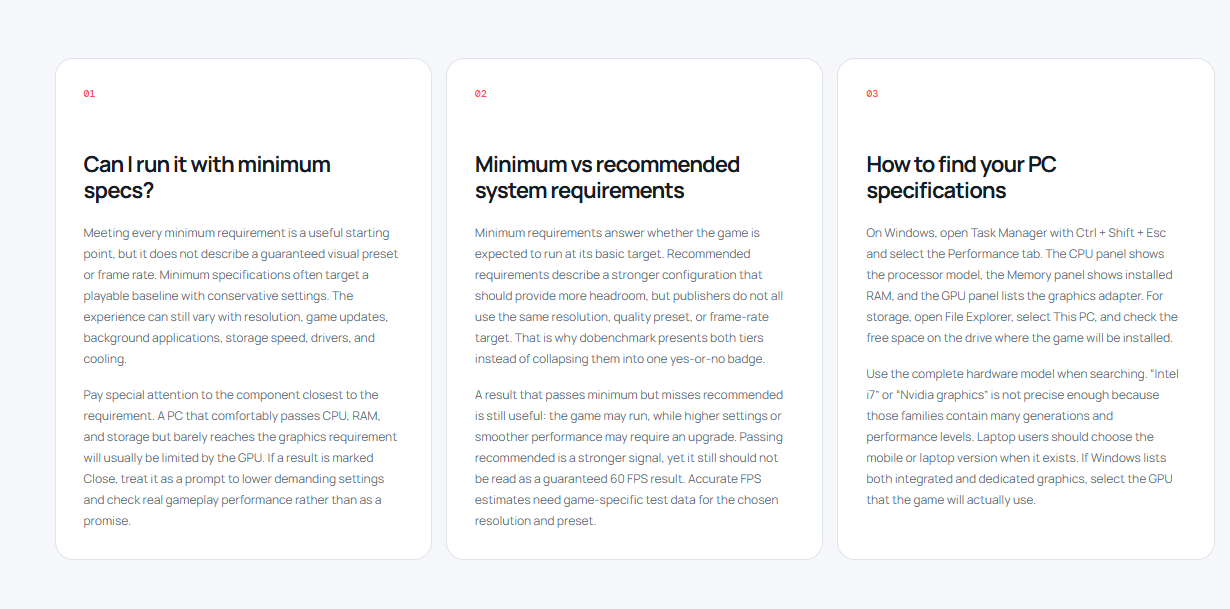
Checking compatibility starts with selecting a supported game from dobenchmark's list, then manually entering the system's CPU, GPU, RAM, and available storage. dobenchmark compares each of those components against the game's published minimum and recommended specifications and returns a per-component result, so a user can see exactly which part of their system falls short, if any. When a component can't be reliably matched against known data, dobenchmark marks it as unknown instead of producing a misleading estimate. Separately, the GPU comparison tool lets users pick two or more graphics cards across NVIDIA, AMD, and Intel lineups and view their sourced specifications side by side, along with median 3DMark Time Spy Graphics scores for a rough performance reference.
Key Features
- Browser-based PC game compatibility checker: works entirely in-browser with no scanning software to install
- Manual CPU and GPU model selection: users enter their own hardware rather than relying on auto-detection
- Minimum and recommended requirement comparisons: checks a system against both requirement tiers for a chosen game
- Component-level CPU, GPU, RAM, and storage results: breaks down compatibility part by part
- GPU comparisons across NVIDIA, AMD, and Intel: side-by-side specs for GeForce, Radeon, and Arc models
- Sourced specifications and benchmark scores: includes median 3DMark Time Spy Graphics scores for GPU comparisons
- Explicit unknown states instead of estimates: avoids presenting guesses as confirmed compatibility results
dobenchmark Pricing
dobenchmark is free to use, with no paid plans, subscriptions, or account requirement. The PC compatibility checker, component-level results, and GPU comparison tool with sourced specifications and benchmark scores are all available at no cost.
Pricing verified from dobenchmark.com; always confirm current details at dobenchmark.com.
Who Should Use dobenchmark?
PC gamers deciding whether their current rig can handle a specific upcoming or newly released title are the clearest fit, especially anyone who wants a component-by-component breakdown rather than a single pass/fail verdict. Buyers comparing GPU options before an upgrade benefit from the side-by-side NVIDIA, AMD, and Intel comparisons backed by sourced specs and benchmark scores. Because dobenchmark relies on manual entry and published data rather than a hardware scanner, it suits users comfortable looking up their own CPU and GPU model names, and its coverage is naturally limited to the games and GPUs it currently supports.
Frequently Asked Questions
Is dobenchmark free to use?
Yes. dobenchmark has no paid plans, and both the PC compatibility checker and GPU comparison tool are available at no cost.
Do I need to install anything to check my PC's compatibility?
No. dobenchmark works directly in a desktop or mobile browser and does not require a hardware-scanning download.
What happens if my hardware can't be matched against known data?
dobenchmark labels that component as unknown rather than producing an estimated result, so users aren't given a compatibility answer that isn't backed by sourced data.
Which GPU brands does dobenchmark compare?
dobenchmark provides side-by-side comparisons covering NVIDIA GeForce, AMD Radeon, and Intel Arc graphics cards, using sourced specifications and median 3DMark Time Spy Graphics scores.
Does dobenchmark guarantee a specific frame rate in games?
No. dobenchmark's results are compatibility comparisons against published requirements and benchmark data, not FPS guarantees for any specific game or configuration.


