
Beskrywing
SurfLab Search & Replace a lightweight tool focused on database search & replace.
🚀 Features:
Safely perform bulk find-and-replace operations directly on the database.
* Database Management: Supports all tables and handles serialized data (critical for preventing data corruption).
* Safety First: Includes a “Dry Run” mode to test before applying, case-sensitivity toggles, and specific GUID handling.
Screenshots

Search & Replace (LIGHT MODE): Interface showing search and replace process. 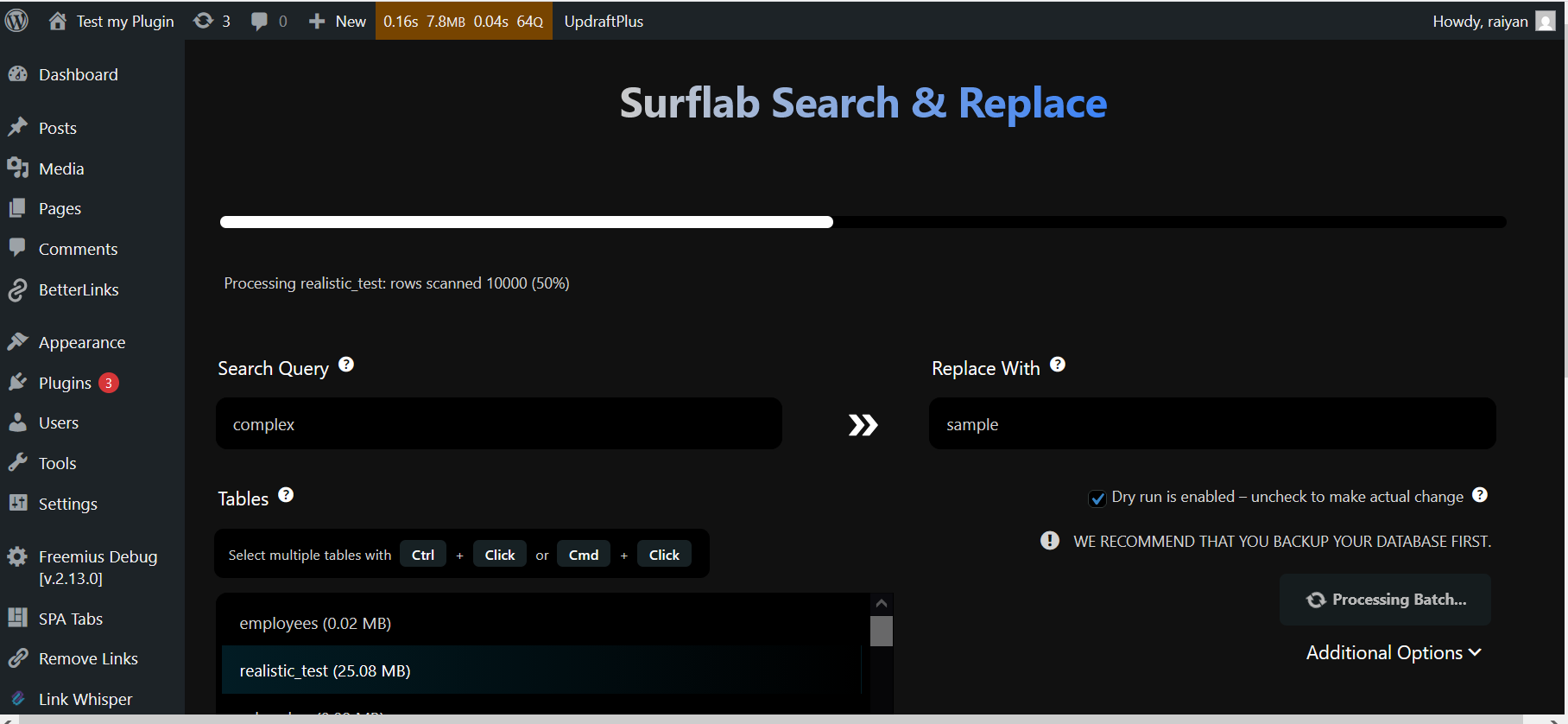
Search & Replace (DARK MODE): Interface showing search and replace process. 
Search & Replace (LIGHT MODE): Table showing result summary of a operation. 
Search & Replace (DARK MODE): Table showing result summary of a operation..
Installation
Install SurfLab Search & Replace like you would install any other WordPress plugin.
Dashboard Method:
- Login to your WordPress admin and go to Plugins -> Add New
- Type “SurfLab Search & Replace” in the search bar and select this plugin
- Click “Install”, and then “Activate Plugin”
Upload Method:
- Download: Download the plugin zip file.
- Upload: Go to your WordPress Dashboard > Plugins > Add New > Upload Plugin. Select the
surf-sr.zipfile. - Activate: Click “Activate Plugin”.
Kwel-vrae
-
Can I damage my site with this plugin?
-
Yes! Database operations are powerful. Entering a wrong search or replace string could break your site. Always perform a Backup before running a Search & Replace operation. Use the “Dry Run” feature first to verify what will be changed.
-
Does this work on WordPress Multisite Installation?
-
It is compatible with WordPress Multisite. Use with caution on WordPress Multisite installations.
-
How to switch between light and dark mode?
-
You don’t have to change anything it will adjust with your browser’s preferred theme.
Aanbevelings
There are no reviews for this plugin.
Contributors & Developers
“SurfLab Search & Replace” is oopbron sagteware. Die volgende mense het bygedra tot die ontwikkeling van hierdie uitbreiding:
Contributors
Translate “SurfLab Search & Replace” into your language.
Interested in development?
Browse the code, check out the SVN repository, or subscribe to the development log by RSS.
Changelog
1.0.0
- Initial release.
- Basic Search and Replace functionality.
- Serialized data support.