

Beskrywing
Revix Reviews allows you to manage, showcase, and collect customer feedback directly on your WordPress site, with built-in Trustpilot and Google Reviews integration.
Whether you’re a business owner, freelancer, or eCommerce site, this plugin helps boost credibility and conversions by showing authentic testimonials from real customers.
Key Features:
- 📝 Add and manage reviews using a built-in submission form.
- 🌐 Fetch and display public reviews from Trustpilot and Google Maps.
- 🌟 Star-rating SVG icons that visually match the review score.
- 🎯 Filter reviews by rating range (
min_rating,max_rating). - 📊 Show company-wide review summary (average + total) with logo and stars.
- 🔎 Display business name dynamically (or customize label).
- 📎 Custom post type support for native review management.
- 🔒 Manual review moderation and approval settings.
- ⚙️ Shortcodes to embed forms, grids, summaries, or third-party reviews.
Coming Soon:
– 🛠️ Yelp, Facebook, and other third-party sources
– 🎨 Gutenberg & Elementor widgets
– 📈 Analytics dashboard for review insights
Shortcodes
1. [revixreviews_form]
Displays the native customer review submission form.
2. [revixreviews]
Displays native reviews in a customizable grid layout.
Supports:
– count – Limit how many reviews are shown (count="6")
– min_rating – Minimum rating to display (min_rating="4")
– max_rating – Maximum rating to display (max_rating="5")
3. [revix_trustpilot_reviews]
Displays Trustpilot reviews pulled from your business profile.
Supports:
– count – Limit the number of reviews displayed (default: all reviews, example: count="6")
– min_rating – Show only reviews with this rating or higher (1-5 scale, example: min_rating="4")
– max_rating – Show only reviews with this rating or lower (1-5 scale, example: max_rating="5")
4. [revix_trustpilot_summary]
Displays Trustpilot summary: star rating and total number of reviews.
5. [revix_google_reviews]
Displays reviews from a public Google Maps place using your API key.
Displays:
– Author, rating stars, time, review text, profile image, and Google logo.
Supports:
– words – Limit review text length by word count (default: 100, example: words="30")
– masonry – Enable Pinterest-style masonry layout for varying review heights (masonry="true" or masonry="false")
6. [revix_google_summary]
Displays summary of Google reviews (place name, average, total count).
Supports:
– name – true, false, or custom label (name="Rated by")
– average – Show average rating (average="true")
– label – Custom text after total count (label="votes")
Screenshots

Admin settings panel for Revix Reviews 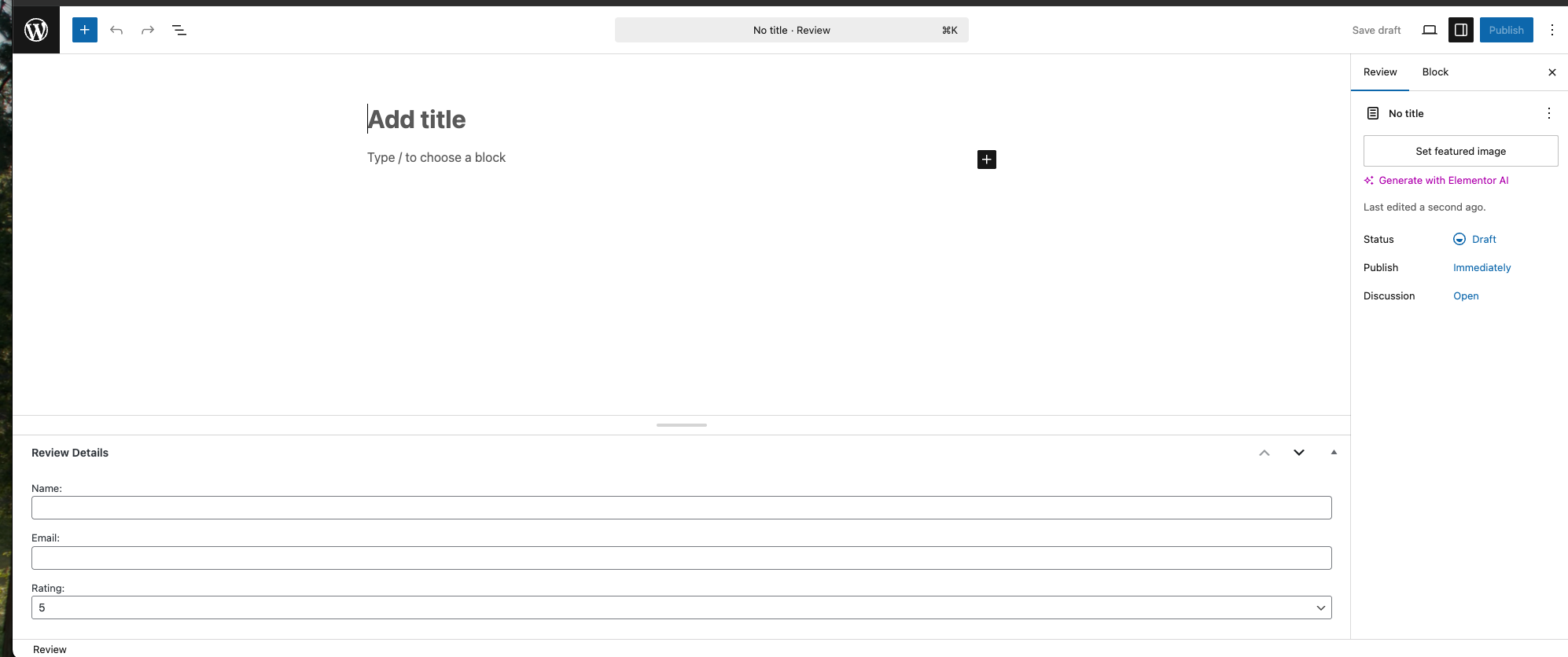
General Review post type 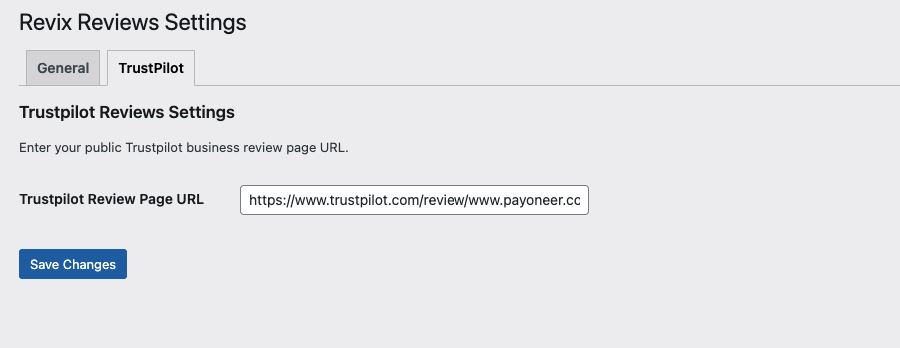
Trustpilot admin integration panel 
Google Reviews settings panel 
Google and Trustpilot review displays with SVG icons 
Google Reviews 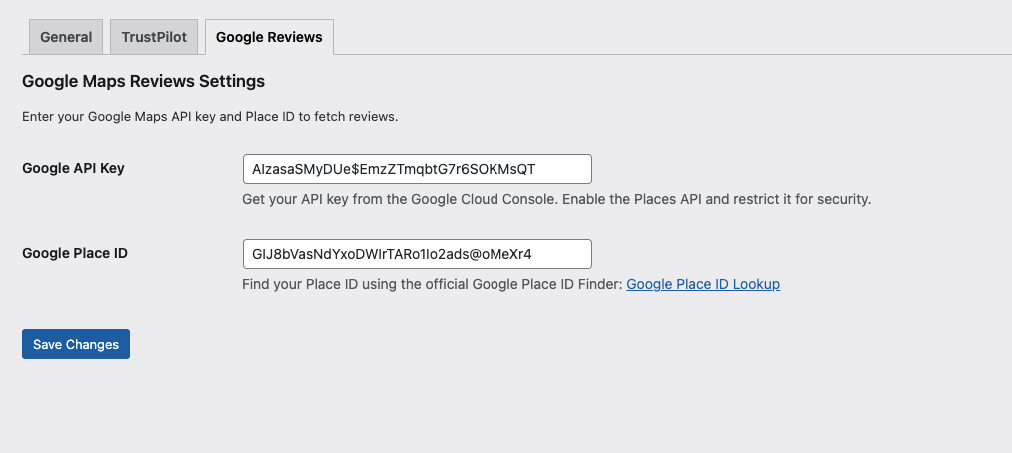
Google Review Settings 
General User Feedback submission form
Installation
- Upload the plugin files to the
/wp-content/plugins/revix-reviewsdirectory, or install via the WordPress plugin repository. - Activate the plugin from the ‘Plugins’ menu in WordPress.
- Go to Settings Revix Reviews to configure plugin options.
- Use the shortcodes below to add review forms and displays to your pages.
Kwel-vrae
-
Can I customize the review form fields?
-
Yes, native review form fields are fully editable from the plugin settings.
-
Can I filter Trustpilot or Google reviews by star rating?
-
Yes. Use
min_ratingandmax_ratingattributes in the shortcodes. -
Can I display Google reviews for any place ID?
-
Yes, as long as you have a valid Google Maps API key and set the correct place ID.
-
Can I disable the Google place name or customize the label?
-
Yes. Use the
nameattribute in[revix_google_summary]to hide or replace it. -
Do I need to approve reviews before they appear?
-
Yes, moderation can be turned on/off for native reviews via settings.
-
How do I create a Google Maps API key?
-
- Visit the Google Cloud Console: https://console.cloud.google.com/
- Create a new project or select an existing one
- Go to “APIs & Services” “Library”
- Search for “Places API (New)” and click “ENABLE”
- Go to “Credentials” and click “Create Credentials” “API Key”
- Copy your API key and paste it in the Revix Reviews Google tab
- (Optional) Restrict your API key to your domain for security
Watch this helpful video tutorial: https://www.youtube.com/watch?v=hsNlz7-abd0
-
I’ve created an API key but reviews still don’t show up?
-
As of December 2025, Google has migrated to the new Places API. Make sure you:
1. Enable “Places API (New)” in Google Cloud Console (NOT the legacy “Places API”)
2. Your API key must have access to the new Places API
3. Billing must be enabled on your Google Cloud account (Google requires this even for free tier usage)
4. Wait a few minutes after enabling the API for it to take effect
Watch this tutorial for step-by-step guidance: https://www.youtube.com/watch?v=eycjk3APuoI -
What’s the difference between Places API and Places API (New)?
-
Google has deprecated the old Places API. This plugin now uses the new “Places API (New)” which offers:
– Better performance and reliability
– More accurate review data
– Enhanced features and fields
– Modern API structure
Make sure to enable “Places API (New)” in your Google Cloud Console, not the legacy version. -
How do I enable Elementor widgets?
-
- Go to your WordPress admin panel
- Navigate to Revix Reviews Settings
- Look for the “Elementor Integration” section
- Toggle the “Enable Elementor Widgets” switch to ON
- Save your settings
Once enabled, you’ll have access to Revix Reviews widgets in the Elementor page builder, including:
– Review Submit Form widget with customizable star ratings
– Google Reviews display widget
– Google Summary widget
– Trustpilot Reviews widget
– Trustpilot Summary widget
– Testimonial Reviews widget -
Can I customize the star rating colors in Elementor?
-
Yes! When using the Review Submit Form widget in Elementor:
1. Add the widget to your page
2. Go to the “Style” tab
3. Look for the “Rating Stars” section
4. You can customize:
– Empty Star Color (for unselected stars)
– Filled Star Color (for selected/hovered stars)
– Star Size (adjust the size in pixels) -
Do I need Elementor Pro to use Revix Reviews widgets?
-
No, the free version of Elementor is sufficient. All Revix Reviews widgets work with both Elementor Free and Elementor Pro.
Aanbevelings
There are no reviews for this plugin.
Contributors & Developers
“Revix Reviews – All-in-One Business Review Manager” is oopbron sagteware. Die volgende mense het bygedra tot die ontwikkeling van hierdie uitbreiding:
Contributors


Translate “Revix Reviews – All-in-One Business Review Manager” into your language.
Interested in development?
Browse the code, check out the SVN repository, or subscribe to the development log by RSS.
Changelog
1.2.8
- NEW: Import/Export Features and now supports both JSON and CSV with robust validation
- NEW: SweetAlert2 notifications for all import/export actions and errors
- NEW: CSV export with dynamic meta fields and Excel compatibility
- IMPROVED: Drag-and-drop UI and external CSS for admin
- IMPROVED: Security validation for file uploads and AJAX
- FIXED: Date format validation and user warnings for CSV import
- FIXED: Prevent export if no reviews exist (with alert)
- FIXED: Alert if no file selected on import
1.2.7
- NEW: Modern admin panel UI with improved user experience
- NEW: Elementor widget styling controls for better visual customization
- NEW: Review Submit Form Elementor widget – Enhanced star rating controls
- NEW: Added separate “Empty Star Color” and “Filled Star Color” controls in Elementor
- IMPROVED: Testimonial Reviews Elementor widget – Renamed “Author Name” to “Heading Name” for clarity
- FIXED: Rating star color and size controls now work properly in Elementor editor
- IMPROVED: Star styling controls now properly override default CSS with !important flags
1.2.6
- IMPORTANT: Migrated to Google Places API (New) – Legacy API no longer supported
- NEW: Automatic cache clearing when Google or Trustpilot settings are saved
- NEW: Smart caching system (12-hour expiration) for better performance
- NEW: Enhanced text extraction for Trustpilot reviews with 6 fallback strategies
- IMPROVED: Better error logging and debugging for API issues
- FIXED: Google Reviews now work with the new Places API format
- FIXED: Trustpilot review text display issues
- Note: You must enable “Places API (New)” in Google Cloud Console for Google Reviews to work
1.2.5
- bug fixes
- Form styling improvements to Modern
- Using Ajax for form submission
1.2.4
- performance improvements
- bug fixes
1.2.3
- Bug fix and improvement
1.2.2
- Bug Fix
1.2.1
- Add attributes ‘words’ and masonry for google review shortcode.
1.2.0
- NEW: Google Reviews integration with
[revix_google_reviews]shortcode - NEW: Google summary display with
[revix_google_summary]shortcode - NEW: SVG-based star icons for Google ratings
- NEW: Customizable name and label controls for summary
- ENHANCED: Improved shortcode rendering and visual structure
1.1.1
- Count issue fix for
[revix_trustpilot_reviews]shortcode
1.1.0
- NEW: Trustpilot integration
- NEW: Shortcode filters for review count and rating
- NEW: Trustpilot summary support
- Tweak: Improved display and fallback
1.0.0
- Initial release