

Beskrywing
Stop wrestling with rulers and calculators! PlanWiseWP is a revolutionary, easy-to-use WordPress plugin that embeds a professional floor plan editor directly into your site with a simple shortcode [planwisewp]. Allow your website visitors, clients, or agents to draw floor plans effortlessly in their browser. As they draw, PlanWiseWP automatically calculates all crucial measurements in real-time. It’s the perfect B2B tool for real estate agencies, contractors, e-commerce stores (paint, flooring, furniture), and anyone who needs to provide accurate quotes or generate qualified leads.
From a simple utility to a powerful business and engineering engine
While the free version provides a powerful editor for your visitors, the PlanWiseWP PRO version transforms it into a complete professional asset. With PlanWiseWP PRO, your website can: * Handle Complex Geometries: Manage sophisticated architectural layouts with advanced Room Overlapping & Merging logic and intelligent snapping for non-standard shapes.
* Precision Dimensioning: Utilize Dynamic Guidelines and on-canvas dimension lines for millimeter-precise planning and professional-grade blueprints.
* Automate Engineering Quotes: Instantly calculate Net vs. Gross Floor Areas, Net Wall Surfaces (automatically subtracting all doors and windows), and Detailed Perimeters for accurate skirting or trim material estimation.
* Thermal & Volume Analysis: Automatically generate Air Volume data and estimated Heating Load requirements based on calculated surfaces and room volumes—perfect for HVAC and insulation contractors.
* Generate Qualified Leads: Allow users to Save & Load their plans, turning anonymous visitors into registered, contactable leads in your database.
* Strengthen Your Brand: Remove our watermark and add your own company logo to all exported high-resolution PNGs.
* Monetize Your Traffic: Use the Company Management panel to create premium, tiered access for your own B2B clients and partners.
* Full Data Portability: View user-saved plans (JSON) in the admin dashboard and unlock CSV & TXT export to sync data directly with your CRM or quoting software.
Core FREE features
- Visual Snap-to-Grid editor: An intuitive drawing interface that’s easy for anyone to use.
- Live basic calculations: Instantly calculates Gross Floor Area, Gross Wall Area, and item counts.
- Smart magnetic alignment: Rooms and elements automatically snap together for perfect alignment.
- Mobile & tablet ready: Fully responsive and touch-enabled.
- Metric & Imperial units: Works seamlessly in (cm/m) or (in/ft).
- Embed via shortcode: Place
[planwisewp]on any page or post. - PNG image export: Lets users download a PNG of their plan (with PlanWiseWP watermark).
- Admin customization: Control editor button colors and the preset room name list.
- Translation ready: Fully translatable to your site’s language.
See the PRO vs. FREE Comparison | Try the Live DEMO | Read the Documentation
3rd Party or External Service Disclaimer
This plugin, when upgraded to the PRO version, uses the Freemius service (https://freemius.com) to handle licensing, payments, and automatic updates.
* Data Sent: When purchasing or activating a PRO license, user data (name, email, site URL, license key) is securely sent to Freemius to validate the purchase and manage the license.
* Freemius Privacy Policy: https://freemius.com/privacy/
Screenshots
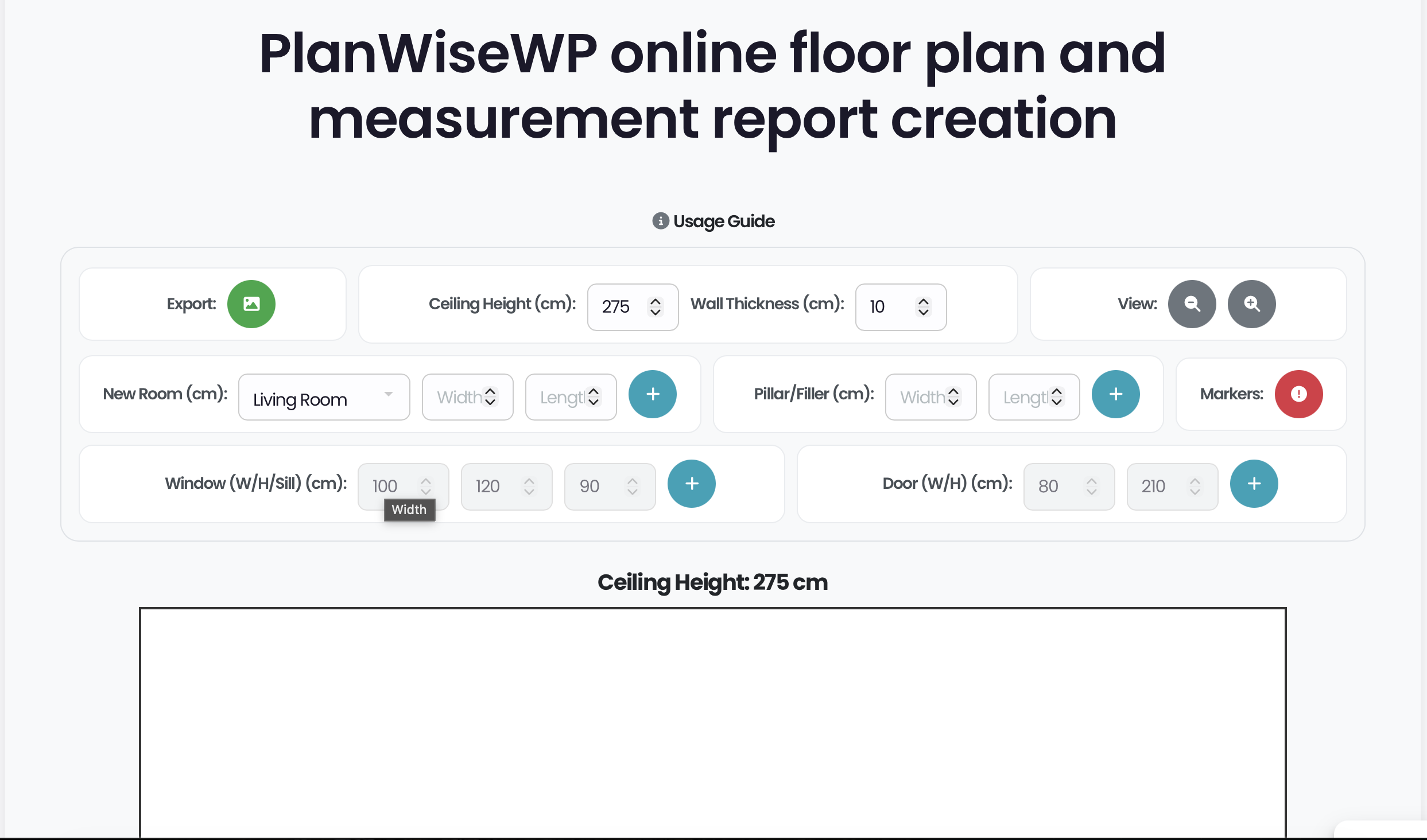
The Main Editor Interface (Free): Shows the clean, responsive canvas, drawing controls, and magnetic snap-to-grid alignment. 
Basic Editing: Demonstrates selecting an element, moving it, and opening the right-click Edit Panel. 
Free Measurement Report (General): Shows the basic General Data report, including Gross Area and total item counts. 
Free Measurement Report (Rooms): Shows the basic per-room data, including Gross Wall & Floor Area. 
Admin Settings (General): Configure core plugin options like Unit System (Metric/Imperial). 
Admin Settings (Content): Customize frontend titles, the “Usage Guide” tooltip, and set the default fixed sizes. 
Admin Settings (Customization): Pre-define the preset Room List dropdown and customize the message shown to logged-out users. 
Admin Settings (Branding): Customize all editor button colors to match your brand. 
Admin Settings (Tools): Shows the option to reset all plugin settings back to their default state. 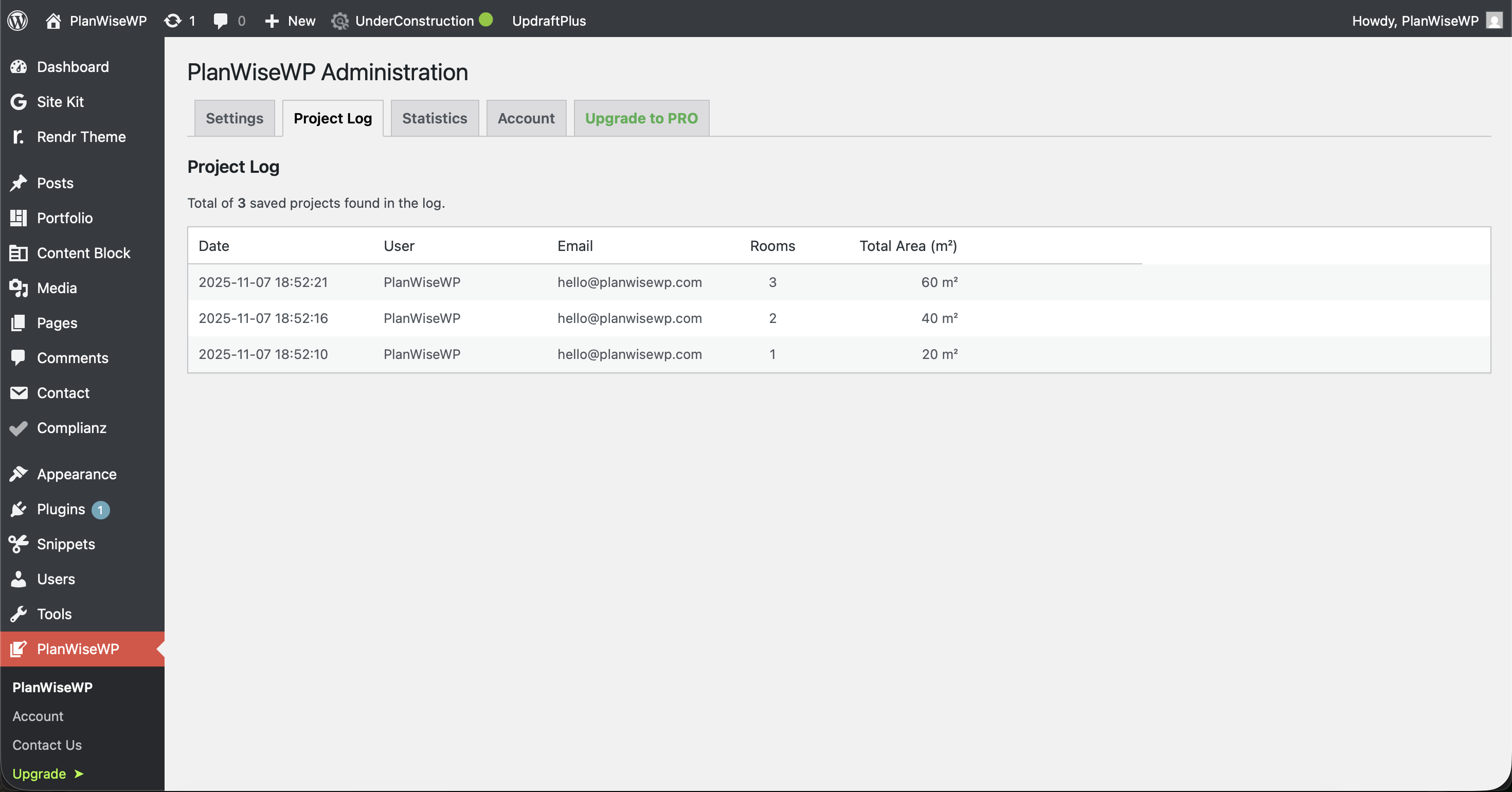
Project Log: View and manage your saved floor plans. 
Statistics: View basic stats on plugin usage, including top users and activity by email domain. 
Professional PRO Report (General): Shows the advanced General Data report, including Net Areas and Perimeters. 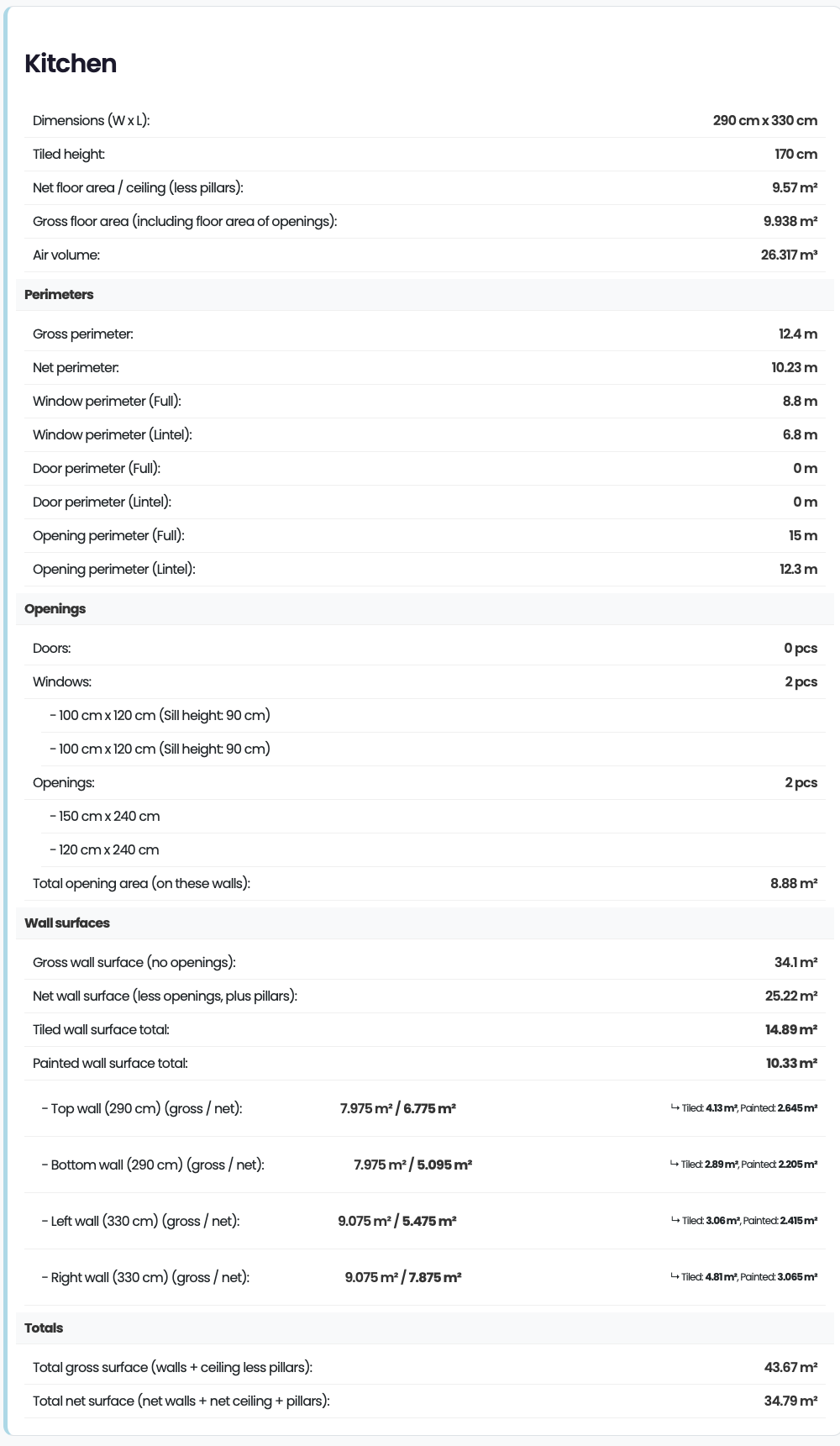
Professional PRO Report (Rooms): Detailed per-room data, including Net Wall Surface, Painted vs. Tiled Area. 
PRO Editor Features: Demonstrates On-Canvas Dimensions, custom Room Colors, and the advanced Edit Panel. 
Company Management (PRO): The admin panel for creating “Company” accounts with activity insights. 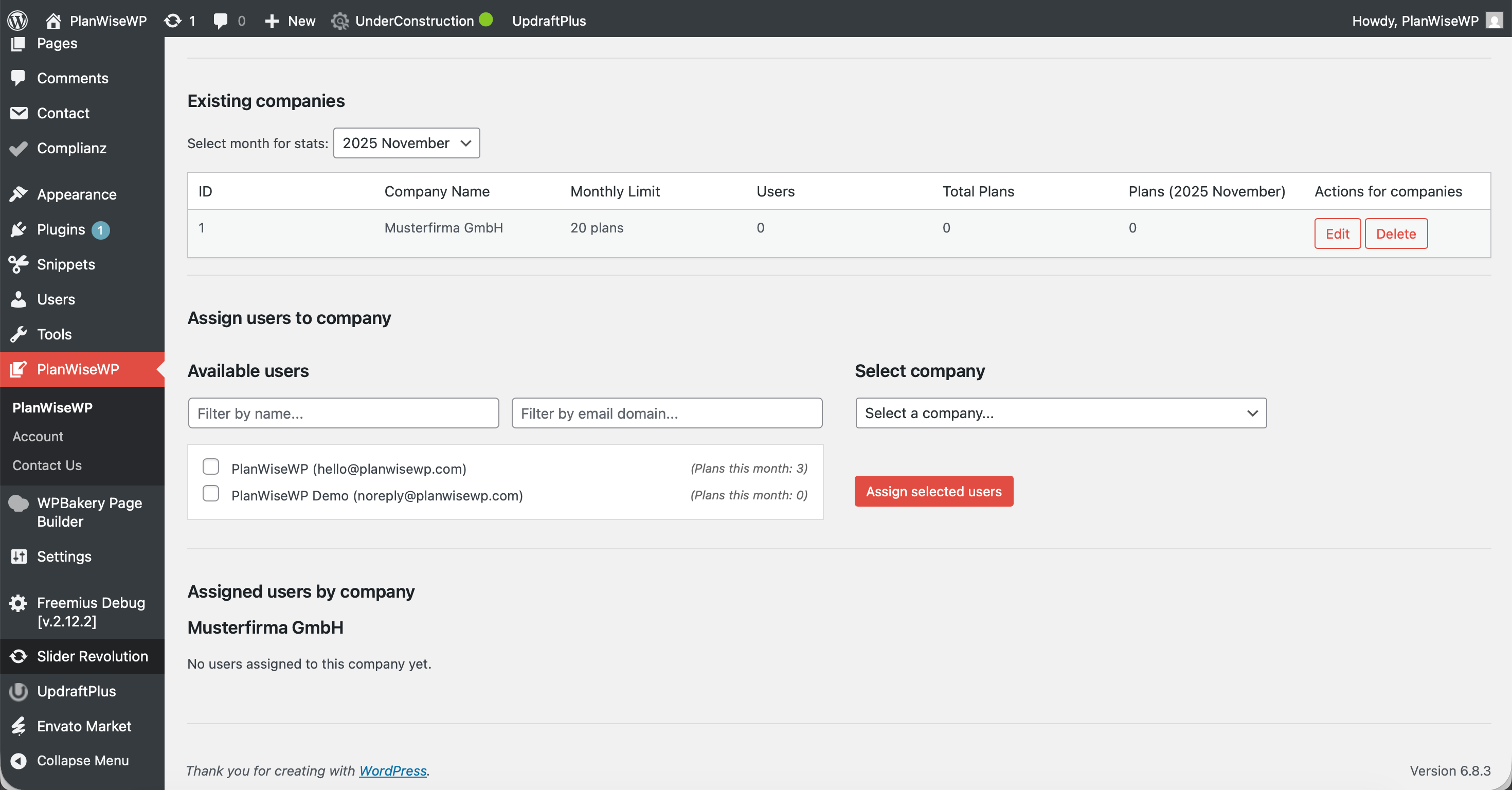

Installation
Method 1: From your WordPress dashboard (Easiest)
- Navigate to ‘Plugins’ > ‘Add New’ in your WordPress admin dashboard.
- Search for “PlanWiseWP”.
- Click ‘Install Now’, then click ‘Activate’.
- After activation, go to the new ‘PlanWiseWP’ menu in your admin sidebar to configure the settings.
Method 2: Manual upload via WordPress admin (from .zip)
- Download the
planwisewp.zipfile from the WordPress.org plugin directory. - Navigate to ‘Plugins’ > ‘Add New’ in your WordPress admin.
- Click the ‘Upload Plugin’ button at the top of the page.
- Select the
planwisewp.zipfile you downloaded and click ‘Install Now’. - Activate the plugin.
After activation:
- Navigate to the new PlanWiseWP > Settings menu in your admin sidebar. This is where you configure all core options:
- Set the Unit System (Metric/Imperial).
- Set the Free version default sizes for doors and windows.
- Customize frontend Texts, Titles, and Tooltips.
- Place the
[planwisewp]shortcode on any page or post to display the editor.
Kwel-vrae
-
How do I display the editor?
-
Just add the
[planwisewp]shortcode to any WordPress page or post. -
What are the essential initial settings?
-
Go to PlanWiseWP > Settings to set your Unit System (Metric/Imperial).
-
Drag rooms close to each other, and they will magnetically snap together. The snapping logic uses the Wall Thickness value (set in the editor controls) to create a perfect gap, ready for placing shared doors or openings.
-
How do I select, move, or delete an element?
-
- Select: Left-click (or tap) on a room or element.
- Move: Click-and-drag (or touch-and-drag) the selected element.
- Edit Panel: Right-click (or long-press on touch screens) a selected element to open the Edit Panel.
- Rotate/Delete: Use the (️) and (🗑️) icons in the Edit Panel.
-
What is the difference between the Free and PRO export?
-
The Free version exports a PNG image with a “PlanWiseWP” watermark. The PRO version removes this watermark, lets you add your own logo, and adds data export options for
.TXTand.CSVfiles.
Aanbevelings
There are no reviews for this plugin.
Contributors & Developers
“PlanWise Floor Planner” is oopbron sagteware. Die volgende mense het bygedra tot die ontwikkeling van hierdie uitbreiding:
Contributors
Translate “PlanWise Floor Planner” into your language.
Interested in development?
Browse the code, check out the SVN repository, or subscribe to the development log by RSS.
Changelog
= 1.0.0 =
* Initial public release.