

Beskrywing
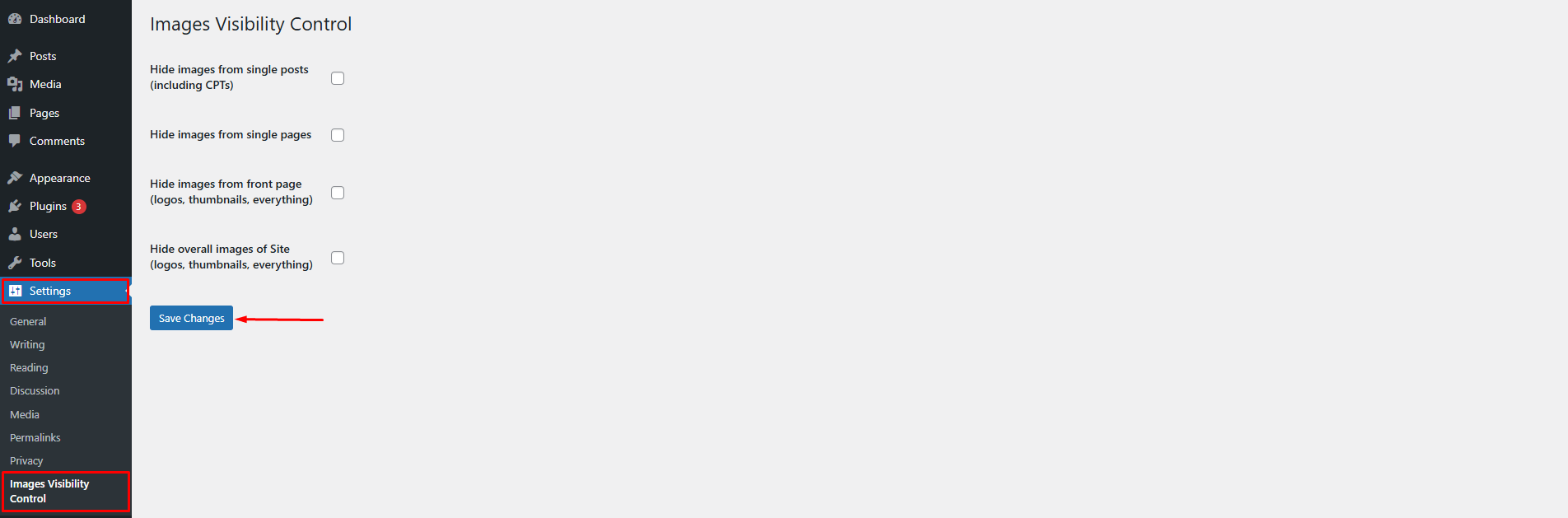
The Images Visibility Control plugin lets you easily hide or show featured images and post content images across your WordPress site. To configure the plugin, go to Settings > Images Visibility Control.
You can choose to:
* Hide images from all posts (including custom post types)
* Hide images from all pages
* Hide all images from frontpage (logos, featured images, content images, etc.)
* Hide all images on the site (logos, featured images, content images, etc.)
Features
- Hide featured images and post content images from all single posts (including CPTs)
- Hide images from all single pages
- Hide all images across the entire site (logos, thumbnails, media images, etc.)
- Easy settings panel under Settings Images Visibility Control
Screenshots
Installation
- Upload the plugin folder to
/wp-content/plugins/enable-disable-wp-imagesor install the plugin through the WordPress plugin repository. - Activate the plugin via the ‘Plugins’ menu in WordPress.
- Go to
Settings > Images Visibility Controlto configure the plugin.
Kwel-vrae
-
How can I hide images from all posts or pages?
-
Go to
Settings > Images Visibility Control, then check the appropriate option to hide images from posts or pages. -
Can I hide all images on the site including logos and thumbnails?
-
Yes. Enable the “Hide all images” setting and it will apply site-wide, overriding the other options.
-
Will this affect SEO or image loading speed?
-
Images are hidden using CSS. They’re still loaded in the DOM but not visible to users. For SEO-related image handling, consider using dedicated SEO/image optimization plugins.
-
Plugin settings page under Settings > Images Visibility Control
Aanbevelings
There are no reviews for this plugin.
Contributors & Developers
“Images Visibility Control” is oopbron sagteware. Die volgende mense het bygedra tot die ontwikkeling van hierdie uitbreiding:
Contributors
Translate “Images Visibility Control” into your language.
Interested in development?
Browse the code, check out the SVN repository, or subscribe to the development log by RSS.
Changelog
1.2.1
- Updated contributor name
1.2.0
- Renaming the plugin from “Hide Show Images” to “Images Control Visibility”
1.1.0
- Renaming the plugin from “Hide Show WP Images” to “Hide Show Images”
1.0.1
- Fixed mismatch text domain.
- Fixed issues.
1.0.0
- First stable version of the plugin.